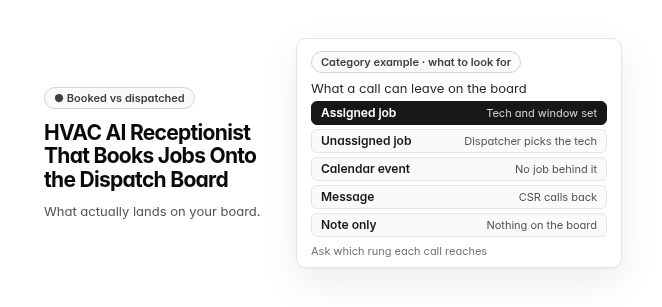
Booked vs dispatched
HVAC AI Receptionist That Books Jobs Onto the Dispatch Board What actually lands on your board.
Category example · what to look for. What a call can leave on the board: Assigned job (tech and window set) · Unassigned job (dispatcher picks the tech) · Calendar event (no job behind it) · Message (CSR calls back) · Note only (nothing on the board). Ask which rung each call reaches.
An HVAC AI receptionist is an AI voice agent that answers inbound calls, sorts urgent calls from routine work on your rules, checks technician availability where it connects to your schedule, and books the job onto your field service dispatch board, with a person handling the exceptions.
If a caller smells gas or a carbon monoxide alarm is going off, the first instruction is to leave the building and call 911 or the gas utility, before any booking or dispatch step. The same goes for a burning smell from the equipment: leave the building and call 911.
Rather than leaving a message for the office, a connected AI receptionist writes a real job into your field service management (FSM) software and typically sends the caller a text confirmation. The options are receptionists built into the FSM itself and standalone AI receptionists that write jobs into those systems through integrations, so the right choice depends on which software runs your dispatch board.
What is an HVAC AI receptionist?
An HVAC AI receptionist is the call-handling layer of your HVAC software. It picks up inbound calls, qualifies the caller, and, where it is connected, creates the job in the same field service management system your dispatchers already work from. A message-taking answering service leaves a note for someone to call back. A connected AI receptionist can leave a scheduled visit on the board.
- Category: "AI receptionist" is the name buyers and vendors use for a voice agent that books work, as opposed to one that only takes messages.
- System of record: The booking lands in field service management software, where dispatch, the technician's mobile app and invoicing already live.
- Coverage: A well-configured receptionist can cover nights, weekends, holidays and overflow, which are the hours when a missed call can turn into a competitor's job.
- Human handoff: Callers the rules can't resolve, such as disputes, unusual commercial requests or a declined arrival window, go to a person instead of being forced through a script.
Our guide to HVAC AI voice agents covers what a voice agent conversation should hand back to the office, and our comparison of an answering service vs an AI receptionist covers what each option leaves behind after the call.
How does a call get onto the dispatch board?
An HVAC AI receptionist moves a caller from first ring to a confirmed visit in six steps. A booking is only as good as the step that fails, so each one is worth checking in a demo.
- Answer: The receptionist picks up and greets the caller in your company's name.
- Safety and triage: If the caller smells gas or a carbon monoxide alarm is going off, the first thing the caller hears is to leave the building and call 911 or the gas utility, before any booking or dispatch step. After that, the receptionist sorts urgent work, such as no heat, no cool or a vulnerable occupant in the home, from routine work on the shop's own rules, and urgent calls go to your on-call technician.
- Intake: The receptionist collects the caller's name, service address, callback number, equipment make, model and approximate age, and the symptoms in the caller's own words.
- Availability check: Where it connects to the FSM, the receptionist reads technician availability, filtered by skills, service zone and drive time, and offers the caller a real arrival window.
- Job written: The receptionist books the visit only once the caller agrees to the arrival window. The job is written onto the dispatch board with its job type, business unit and notes attached.
- Confirmation: The caller gets a text confirmation with the arrival window, and reminders follow from the same job record.
Our guide to online booking covers what valid booking options look like before a customer confirms.
Booked vs. dispatched: what actually lands on your board?
"Books jobs directly onto the dispatch board" can describe five very different outcomes. Creating a job is not the same as confirming a technician. A job that lands unassigned still needs a dispatcher in the morning, and the AI has moved that work rather than removed it. The ladder below ranks what you might find on the board after an AI-handled call, from fully dispatched down to a note.
This is a category model for comparing AI receptionists, not a description of any one product.
| Rung | What lands on the board | Who still has to act | How to tell on the board |
|---|---|---|---|
| One | A job with job type, business unit, an assigned technician and an arrival window | Nobody, unless an exception fires | The job sits on a named tech's timeline in the confirmed window |
| Two | A job on the board with no technician assigned | A dispatcher, to pick the tech and confirm the window | The job appears in an unassigned or holding lane |
| Three | A calendar appointment with no FSM job behind it | The office, to create the job and re-enter the caller's details | The event appears on a calendar but not in job lists or the tech app |
| Four | A request or message for the office | A CSR, to call back and book | A task, inbox item or request queue entry appears instead of a job |
| Five | A note on the customer record only | Someone who happens to read the note | Nothing new appears on the board at all |
Ask every vendor which rung a standard routine call reaches, and which rung an after-hours call reaches. Our guide to the dispatch board covers what that board should show once a job lands.
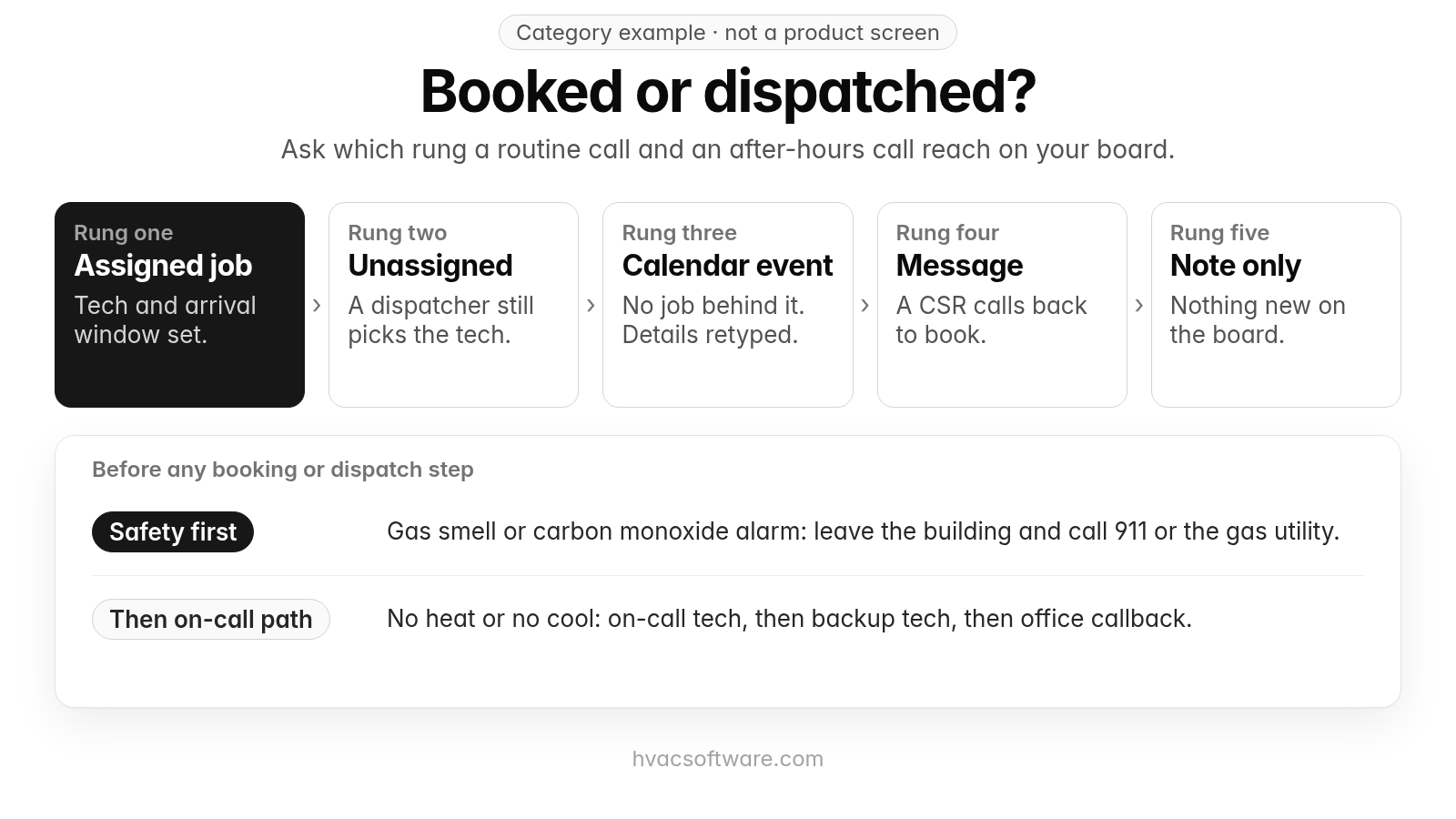
Category example · not a product screen
Booked or dispatched?
Ask which rung a routine call and an after-hours call reach on your board.
- Assigned job: tech and arrival window set.
- Unassigned: a dispatcher still picks the tech.
- Calendar event: no job behind it. Details retyped.
- Message: a CSR calls back to book.
- Note only: nothing new on the board.
Before any booking or dispatch step:
- Safety first: gas smell or carbon monoxide alarm: leave the building and call 911 or the gas utility.
- Then on-call path: no heat or no cool: on-call tech, then backup tech, then office callback.
How should an AI receptionist handle gas, no-heat and after-hours emergency calls?
Safety first, before any booking or dispatch step: If a caller smells gas or a carbon monoxide alarm is going off, the first thing the caller hears is to leave the building and call 911 or the gas utility. The same goes for a burning smell from the equipment: leave the building and call 911. If someone is in danger from heat or cold, tell the caller to call 911. Then the call goes to your on-call technician.
After that safety step, an AI receptionist should treat an emergency as a routing decision, not a routine booking. No-heat and no-cool calls go to the on-call technician by transfer or alert, according to the rules you set for each call type and time of day. Our guide to emergency call prioritization covers how the board orders urgent work once it lands.
What happens when the on-call tech doesn't answer?
Demos often skip this part, and it is the failure that matters most in the middle of the night. A dependable emergency path has three parts:
- Timeout: After a set number of rings or minutes, the receptionist stops waiting on the first technician instead of holding the caller indefinitely.
- Backup technician: The call or alert moves to a second on-call tech or an on-call dispatcher next in your escalation order.
- Office callback: If nobody in the chain responds, the caller gets a clear callback commitment and the office sees an open emergency at the top of the board when it opens.
Ask each vendor to show the timeout setting and the escalation order live, rather than describing them.
Which HVAC software does an AI receptionist book into?
Your FSM decides half the shortlist. Every HVAC AI receptionist books into some field service management system, so the first question is whether you use the receptionist your FSM sells or a standalone receptionist that writes into it through an integration.
Receptionists built into field service software come up often when HVAC contractors compare options. The notes below come from each vendor's own pages. Plans and add-ons change, so check current pricing pages and confirm in a demo what your plan includes.
- ServiceTitan: Its AI Virtual Agent page describes booking straight to the dispatch board from technician availability, booking by job type, location and required skills through its Adaptive Capacity feature, and transferring the call when a person is needed.
- Housecall Pro: Its CSR AI page describes answering calls and chats and scheduling jobs from your schedule and service preferences inside Housecall Pro, with booking and escalation rules you set.
- Jobber: Its AI Receptionist page describes booking visits during the call from your online booking settings, creating a work request or taking a message when a job can't be booked, and transferring the call or sending a text alert on keywords you set.
Whichever you shortlist, built in or standalone, ask which rung of the ladder a routine call reaches on your own board, and ask for a live booking demo against your own board, not a recorded one. The HVAC contact center overview covers how calls connect to the rest of the front office.
How does FieldCamp fit a shop comparing AI receptionists?
FieldCamp fits contractors running residential and commercial work in one system, with a person still deciding the day. Here is what FieldCamp does today, and what to ask in a demo.
This site is published by FieldCamp.
- On the dispatch board: When your dispatcher drags a job onto a technician, the board checks skills, drive time and schedule conflicts, and the dispatcher confirms the assignment.
- For the customer: The customer gets a text when a job is assigned or moved.
- For the technician: A technician’s assigned jobs and schedule show on their phone.
- One record: Each job stays on one record from the first call to the paid invoice.
- Residential and Commercial Together: Residential service calls and commercial maintenance work run in one system, not two.
- Who decides: A person still decides the day. Assignment stays a decision the dispatcher makes.
- What to ask in the demo: This page does not describe call answering, after-hours coverage, booking on the call, availability checks during the call, triage and on-call routing, call handoff, call transfer, bilingual calls, caller recognition, lead qualification, fee quoting, or booking confirmations and reminders as FieldCamp features. Ask in the demo how calls would reach your board, and for each piece, whether it is available today, needs setup or a connected tool, is in a pilot, or is planned.
Our guide to customer text notifications covers the texts a customer gets once a job is assigned or moved.
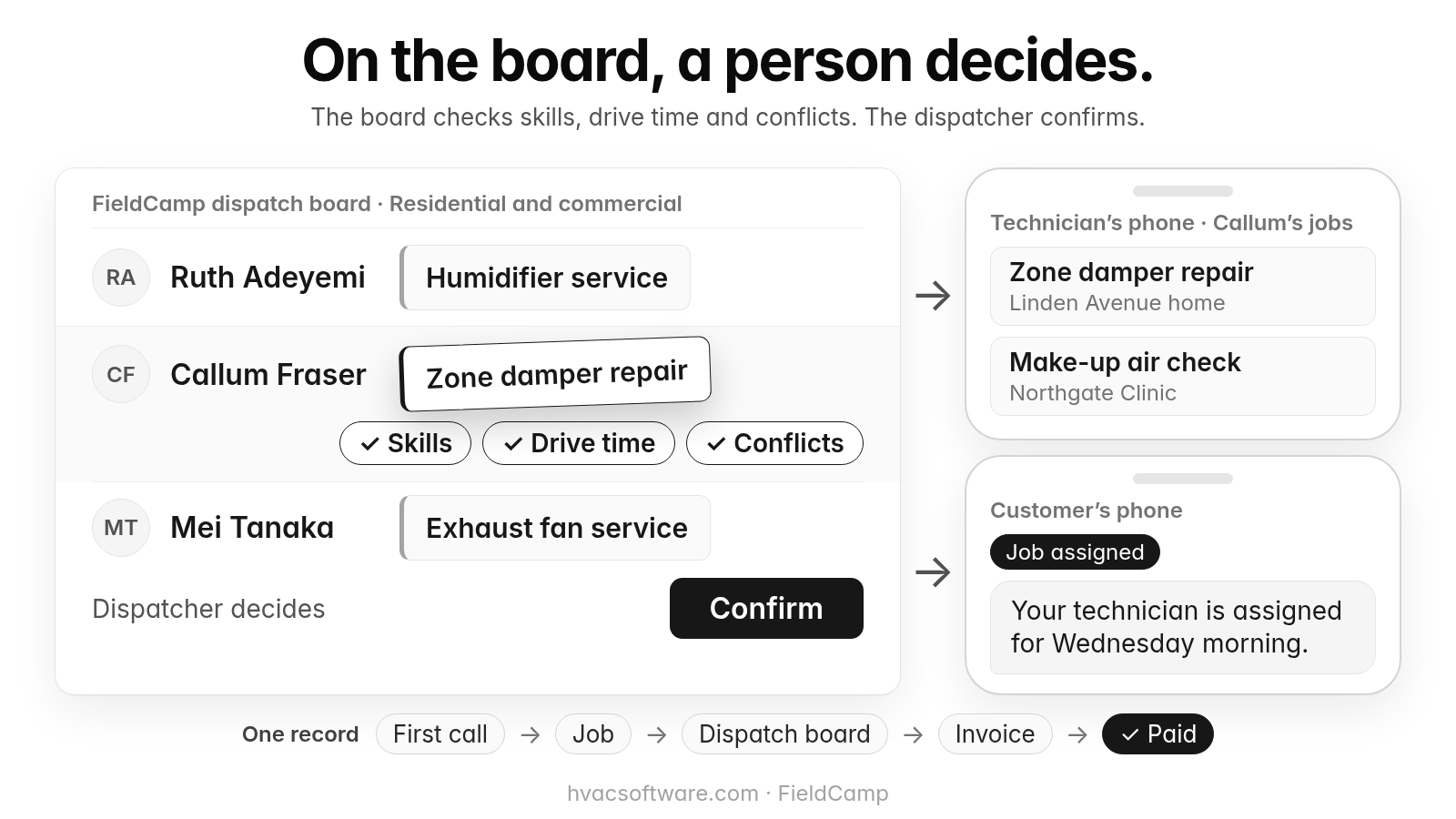
On the board, a person decides.
The board checks skills, drive time and conflicts. The dispatcher confirms.
FieldCamp dispatch board · Residential and commercial: Ruth Adeyemi: Humidifier service. Callum Fraser: Zone damper repair. Mei Tanaka: Exhaust fan service.
- Skills
- Drive time
- Conflicts
Dispatcher decides: Confirm.
Technician’s phone · Callum’s jobs: Zone damper repair (Linden Avenue home). Make-up air check (Northgate Clinic).
Customer’s phone. Job assigned: "Your technician is assigned for Wednesday morning."
One record: First call → Job → Dispatch board → Invoice → Paid.
Comparing AI receptionists? Book a 30-minute walkthrough to see how a job moves from the first call onto the dispatch board.
How should residential and commercial calls route differently?
An HVAC AI receptionist that serves both residential and commercial customers should route the two differently on one dispatch board. Whichever kind of call it is, safety comes first: if a caller smells gas or a carbon monoxide alarm is going off, the first instruction is to leave the building and call 911 or the gas utility, before any booking or dispatch step.
- Commercial escalation: A commercial refrigeration failure goes to the on-call dispatcher, who weighs contract terms and site access before assigning a tech.
- Residential urgent calls: After that safety step, a residential no-heat call on a winter night goes into an emergency arrival window, following your triage rules.
- Site context: Commercial jobs carry the property manager, the specific site and the unit, so the technician arrives knowing which rooftop unit to open.
- One board: Both streams land on the same board, so dispatch sees the full day without switching systems.
Six test calls to run before you buy
Run these six calls against a live setup connected to your own FSM, then open the dispatch board and check each against the ladder. On every urgent test call, the first thing the caller should hear for a gas smell or carbon monoxide alarm is to leave the building and call 911 or the gas utility.
- Late-night no-heat, new customer: Check that the caller first hears the safety instruction, before any booking or dispatch step: if they smell gas or a carbon monoxide alarm is going off, leave the building and call 911 or the gas utility, and for a burning smell from the equipment, leave the building and call 911. Then check that a job reaches a named technician's timeline with an arrival window.
- Gas smell report: Check that the caller first hears to leave the building and call 911 or the gas utility, before any booking or dispatch step, and that the call then reaches your on-call technician instead of a routine slot.
- Unanswered on-call: Let the first on-call phone ring out and watch whether the escalation path described above actually fires.
- Declined window: Turn down every arrival window offered and confirm nothing is booked and the office receives a callback task.
- Maintenance agreement member: Call from a number already on file and check that the job attaches to the existing customer and equipment instead of creating a duplicate.
- Property manager, multi-site: Call about one unit at one of several sites and confirm the call reaches a person, with the site and unit carried on the job.
Frequently asked questions
Is there an AI answering service for HVAC that books onto the dispatch board?
Yes. AI answering services, often called AI receptionists, are sold to HVAC contractors both as add-ons built into field service software and as standalone services that write into it through integrations. Where one connects to your schedule, it can book the visit while the caller is still on the line. Before you choose one, test which rung a routine call reaches: an assigned job, an unassigned job, a calendar event, a message or a note.
How much should an AI receptionist cost for an HVAC company?
It depends on the vendor, the plan and your call volume. AI receptionists are often sold as a monthly plan or as an add-on to field service software, so ask what the plan covers and what happens when your calls go past it. Beyond the fee, count the internal work a booking creates: any job that lands unassigned still costs dispatcher time the next morning. Plans change, so check current pricing pages, then ask each vendor for a written quote based on your own call volume.
Is an AI receptionist worth it for a small HVAC shop with no full-time dispatcher?
It can be, but it moves dispatch work rather than removing it, and it does not replace the person who decides the day. A job that lands on the board unassigned still needs someone to pick the technician and confirm the window, and calls outside your rules go to a person. A shop with no dispatcher should confirm who handles those exceptions and the next-morning unassigned jobs, and who will set up the on-call escalation path: the timeout, the backup technician and the office callback.
Can I start by using an AI receptionist for after-hours calls only?
Confirm it with each vendor before you buy, because not every product is set up for after-hours-only routing. Nights, weekends, holidays and overflow are where missed calls can turn into a competitor's job, so they are a natural place to start. Ask whether routing rules can be set by call type and time of day, and run the same test calls after hours that you would run during the day.
What is the biggest mistake HVAC owners make when buying an AI receptionist?
Treating "books jobs directly onto the dispatch board" as a single outcome, because it can describe five very different results. An AI-handled call can end as a fully assigned job, an unassigned job, a calendar event with no FSM job behind it, a message for the office, or just a note. Ask each vendor which of those outcomes a routine call and an after-hours call reach, then verify it on your own board.
How should an AI receptionist handle a gas smell or no-heat call?
Safety comes first. If a caller smells gas or a carbon monoxide alarm is going off, the first instruction is to leave the building and call 911 or the gas utility, before any booking or dispatch step. If someone is in danger from heat or cold, the caller should call 911. After that, a no-heat call in freezing weather should go to your on-call technician with the system type, symptoms and address, not into the next routine slot. If the on-call technician does not answer, the call should move to a backup technician and then to an office callback.
Final recommendation
Before you sign, run the six test calls on every AI receptionist you shortlist, starting with the late-night no-heat call, where the caller should hear your safety instruction first: if they smell gas or a carbon monoxide alarm is going off, leave the building and call 911 or the gas utility. Then open your dispatch board and check which rung of the ladder each call reached.