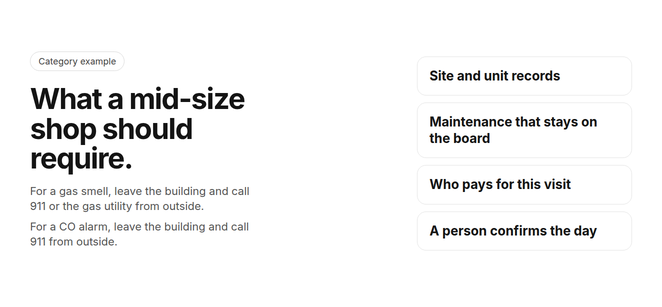
A dispatcher on a full Tuesday has a rooftop unit down in a tenant suite, two quarterly visits already on the board, and a property manager asking which invoice is theirs. The residential no-heat call from this morning is on the same day. If any of that falls back to a spreadsheet, the shop has a scheduling tool, not commercial service software.
Commercial HVAC service software for mid-size contractors is the field system that keeps dispatch, maintenance visits, site and equipment history, and the path to a paid invoice together for a shop of about 5 to 50 technicians. It has to take a break/fix call without losing the maintenance already scheduled, and it has to name who pays when one building has more than one occupant. Field service management is the name for scheduling that work at the customer’s property and tying it to billing. The fit depends on technician count, where you close the books, and how work splits between maintenance and install jobs.
What should a mid-size shop remember first?
- Scope: This page means a shop of about 5 to 50 technicians doing commercial service and maintenance, with or without residential jobs. That range is the scope of the guide, not a census and not a legal size standard.
- Records: The system has to know the site, the unit, the agreement, and who pays for this visit. A customer name and a street address are not enough.
- The board: An emergency has to land without hiding the maintenance already scheduled. If you cannot see the displaced visits, the maintenance plan is a spreadsheet again.
- The decision: Someone in the office still confirms the assignment. Treat every product sentence before the product section at the end as a question to test on your own buildings.
What is commercial HVAC service software for a mid-size shop?
Commercial HVAC service software is the system of record for work done at someone else’s building. A residential job is often one customer, one address, and one piece of equipment. A commercial job adds sites under that customer, units at each site, an agreement that repeats, and a payer who may not be the person who called.
The 5 to 50 technician band is how this page draws the shop, so a crew of 8 with a dozen commercial sites is in scope with a crew of 40. Headcount tells you how heavy the board gets, not whether the records can hold a multi-tenant building. Shops at the top of the band are often sold a heavier suite. Ask what go-live requires before you treat headcount as the decision.
Which records make the work commercial?
- Customer: The company you contract with. One customer can own or manage many buildings.
- Site: One building or campus, with its own access rules and its own equipment.
- Unit: One rooftop unit, chiller, boiler, or VRF system, with history on that unit rather than only on the customer.
- Agreement: The maintenance or service contract that says which units are covered and which response you owe.
- Visit: One trip. The visit is where you name the symptom, the technician, and the party who pays.
This is category guidance, not a description of any product. Confirm each answer in a demo against your own buildings and agreements.
Planned inspection of commercial HVAC is a maintenance practice, not a reminder on a calendar. ANSI/ASHRAE/ACCA Standard 180 sets a minimum for inspecting and maintaining commercial building HVAC so the system can still deliver thermal comfort, energy efficiency, and indoor air quality. Software does not perform that inspection. It has to make the due visit visible and keep the unit’s history attached when the visit is done.
What must commercial HVAC software do for a mid-size shop?
Commercial HVAC software for a mid-size shop has to keep recurring contract work on the board while reactive calls keep arriving. It has to know every site and every unit, turn an agreement into visits without someone retyping them, and leave a finished job on a record the office can invoice. If any of those fall back to a spreadsheet, you bought a calendar.
This is category guidance, not a description of any product. Confirm each answer in a demo against your own buildings and agreements.
| The work | What the record has to hold | What to ask in the demo |
|---|---|---|
| Break/fix call | Site, unit, symptom, and who called | Can you open that unit’s history from the job, in two steps? |
| Maintenance visit | Agreement, due date, and the unit it covers | Does the visit stay visible when an emergency is added the same day? |
| Multi-tenant visit | The party who pays for this visit, not only the street address | Can two visits at one address name two different payers? |
| Finished job | The same job when the office is ready to invoice | Does anyone retype the job into a second system before it can be billed? |
- Job costing, as a question: Ask whether you can see if an agreement or a project made money. Do not assume a demo slide is the report you will get on your own jobs.
- The phone, as a question: Ask whether the technician can open the site, the unit, and the agreement terms from the assigned job. Confirmed product behavior is narrower, and it sits in its own section at the end.
How should a commercial job move from the first call to a paid invoice?
Run the same order every time, with safety before intake. A commercial call has to become a request the office can dispatch, not a message someone retypes later. What an answering tool should capture on a tenant or property-manager call is covered in commercial property calls. This page starts once that request exists and asks what the service software does with it.
- Safety first: For a gas smell, leave the building and call 911 or the gas utility from outside. For a CO alarm, leave the building and call 911 from outside. Do not book a visit in place of that call. Massachusetts public-safety guidance tells people who smell gas inside a building to evacuate and call 911 once they are outside.
- Site and caller: Confirm the building, the suite, and whether the caller is a tenant, a property manager, or a building engineer. The role decides who can approve work. It does not, by itself, decide who pays.
- Unit and symptom: Pin the problem to a named unit. Write what failed, which floor or zone is affected, and whether the site has access rules the technician has to meet.
- Agreement: Check whether that unit is on an active agreement and what response the agreement actually promises. A reminder that a contract exists is not the same as a visit on the board.
- Payer: Name the party for this visit. Shared equipment on a maintenance agreement and a tenant suite repair are different invoices even when the street address matches.
- Assignment: A person in the office confirms who goes. The board should show the conflict before that person says yes. The technician should then see the assigned job on their phone.
- The same record: Notes, parts, and the invoice stay on the job. If the invoice is typed into a second system from scratch, the record broke.
That order is the test, not a feature list. Walk one real emergency and one real maintenance visit through it in the demo. If a step only works on the vendor’s sample building, it does not count.
How do you keep maintenance on the board when an emergency lands?
Maintenance is the work that makes a commercial contract real. An agreement that only stores a PDF will miss the quarter when the board fills with no-heat calls. The office needs future visits created, and it needs to see them when an urgent call takes the same technician. How those visits get onto a calendar is covered in recurring maintenance scheduling, and the commercial test is to add an emergency to a full day and watch the maintenance.
This is category guidance, not a description of any product. Confirm each answer in a demo against your own buildings and agreements.
| What you do in the demo | Pass | Fail |
|---|---|---|
| Add an emergency to a full day | The board shows which maintenance visits move and which stay | The maintenance disappears, or you can only see it in a spreadsheet |
| Open the displaced visit | You can still see the agreement, the unit, and the original day | The visit is gone, or it no longer names the unit |
| Tell the customer | You know who must be told that the maintenance moved | The only notice is a phone call someone might forget |
Service-heavy shops should weight this test above a feature tour. A board that cannot show the displaced visit will push the contract work back onto paper the first hot week of the year.
Who pays for which visit at a multi-tenant commercial site?
A multi-tenant site ties the building, each unit, and the party billed for each visit, because one bill-to on the street address sends invoices to the wrong party. The property manager often pays for shared equipment, while a tenant suite repair may be a different invoice. The table is a hypothetical, not a customer record and not a product claim. Actual billing follows the contract and the lease you have.
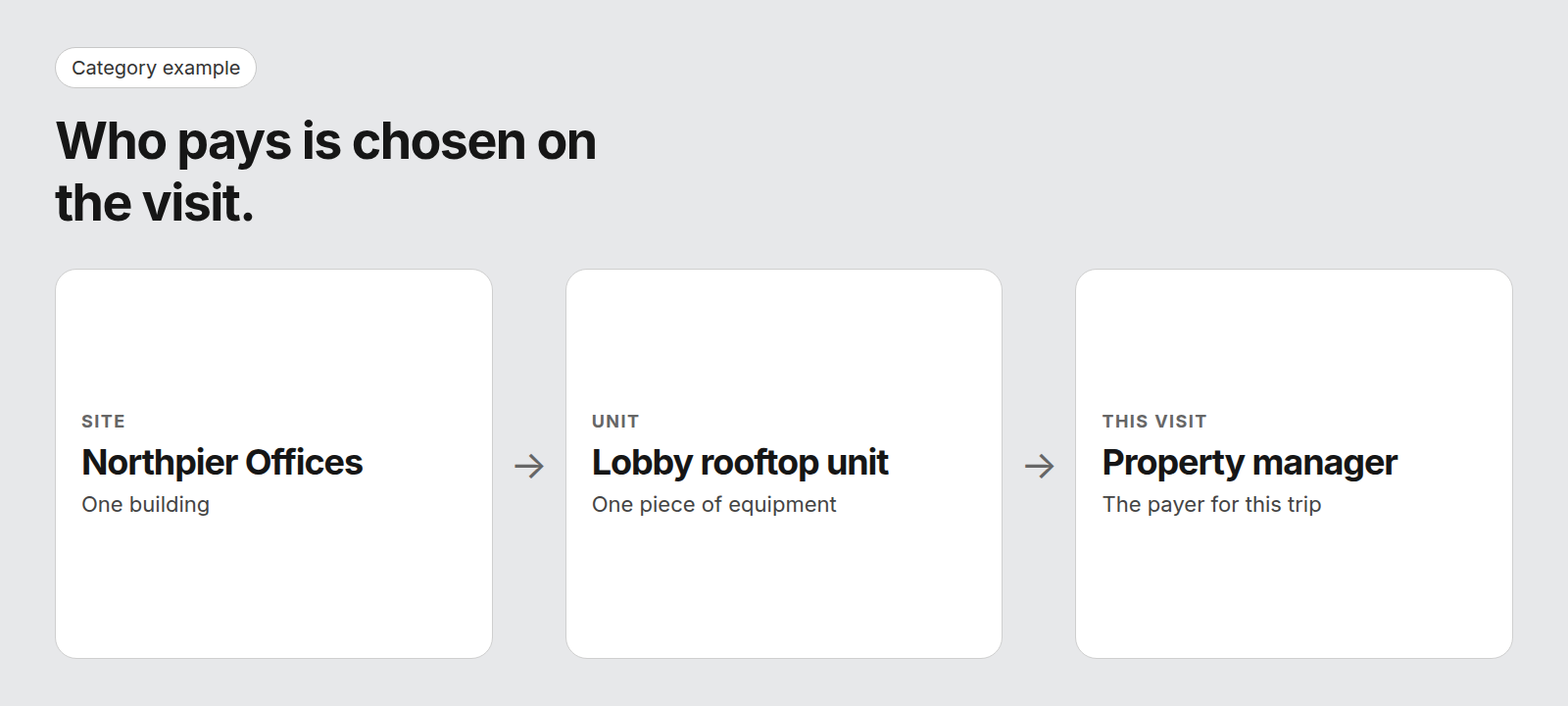
Diagram details
Category example. Who pays is chosen on the visit, not on the street address.
- Site: Northpier Offices. One building.
- Unit: Lobby rooftop unit. One piece of equipment.
- This visit: Property manager. The payer for this trip.
This is category guidance, not a description of any product. Confirm each answer in a demo against your own buildings and agreements.
| Visit | Unit | Agreement covers it? | Bill to in this example |
|---|---|---|---|
| Scheduled maintenance | Rooftop unit serving the lobby | Yes, if the agreement includes it | Property manager |
| Emergency on that unit | Same lobby rooftop unit | Depends on the agreement terms | Property manager if the agreement covers the call. Otherwise the contract terms. |
| Repair call | Unit serving one tenant suite | Not in this example | The tenant, if the lease assigns that unit to them |
| Scheduled maintenance | Boiler in the mechanical room | Yes, if the agreement includes it | Property manager |
- Bring your hardest building: One site, at least two payers, and an agreement that covers some units and not others.
- Ask where the payer is stored: On the customer, on the site, or on the visit. Only the visit can change from one trip to the next.
- Ask who can see it: The person booking, the dispatcher, and the technician should not each be guessing.
- Do not treat this table as a product screen: It is a buying model. The product section does not claim agreement-versus-tenant billing.
How is commercial HVAC software different from a residential tool or an enterprise suite?
Mid-size commercial shops sit between two buying categories. Residential-first tools are often sold on speed of setup, and they may not model many sites, many units, and a payer per visit. Heavier suites cover commercial work and are often sold with a heavier rollout. You want the commercial records, with the price and the go-live date in writing, because this page has neither.
This is category guidance, not a description of any product. Confirm each answer in a demo against your own buildings and agreements.
| What matters | Ask a residential-first tool | Ask a heavier suite | What you need |
|---|---|---|---|
| Sites and units | Can one customer hold many sites, each with its own units? | How much setup happens before those records are usable? | Sites and units as ordinary records, not a custom project |
| Who pays | Can two visits at the same address name different payers? | Who on your staff maintains those rules? | The payer chosen on the visit |
| Maintenance | Do agreements create visits, or only reminders? | Is the contract module part of what you are buying? | Visits that stay visible when the day changes |
| Dispatch | Can someone see conflicts before they assign the job? | Does the board need its own administrator? | A person confirms the assignment |
| The job record | Does the record stay in one tool as jobs get larger? | When is that record live after go-live? | One path from the first call through the invoice |
| Switching | Does a fast setup still hold after commercial data is imported? | What go-live date will the vendor put in writing? | A written date, and a test on your hardest building |
What should you check before you buy commercial HVAC software?
Run the demo on your hardest real site, not on the vendor’s sample data. Bring a multi-tenant building and an active agreement. The checklist below is a pass or fail. A slide that describes the step is not a pass.
- Equipment at the site: Every unit shows, with its own history, without a hunt through the customer’s whole account.
- Agreement to visits: Creating or opening an agreement shows the future visits. You do not retype them onto the board one by one.
- Emergency against maintenance: Moving an emergency onto a full day shows what happens to the visits it displaces.
- Payer: You can name the party for this visit, and a second visit at the same address can name a different party.
- The phone: The assigned technician can open the job and see the site. Anything past the assigned jobs and the schedule is a question, not a promise.
- The invoice: The finished job is still the same record when the office invoices. Ask them to show the handoff, including what a person still types.
- Safety script: For a gas smell, leave the building and call 911 or the gas utility from outside. For a CO alarm, leave the building and call 911 from outside. Read both lines before anyone books the call.
Write down what was shown and what was described. Keep the two lists apart, and treat a described step as unfinished until you see it on your own building.
How should a mid-size shop choose by technician count and work mix?
Choose on two axes. Technician count sets how heavy dispatch and reporting get, and work mix plus the accounting system set billing. Find the size band first, then add every profile row that fits. A shop can be maintenance-heavy and also close the books in a separate accounting system, so both rows apply.
What should you prioritize by technician count?
| Technicians | Ask these first |
|---|---|
| 5 to 10 | Can every unit at a site carry its own history, and do maintenance visits get onto the board without retyping? |
| 10 to 25 | When a job is moved, can the person dispatching see the conflict, and can the technician see that day’s jobs? |
| 25 to 50 | Can you report across sites, and will the vendor put a go-live date in writing before you sign? |
What should you prioritize by shop profile?
| If the shop is | Ask this first |
|---|---|
| Maintenance-heavy | What happens to scheduled visits when an emergency takes the day? |
| Project and install heavy | How does a staged job stay on one record through the final invoice? |
| Commercial and residential | Can both job types run on one board, with a person still confirming the day? |
| Commercial only | Can one customer hold many sites, and can a visit name who pays? |
| Closing the books elsewhere | Which system owns the customer and the invoice, and does anyone type the job twice? |
Answer the three questions in writing before you sit through a second demo: how many technicians you run now and expect in two years, which accounting system closes the books, and how revenue splits between maintenance agreements and project or install work. Then test the shortlist on the multi-tenant building, not on a generic commercial story.
What should you ask about price and rollout time?
This page has no prices and no rollout durations. Published comparisons disagree with each other, and a figure from a vendor’s own video is not your plan. Compare the quote you can hold in your hand.
- License basis: Per technician, per office user, or both. A large office can cost more than the technician count suggests when office users are a separate line.
- Setup: Whether moving sites, units, agreements, and open jobs is included, or billed on top of the license.
- Your hours: The time your own people will spend before the first real week of dispatch. That time is part of the cost even when the invoice does not list it.
- Go-live in writing: A date that includes your data, not a sample company. Ask what you can dispatch on that date and what is still unfinished.
Ask those four as lines on one quote. A headline rate with the setup missing is not a comparison. Two shops with the same technician count can owe different amounts once office users and data moving are on the page.
What will commercial HVAC software not do for you?
It will not leave the building for the caller. For a gas smell, leave the building and call 911 or the gas utility from outside. For a CO alarm, leave the building and call 911 from outside. A work order is not that call, and it comes after the caller is outside.
It will not decide the day. Someone in your office confirms who goes, including when the board has already shown a conflict. It will not tell you a price, a rollout length, or which accounting handoff you have, because those depend on the vendor and on your books. This page will not invent them.
- No ranking: This page does not name a winner.
- No invented connection: Do not read a buying question about your accounting system as a claim that a product is connected to it.
- No field magic: Do not assume the technician can work with no signal, that the shop’s trucks are followed on a map, or that the product improves itself from past jobs. Ask, and write down the answer you were shown.
How does FieldCamp fit a mid-size commercial shop?
This site is published by FieldCamp.
FieldCamp fits contractors running residential and commercial work in one system, with a person still deciding the day. Here is what FieldCamp does today, and what to ask in a demo.
- On the dispatch board: When your dispatcher drags a job onto a technician, the board checks skills, drive time and schedule conflicts, and the dispatcher confirms the assignment. See the dispatch board for how that confirmation sits on the day.
- For the customer: The customer gets a text when a job is assigned or moved. The wording and timing of those texts are covered in customer text notifications.
- For the technician: A technician’s assigned jobs and schedule show on their phone.
- One record: Each job stays on one record from the first call to the paid invoice.
- Residential and Commercial Together: Residential service calls and commercial maintenance work run in one system, not two.
- Who decides: A person still decides the day. Assignment stays a decision the dispatcher makes.
- What to ask in the demo: This page does not describe offline mode, route optimization, vehicle tracking, a system that learns, accounting connections, agreement-versus-tenant billing, automatic maintenance generation, job costing, progress billing, customer portals, price books, or response-time tracking as FieldCamp features. Ask about each of those, including where the payer is stored and what a person still types before an invoice can be sent. Ask whether each one is available today, needs setup, is in a pilot, or is planned, and make the vendor show it on your building.
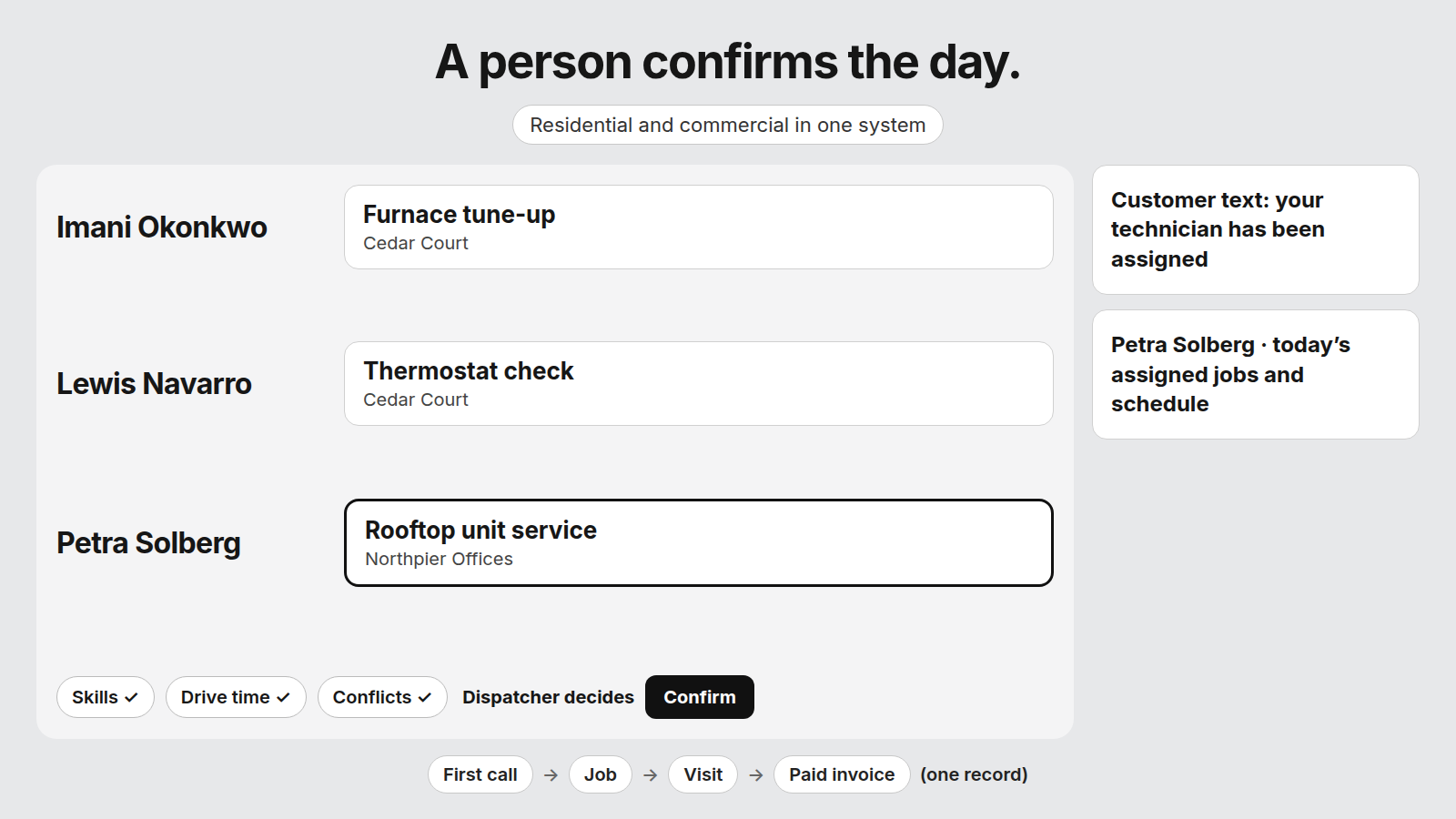
Diagram details
What does the dispatcher see before confirming? A person confirms the day. Residential and commercial jobs sit in one system.
- Imani Okonkwo: Furnace tune-up, Cedar Court
- Lewis Navarro: Thermostat check, Cedar Court
- Petra Solberg, the job being dragged: Rooftop unit service, Northpier Offices
Skills, drive time, and conflicts are checked. The dispatcher confirms.
Customer text: your technician has been assigned.
Petra Solberg sees today’s assigned jobs and schedule on the phone.
First call, job, visit, paid invoice. One record.
Book a demo and bring one multi-tenant building plus one active service agreement.
Frequently asked questions
What counts as a mid-size HVAC contractor on this page?
This page means a shop of about 5 to 50 technicians doing commercial service and maintenance, with or without residential work. That range is the scope of the guide, not a census and not a legal size standard. A shop with a handful of technicians and a dozen commercial sites has the same records problem as a larger crew. Headcount only tells you how heavy the dispatch board gets.
Can one system run residential and commercial HVAC work?
It can, if the records are built for both and you prove it in a demo. A residential job is usually one customer, one address, and one piece of equipment. A commercial job adds sites, units, an agreement, and a payer who may not be the caller. Ask the vendor to book one of each on the same board. If the commercial job falls out into a spreadsheet, you still have two systems.
How should software handle an emergency on a day full of maintenance?
Move a real emergency onto a full day in the demo and watch the maintenance visits. The board should show which visits move, which stay, and who has to be told. If you can only see that in a spreadsheet, you bought a scheduling tool. For a gas smell, leave the building and call 911 or the gas utility from outside. For a CO alarm, leave the building and call 911 from outside.
Who gets the invoice at a multi-tenant building?
The party named for that visit, not the street address by itself. A property manager often pays for scheduled maintenance on shared equipment. A tenant may pay for a repair on the unit that serves their suite, when the lease and the agreement say so. The software has to store that choice on the visit. Confirm it on your own building before you treat a sample invoice as proof.
Does commercial HVAC software have to connect to accounting?
You need a straight answer on which system owns the customer and the invoice, and whether anyone retypes a finished job. A file, a typed entry, or a live connection are different answers, and only a demo on your books shows which one you would live with. This page does not claim a connection to any accounting product. Ask each vendor to show the path from a finished job to the invoice.
What should a technician see on their phone?
At minimum, the jobs assigned to them and the schedule for the day, including a commercial site and a residential stop if the shop runs both. They should not have to call the office to learn which rooftop they are on. Ask to open a job on a phone in the demo and confirm the site is the one you named. Anything beyond assigned jobs and the schedule is a question for that vendor, not a promise here.
How long does a commercial HVAC software rollout take?
There is no verified timeline on this page. Ask each vendor for a written go-live date that includes moving your sites, units, agreements, and open jobs. Ask who on your staff does that work, and what you can dispatch on the first day. A smaller crew and a crew near the top of the 5 to 50 band will not hear the same answer. Do not adopt a duration from a comparison video as your plan.
What if a caller reports a gas smell or a CO alarm?
Stop intake. For a gas smell, leave the building and call 911 or the gas utility from outside. For a CO alarm, leave the building and call 911 from outside. Do not book an HVAC visit in place of that call. After the caller is outside and the emergency number has been called, your own escalation list can decide whether a technician is also needed. Test both lines with a script before you trust the tool.
Which commercial HVAC software fits your shop?
No single platform is the answer for every mid-size contractor. Narrow it with three answers: how many technicians you run now and expect later, which accounting system closes the books, and how the work splits between maintenance agreements and project or install jobs.
Match those answers to the size and profile tables, then run the shortlist against your hardest multi-tenant site. For a gas smell, leave the building and call 911 or the gas utility from outside. For a CO alarm, leave the building and call 911 from outside. Those lines come before any booking step.