HVAC route optimization software helps service fleets reduce drive time, cut fuel costs, and fit more maintenance and repair calls into each day.
It sequences every technician’s multi-stop day around time windows and live traffic. It should help pick the right tech by schedule, location and skills, and rebuild the route when an emergency call lands. The main buying decision is between an all-in-one field service management (FSM) platform with routing built in and a standalone routing tool, and the size of your fleet decides which fits.
Which HVAC route optimization tools do service fleets compare?
HVAC contractors comparing route optimization usually look at five tools, which fall into three categories: FSM platforms, dedicated route planners, and GPS telematics.
- Housecall Pro: An all-in-one FSM platform with scheduling and routing, common in residential HVAC comparisons. Confirm which plan tier includes the routing and GPS features you need before comparing cost.
- OptimoRoute: A dedicated route planner built around constraint-heavy field-service scheduling. Adopting it means running it alongside a separate CRM or job system and keeping the two in sync.
- Route4Me: A modular, multi-stop route optimization tool. Adopting it means choosing which modules you need and connecting the routes to job and invoice records that live somewhere else.
- Samsara: GPS telematics aimed at larger fleets. Adopting it means installing hardware in each vehicle and still running jobs, scheduling and invoicing in another system.
- ServiceTitan: An enterprise FSM suite. Enterprise suites typically target larger shops, often 20+ technicians, and adopting one usually involves an enterprise-scale rollout with dedicated administrators.
What features should HVAC route optimization software have?
Four features appear in almost every comparison of HVAC routing software. A fifth matters once maintenance agreements become a large share of your work.
- Emergency re-optimization: The software inserts an urgent repair call into active routes and recalculates the rest of the day without breaking confirmed appointments.
- Live GPS tracking: Dispatchers see where every truck is in real time, either from vehicle telematics or from the technician’s phone.
- Customer ETA texts: Customers automatically get an on-the-way text and an updated arrival time whenever the route changes.
- Skill and certification matching: The software assigns each job only to technicians qualified for it, such as EPA 608–certified techs for refrigerant work or NATE-certified techs where a customer requires it.
- Recurring maintenance visits: Preventive maintenance visits are generated on schedule and slotted into routes by territory, so they fill gaps instead of taking up prime capacity.
HVAC route optimization: what to ask a vendor
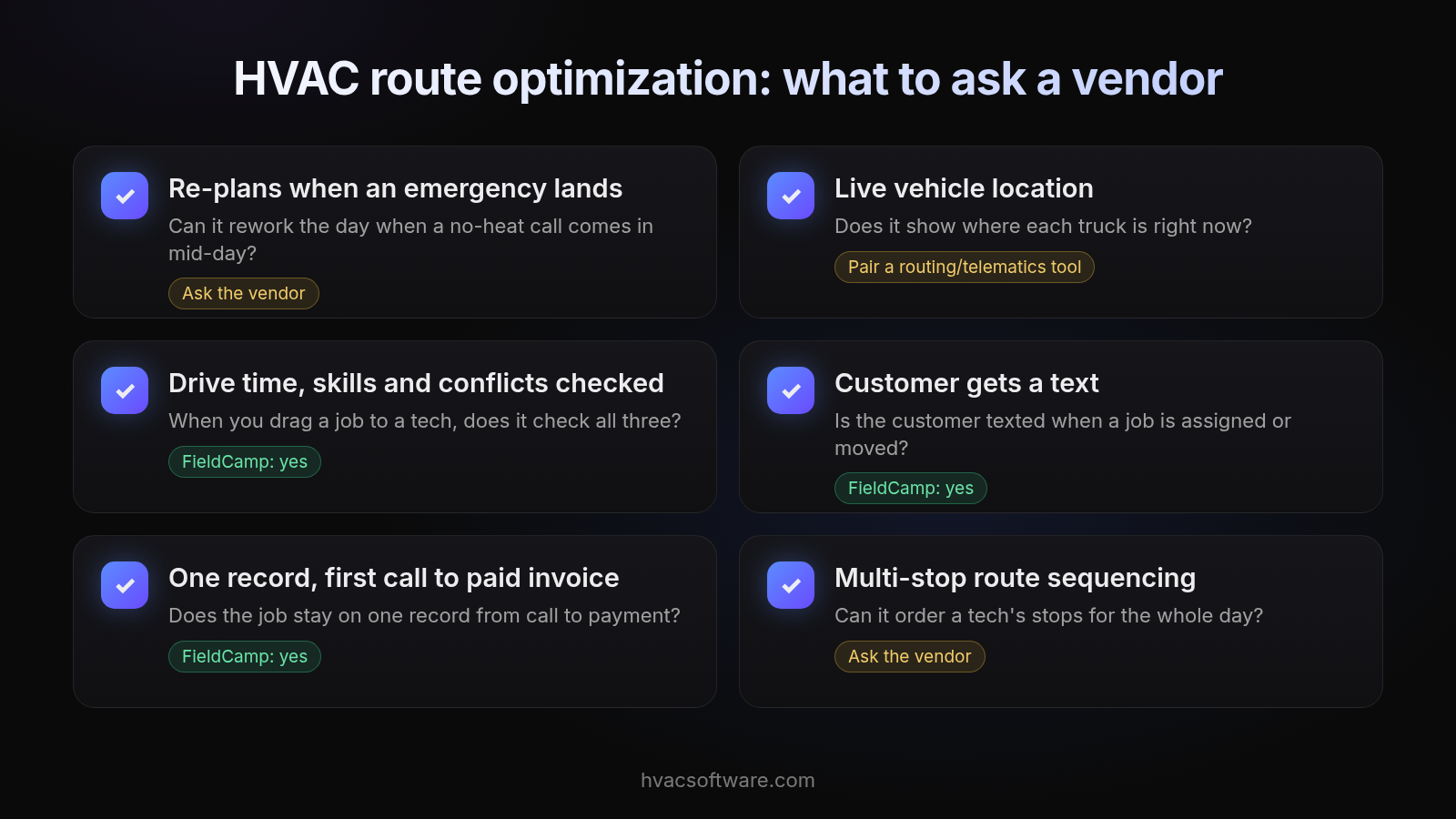
- Re-plans when an emergency lands. Can it rework the day when a no-heat call comes in mid-day? Ask the vendor
- Live vehicle location. Does it show where each truck is right now? Pair a routing/telematics tool
- Drive time, skills and conflicts checked. When you drag a job to a tech, does it check all three? FieldCamp: yes
- Customer gets a text. Is the customer texted when a job is assigned or moved? FieldCamp: yes
- One record, first call to paid invoice. Does the job stay on one record from call to payment? FieldCamp: yes
- Multi-stop route sequencing. Can it order a tech's stops for the whole day? Ask the vendor
What should routing software do when an emergency call lands mid-day?
When a no-heat or no-cool emergency comes in mid-day, HVAC route optimization software should:
- Place the call where it adds the fewest extra miles.
- Keep every confirmed arrival window locked.
- Assign the nearest technician qualified for that equipment.
The dispatcher sees the change on the dispatch board, the technician’s mobile app shows the new stop order, and every customer whose visit moved gets a revised ETA text. If any of those steps needs a phone call, the software is only handling part of the job. Our guide to drag-and-drop dispatch boards covers manual overrides for these days.
All-in-one HVAC software or a standalone router?
Both approaches work. The right one depends on where your customer, job and billing records already live.
When a standalone router fits
- You already have a CRM you’re keeping: A standalone router adds route sequencing without forcing you to replace the system that holds your customers and invoices.
- Routing is the only gap: If scheduling, estimates and billing already run well, a dedicated route planner fills one specific need.
- You can maintain an integration: Standalone routing works best when someone owns the sync between the router and the job system, so stops, notes and completions don’t drift apart.
When routing belongs inside your shop’s system
- You want one record from first call to paid invoice: When routing runs inside the FSM platform, the job, customer, site, maintenance agreement, price book and invoice all share one record.
- Technician skills already live in the system: Dispatch can match certifications to job types without copying tech profiles into a second tool.
- Agreement visits drive your routes: If maintenance agreements generate much of your work, routing should read agreement terms directly rather than importing recurring stops.
How do the three categories compare?
| What you need | FSM with built-in routing | Dedicated routing tool | GPS telematics |
|---|---|---|---|
| One record from call to invoice | Job, customer, site and invoice share one record | Routes live in the router; jobs and invoices live in your CRM | Tracks vehicles; holds no job record |
| Maintenance agreement visits | Generated from agreement terms, if the platform holds agreements | Loaded as recurring orders; agreement terms tracked elsewhere | Not covered |
| Commercial sites, units and equipment | Depends on whether the field model holds sites, units and equipment | Stops are addresses; unit detail lives in the CRM | Not covered |
| Skill-based dispatch | Tech skills on profiles matched to job types | Skills entered as routing constraints | Not covered |
| Emergency re-optimization | Depth varies by platform, so test it in a demo | The category’s main focus | Shows the nearest truck; sequencing happens elsewhere |
| What adopting it requires | Moving customers, sites and price book into one system | Integrating with your CRM and keeping two systems in sync | Hardware in every vehicle plus a separate job system |
Which setup fits your fleet size?
Fleet size changes what routing has to do. The bands below start at about five technicians.
- 5-10 technicians: Routing mainly needs to sequence the day and absorb emergency calls without the owner or office manager re-planning by hand.
- 10-25 technicians: Skill and certification matching and territory-based route density start to matter, because the closest tech is often not the qualified one.
- 25+ technicians or multiple sites: Routing has to balance work across territories and dispatchers, which is where enterprise suites typically aim (20+ technicians) and where rollout effort grows.
For contractors running residential and commercial work from about 5 techs up who want dispatch and routing decisions inside one system without an enterprise rollout, FieldCamp is built for that: the board checks skills, drive time and conflicts as you assign, and a person stays in charge of the day. Shops that need automatic route optimization or vehicle tracking should pair it with a dedicated routing or telematics product.
See how FieldCamp’s dispatch board plans a real HVAC day—book a 30-minute walkthrough
Routing commercial sites, units and maintenance agreements
Commercial HVAC routing differs from residential routing because one stop can involve several pieces of equipment, an agreement schedule and a billing party who isn’t on site. Routing software should handle four things:
- Route to the site, not the unit: One commercial site visit can cover several units, each with its own equipment record. Routing should treat that as a single stop and size its duration by the number of units being serviced.
- Batch agreement visits by site and territory: Preventive maintenance visits due under service agreements should be grouped by location and territory to keep route density high and windshield time low.
- Reserve capacity in peak season: Agreement scheduling should leave daily room for no-heat and no-cool emergencies, so a heat wave doesn’t force you to cancel contracted visits.
- Run residential and commercial on one board: One dispatch board should route both kinds of work, with skill matching keeping commercial refrigeration jobs with the techs qualified for them and residential AC calls with the rest of the crew.
How does FieldCamp fit into HVAC routing?
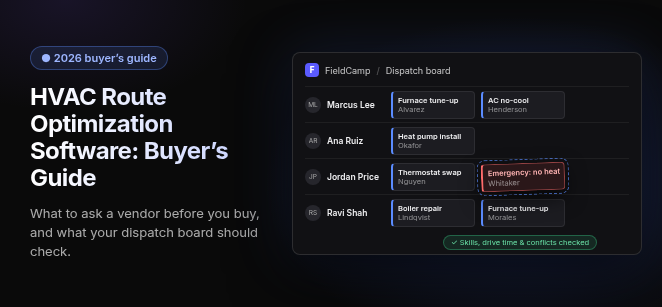
FieldCamp keeps routing decisions inside the shop’s system rather than a separate tool, with a person in charge of the day. When your dispatcher drags a job onto a technician, the board checks skills, drive time and schedule conflicts before the assignment sticks, and the customer gets a text when a job is assigned or moved. Your dispatcher then applies the day’s plan.
Residential and commercial jobs can run on the same board. Because each job stays on one record from first call to invoice, the office isn’t re-keying anything when the day changes.
FieldCamp doesn’t do automatic route optimization or track vehicles itself; for vehicle-level routing and live truck location, pair it with a dedicated routing or telematics provider.
How is HVAC route optimization software priced?
Savings depend on how dense your territories are and how much of your day is emergency work versus scheduled visits.
Each category uses a different pricing model, so compare the model before the number:
- Standalone route planners: Priced per driver per month; check current pricing pages.
- FSM platforms: Priced per technician or by plan tier, with routing included in some tiers and gated in others. Check current pricing pages.
- GPS telematics: Priced per vehicle, usually plus in-vehicle hardware; check current pricing pages.
Frequently asked questions
What is HVAC route optimization software?
It sequences each technician's multi-stop day around customer locations, service duration, time windows, job priority and traffic, so trucks spend less time driving between calls.
What's the difference between scheduling, dispatch and route optimization?
Scheduling decides when work can happen, dispatch decides which technician does it, and route optimization sequences the stops each tech already has. Many products combine them, so evaluate each one separately.
Is GPS tracking the same as route optimization?
No. GPS tracking shows where trucks are and records trips. Route optimization plans the order of stops. Many shops run both and connect location data to their dispatch tool.
Can route optimization handle emergency HVAC calls?
Good tools insert an urgent call into active routes, keep confirmed windows where possible, assign a qualified tech and send revised ETAs. Test this live in a demo with a real busy day.
Why do skills and certifications matter for routing?
The closest truck isn't always the right one. Routing should only send techs who hold the required skills, such as EPA 608 certification for refrigerant work, to avoid wasted trips.
Should I choose an all-in-one platform or a standalone router?
Choose a standalone router if routing is your only gap and you can maintain an integration. Choose routing inside your field service platform if you want jobs, customers and invoices on one record.
What should I ask vendors before buying?
Ask how routes and job updates sync with your other systems, whether the tech app works without signal, who approves changes, how data is exported, and what the total cost is including hardware and setup.
Final recommendation
Decide where your job records live first, then choose routing that fits around them. If you need automatic route optimization or live truck location, pair your dispatch software with a dedicated routing or telematics product. Whichever setup you shortlist, test it on your real schedule from a busy day before you commit.