Answering service vs AI
HVAC Answering Service vs AI Receptionist: Which One Books the Job? What each call leaves behind.
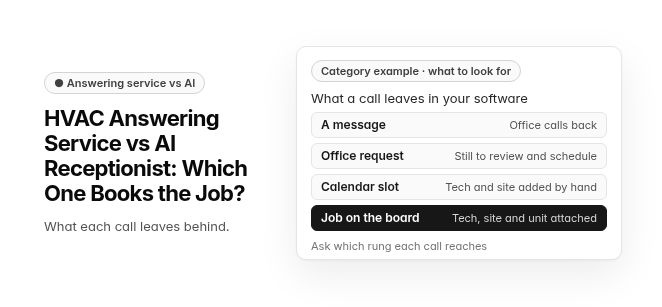
Category example · what to look for. What a call leaves in your software: A message (office calls back) · Office request (still to review and schedule) · Calendar slot (tech and site added by hand) · Job on the board (tech, site and unit attached). Ask which rung each call reaches.
An HVAC answering service uses live operators, usually in an outside call center, to take messages and pass them to your office. An AI receptionist is software that holds the conversation, qualifies the call and, when it is connected to your schedule, books the job while the caller is still on the line.
The real difference is what happens after the call: you get either a message someone has to call back or a booked job. Beyond that, the choice comes down to cost, speed, booking and how urgent calls get routed.
Key differences between an HVAC answering service and an AI receptionist
The two options differ most in what they leave behind in your system after the call. They also differ in how they bill when the weather turns and how they route urgent calls. The table compares them on the points that matter to a shop running several techs and an office.
This compares the two categories in general. Individual services and products vary, so confirm each point with the vendor.
| What to compare | Traditional HVAC answering service | AI receptionist |
|---|---|---|
| What lands in your system after the call | Usually a message for your office to return; some services also book appointments | A booking, a request or a message, depending on how it connects to your calendar or field service software |
| Urgent calls | Operator follows your on-call script and passes the details along | Your triage rules decide what is urgent and who it goes to |
| Billing during a heat wave or cold snap | Often per minute or per call, so the bill rises with volume | Often a monthly plan or add-on; check what happens above the plan |
| Several calls at once | Depends on how many operators are available in the shared pool | Built to take several calls at once |
| Trade-specific intake (system, symptoms, service area) | As good as the script and the operator on shift | As good as the service area, pricing rules and triage rules you configure |
| Handoff to a person | The operator is the person | Passes the call to your team with the details already collected, where set up |
| After-hours and overflow coverage | Yes, staffed by the call center | Yes, if the product is set up for it |
| Commercial calls with site and unit details | A note your office has to match to the right account | Books against the account when connected to your HVAC software, or hands complex accounts to a person |
Whichever option you choose, write down the safety instruction your callers hear first. If a caller smells gas or a carbon monoxide alarm is going off, the first thing they hear is to leave the building and call 911 or the gas utility, before any booking or dispatch step.
What does each option cost during a heat wave or cold snap?
Answering services are often billed per minute or per call. AI receptionists are often sold as a monthly plan or an add-on to field service software. That difference matters most in surge weeks, when call volume and call length both rise at the same time.
With per-minute or per-call billing, a heat wave or cold snap drives the bill up during exactly the weeks you are busiest. With a monthly plan, ask what the plan covers and what happens when your calls go past it.
A monthly plan does not mean zero effort. An AI receptionist only books well after someone in your office sets up its service area, prices and triage rules.
Rates and plan limits change, and dollar "before and after" bills and percentage savings claims circulate without traceable sources. This page does not repeat them. Check current pricing pages, then get a written quote from each option based on your own call volume from last summer and last winter.
Why do HVAC answering services fail to book jobs?
HVAC answering services often fail to book jobs because they act as message-takers rather than schedulers, so the call ends with a note, not a job on the board. For a call to become a job, someone has to understand the problem, check the service area, find a time and create the job. If none of that happens on the call, the only thing left is a callback, and that callback is where many lost jobs go.
These are the six usual reasons:
- Takes a message instead of booking: The service records the caller's name, number and problem, then promises a callback. Nothing reaches the schedule during the call, and by the time the office calls back, the customer may have booked someone else.
- No access to the calendar or dispatch board: Many answering services work outside the contractor's field service software, so the operator cannot confirm an arrival window. A caller who hears "someone will call you to schedule" often keeps dialing.
- Generic intake: Scripted calls often skip what a dispatcher needs: equipment type and age, error codes, warranty status, and whether the site is residential or commercial. The dispatcher calls back just to fill the gaps.
- Callback delay: A message-taking service puts a gap between the call and the booking, and callers with a broken system rarely wait through it.
- Shared agents in surge weather: Operators are typically shared across many businesses, so a heat wave or hard freeze can push HVAC callers into long holds exactly when demand peaks.
- No HVAC triage: Shared operators frequently can't tell an urgent call from a routine tune-up request, so it gets logged like any other inquiry.
Urgent calls need a written rule, not an operator's guess. If a caller smells gas or a carbon monoxide alarm is going off, the first instruction is to leave the building and call 911 or the gas utility. Only after that does the call go to your on-call technician.
Traditional HVAC answering service: pros and cons
A traditional HVAC answering service puts a live person on every call. It is strongest when the caller needs reassurance or judgment. It is weakest when the call needs to end with something scheduled.
Pros
- A human voice: A live operator can calm a panicked or angry caller in a way a script cannot.
- Preferred by some callers: Some customers would simply rather talk to a person than to software.
- Judgment on unusual calls: Odd or complex requests get a person thinking, not a decision tree.
Cons
- Messages, not jobs: Many calls end as a note, so your office still has to call back and book.
- Costs that track the weather: Per-minute or per-call billing climbs in the weeks you can least afford it.
- Holds when the pool is busy: When every operator is on a line, the next caller waits.
AI receptionist: pros and cons
An AI receptionist is built to finish the call with a booking. It handles routine intake well and copes with call spikes. It needs setup up front, and it needs a person behind it for the calls that go off-script.
Pros
- Books the job: Where it connects to your schedule, it qualifies the call and places it in your calendar or dispatch board while the caller is still on the line.
- Several calls at once: It is built to pick up more than one call at a time, so callers aren't left in a shared queue.
- Predictable cost: A monthly plan does not rise just because the weather did, within the plan's limits.
Cons
- Setup comes first: Your office has to define the service-area zip codes, pricing rules and triage rules before it books reliably.
- Not the right voice for every call: Emotional callers, unusual requests and complex commercial accounts still go better with a person.
How should urgent no-heat and no-cool calls be handled?
An urgent call should never become a routine booking, and a safety call should never start with dispatch. Set the triage rules in writing before the season starts, whichever option you choose.
Safety first, before any booking or dispatch step: If a caller smells gas or a carbon monoxide alarm is going off, tell them to leave the building and call 911 or the gas utility. The same goes for a burning smell from the equipment: leave the building and call 911. If someone is in danger from heat or cold, tell the caller to call 911. Then the call goes to your on-call technician.
Route to the on-call technician:
- No heat in freezing weather
- No cooling in extreme heat
- Any call already handled by the safety step above
Book into the next suitable slot:
- Tune-ups and maintenance visits
- Replacement quotes
With an answering service, the operator reads your on-call script and relays the call. With an AI receptionist, your rules decide what counts as urgent, and the tech should get the system type, symptoms and address in one handoff. Either way, test the safety instruction yourself before the first cold night.
What lands in your software after the call?
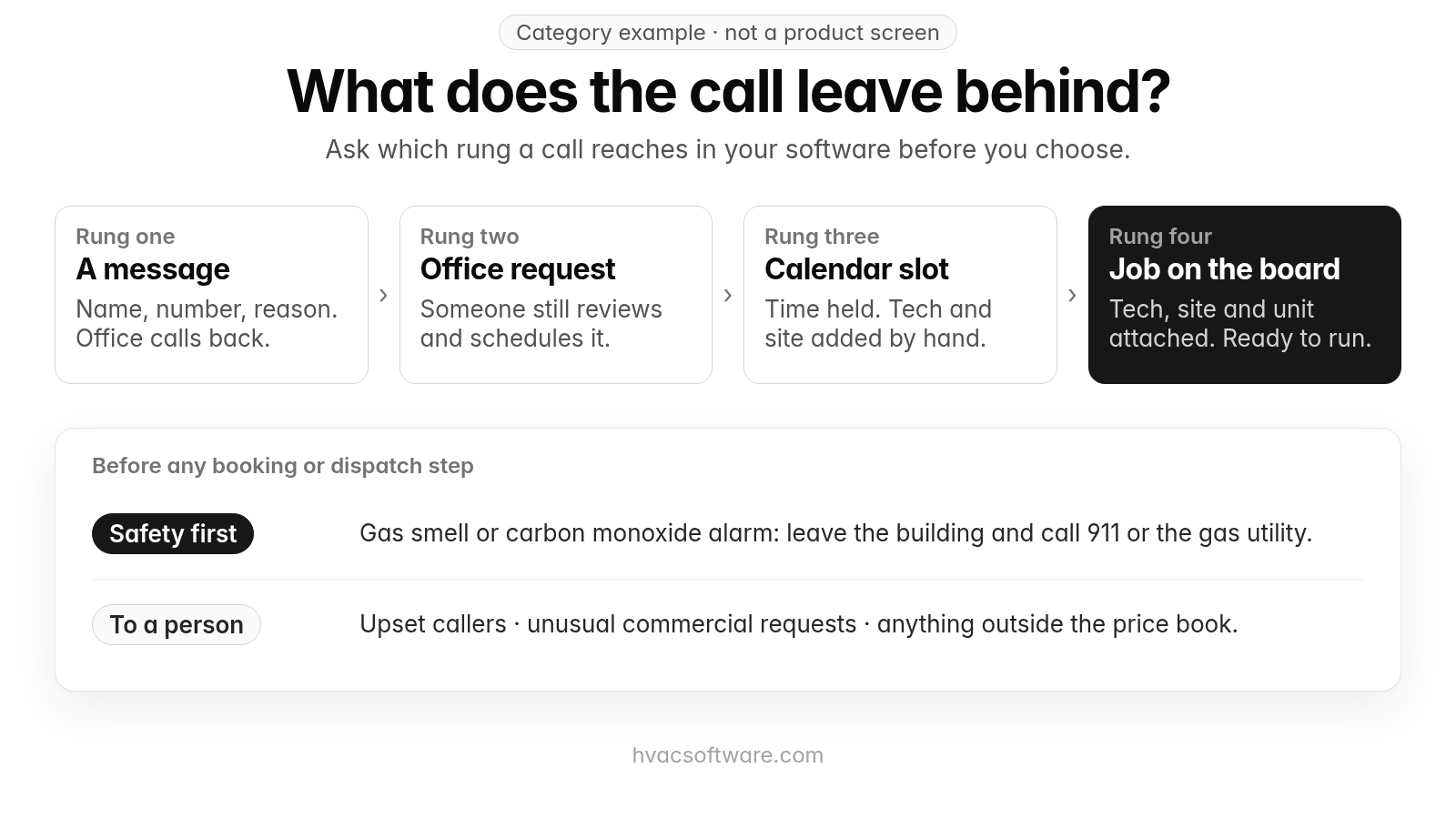
"Books the job" can mean very different things depending on where the booking ends up. A useful way to compare options is to ask which rung of this ladder a call actually reaches:
- A message: A note with a name, a number and a reason for the call.
- A request for the office: A structured entry that someone still has to review, price and schedule.
- A calendar slot: A time is held, but the tech, site and equipment still need to be attached by hand.
- A scheduled job on the dispatch board: The right tech, site, unit and service agreement are already attached, ready to run.
A traditional answering service usually stops at rung one or two. An AI receptionist can reach rung two, three or four, depending on how deeply it connects to your field service software. For a shop with several techs and commercial accounts, only rung four removes rekeying from the office. Our guide to the dispatch board covers what that board should show, and our guide to online booking covers what valid booking options look like before a customer confirms.
Category example · not a product screen
What does the call leave behind?
Ask which rung a call reaches in your software before you choose.
- A message: name, number, reason. Office calls back.
- Office request: someone still reviews and schedules it.
- Calendar slot: time held. Tech and site added by hand.
- Job on the board: tech, site and unit attached. Ready to run.
Before any booking or dispatch step:
- Safety first: gas smell or carbon monoxide alarm: leave the building and call 911 or the gas utility.
- To a person: upset callers · unusual commercial requests · anything outside the price book.
Booked isn't the same as runnable
Fixing the message-taking problem is only half the job. A service or AI receptionist that does put a job on the calendar can still lose it if the slot breaks the rules your dispatcher works by. The dispatcher has to undo the booking, and the customer gets a reschedule call: a callback by another name.
A phone booking is runnable only when it clears five checks at the moment it is made:
- Service area: The address is inside your coverage, or it qualifies for an override your office has defined.
- Job type: The slot length and crew fit the work. A diagnostic, a tune-up, a commercial rooftop call and an install estimate are different bookings.
- Tech skills: The assigned tech is qualified for the equipment and the job type, such as a commercial refrigeration tech versus a residential tech.
- Location and drive time: The slot is reachable from where that tech will be, not just open on the calendar.
- Price-book limits: Any fee mentioned on the call comes from the office's price book, and anything outside those limits is not promised.
When a booking skips those rules, it looks booked but can't run: an out-of-area address gets a slot, a commercial call lands on a residential tech, or a long job is squeezed into a short gap across town. An AI receptionist that doesn't know your service area, job types, tech skills and pricing limits is just another answering layer: a faster message-taker, not a booker.
Some calls should go to a person however good the rules are: upset callers, unusual commercial requests and anything outside the price book. They should reach a CSR or dispatcher with everything the caller already said attached, so the customer never has to repeat it.
Which should you choose: an answering service or an AI receptionist?
The right choice depends on what your calls need most: human judgment, or a booked job. Use these rules:
- Choose a traditional HVAC answering service if most of your calls need human judgment and your office is staffed to return every message quickly.
- Choose an AI receptionist if after-hours and overflow calls are slipping away and you want them booked, not logged.
- Choose an AI receptionist if surge-week bills are your main complaint, and a monthly plan fits your call volume.
- Choose an AI receptionist connected to your HVAC software if you run multiple techs, service agreements, or commercial sites and units, so the booking lands as a job, not a note.
- Choose a hybrid if a meaningful share of your callers want a person, or if your calls are often emotional or commercial.
The hybrid setup: AI books the routine job, a person handles the exceptions
A hybrid often gives an HVAC shop the best of both. The AI answers and books routine work. A person handles the exceptions, such as angry callers, safety calls (if a caller smells gas or a carbon monoxide alarm is going off, the first instruction is to leave the building and call 911 or the gas utility) and complex commercial accounts, using everything the AI already collected. This keeps the human strengths of an answering service without paying for a person on every routine call.
Define the exceptions in writing. Typical examples are a caller who asks for a person, any safety-related call and any commercial account whose request touches more than one location. Those calls should reach your team with the caller, address, equipment and reason for the call already filled in, so nobody starts the conversation over. Our guide to the unified inbox covers how the office keeps calls, texts and messages in one place.
Test before you choose: five calls and one month of records
The fastest way to see which rung an option reaches is to call it yourself. Place these five test calls and check what shows up in your system afterward:
- No heat late at night: Does the caller first hear your safety instruction (if they smell gas or a carbon monoxide alarm is going off, leave the building and call 911 or the gas utility), and does the call then reach your on-call technician with the symptoms and address, or sit until morning?
- A replacement quote: Is a sales visit booked, or is a callback promised?
- An existing customer asking when the tech will arrive: Can the option see the scheduled job, or does it take a message?
- A request when your calendar is full: Does it offer the next real opening, or does it book over a full day?
- A commercial account calling about one unit at one of its locations: Does the booking attach to the right site and unit, or arrive as a typed note?
Then check the service you already have against last month's records:
- Answered calls: the total from the service's call log or invoice.
- Booked on the call: only jobs that were on the schedule when the call ended, not ones your office booked later.
- Office callbacks: every follow-up needed to book, fill in missing details or quote a fee.
- Urgent calls: whether each no-heat or no-cool call reached the on-call tech, and whether safety calls got the leave-the-building instruction first.
- After-hours vs. mid-day: overflow during business hours and overnight coverage often perform differently, so compare them side by side.
If office callbacks come close to answered calls, your service is a message-taker, whatever the contract calls it.
Which answering services and AI receptionists come up for HVAC?
Live answering services and AI receptionists built into field service software both come up when HVAC contractors compare options. The notes below come from each vendor's own pages. Plans and add-ons change, so check current pricing pages and confirm in a demo what your plan includes.
- AnswerForce: Its HVAC answering service page describes live answering, appointment scheduling into your calendar, bilingual answering, and integrations with field service software.
- Ruby: Its site describes real people with AI-enhanced technology answering calls around the clock, with appointment scheduling and English and Spanish service.
- Jobber: Its AI Receptionist page describes answering calls and texts, booking visits from your online booking settings, creating a request or taking a message when it can't book, and transferring calls on keywords you set.
- Housecall Pro: Its CSR AI page describes answering calls and chats and scheduling jobs from your schedule and service preferences inside Housecall Pro.
Whichever you shortlist, ask the same three things: which rung of the ladder a booked call reaches in your software, what the caller hears first on a safety call, and how a call is handed to a person with the details attached.
How do call volume and your field service software change the answer?
Call volume and your current software are the two factors that most often change the recommendation.
Call volume. The more calls you take, especially in weather-driven spikes, the more per-minute billing costs you, and the more a shared operator pool becomes the bottleneck. Shops with steady, modest volume and an office that returns calls quickly feel less of that pressure.
Your software. If you already run field service software, ask whether the AI receptionist writes directly into it. A booking that lands in a separate calendar still has to be copied over by hand. If your office works from paper job cards or a separate calendar, the receptionist decision and the software decision are worth making together, because a booking can only reach rung four if there is a dispatch board to land on. Our guide to voice agents covers what a voice agent conversation should hand back to the office, and the HVAC contact center overview covers how calls connect to the rest of the front office.
How does FieldCamp fit a shop comparing answering options?
FieldCamp fits contractors running residential and commercial work in one system, with a person still deciding the day. Here is what FieldCamp does today, and what to ask in a demo.
This site is published by FieldCamp.
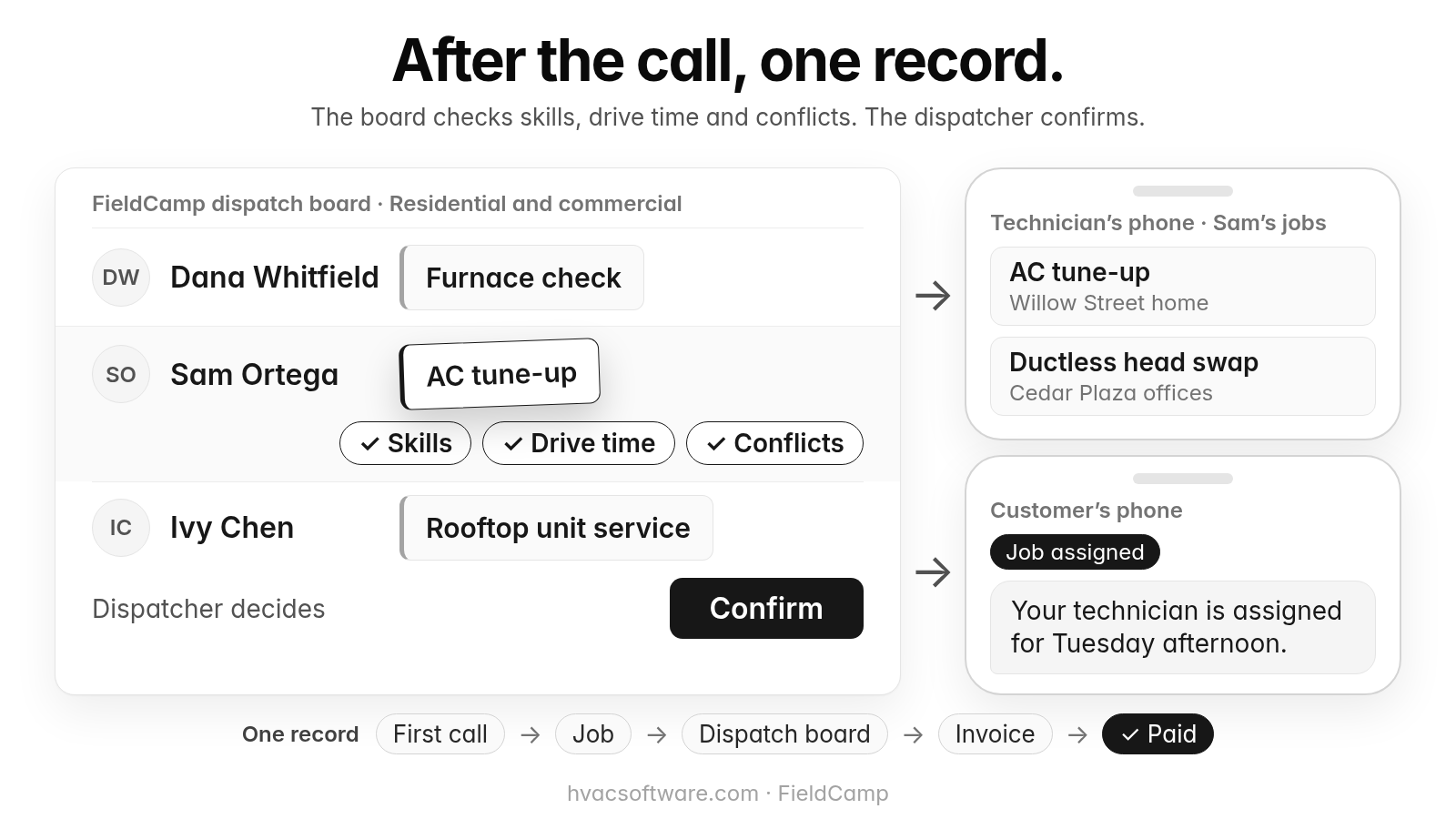
- On the dispatch board: When your dispatcher drags a job onto a technician, the board checks skills, drive time and schedule conflicts, and the dispatcher confirms the assignment.
- For the customer: The customer gets a text when a job is assigned or moved.
- For the technician: A technician’s assigned jobs and schedule show on their phone.
- One record: Each job stays on one record from the first call to the paid invoice.
- Residential and Commercial Together: Residential service calls and commercial maintenance work run in one system, not two.
- Who decides: A person still decides the day. Assignment stays a decision the dispatcher makes.
- What to ask in the demo: This page does not describe call answering, after-hours coverage, booking on the call, call handoff, call transfer, bilingual calls, caller recognition, lead qualification or fee quoting as FieldCamp features. Ask in the demo how calls would reach your board, and for each piece, whether it is available today, needs setup or a connected tool, is in a pilot, or is planned.
Our guide to customer text notifications covers the texts a customer gets once a job is assigned or moved.
After the call, one record.
The board checks skills, drive time and conflicts. The dispatcher confirms.
FieldCamp dispatch board · Residential and commercial: Dana Whitfield: Furnace check. Sam Ortega: AC tune-up. Ivy Chen: Rooftop unit service.
- Skills
- Drive time
- Conflicts
Dispatcher decides: Confirm.
Technician’s phone · Sam’s jobs: AC tune-up (Willow Street home). Ductless head swap (Cedar Plaza offices).
Customer’s phone. Job assigned: "Your technician is assigned for Tuesday afternoon."
One record: First call → Job → Dispatch board → Invoice → Paid.
Comparing an answering service with an AI receptionist? Book a 30-minute walkthrough and bring last month's call log.
Frequently asked questions
Is there an AI answering service for HVAC technicians?
Yes. AI answering services, often called AI receptionists, are sold to HVAC contractors both as standalone services and as add-ons built into field service software. They typically pick up the call, collect the caller's details and, when connected to your schedule, book the visit. Before you choose one, test which rung a call reaches: a message, an office request, a calendar slot or a scheduled job on the dispatch board.
Why do HVAC answering services fail to book jobs?
They often act as message-takers rather than schedulers. The operator records a name, a number and the problem and promises a callback, usually without live access to your calendar or dispatch board and often without HVAC-specific intake questions. Callers with a broken system rarely wait for that callback, so the job goes to whichever company offered a real appointment time first.
How much does an answering service or AI receptionist cost for an HVAC company?
It depends on the vendor, the plan and your call volume. Answering services are often billed per minute or per call, so surge weeks raise the bill. AI receptionists are often sold as a monthly plan or an add-on to field service software, so ask what the plan covers and what happens above it. Plans change, so check current pricing pages, then ask each vendor for a written quote based on your call volume from last summer and last winter.
Is an AI receptionist a good idea for an HVAC company?
It can be, for the right calls. An AI receptionist fits best when after-hours and overflow calls are slipping away and it connects to your schedule, so a booking lands as a job rather than a note. It fits less well with emotional callers, unusual requests and complex commercial accounts, which go better with a person. It also needs setup: without defined zip codes, pricing rules and triage rules, bookings land in the wrong slot or arrive only as a note.
What does a bad phone booking look like in an HVAC company?
A bad phone booking is on the calendar but can't run because it breaks your dispatch rules. Use a simple rule: if the slot fails any one of the five checks (service area, job type, tech skills, drive time, price-book limits), treat it as not booked yet, because the dispatcher will have to rework it and call the customer a second time.
How should an answering service or AI receptionist handle a gas smell or no-heat call?
Safety comes first. If a caller smells gas or a carbon monoxide alarm is going off, the first instruction is to leave the building and call 911 or the gas utility, before any booking or dispatch step. If someone is in danger from heat or cold, the caller should call 911. After that, a no-heat call in freezing weather should go to your on-call technician with the system type, symptoms and address, not into the next routine slot. Write these rules down and test them before the season starts.
Final recommendation
Before you sign, pull last month's call records and count how many calls were booked on the call and how many needed an office callback. Then run the five test calls on every option you shortlist, starting with the late-night call from the list, where the caller should hear your safety instruction first, and check which rung of the ladder each call reaches in your software.