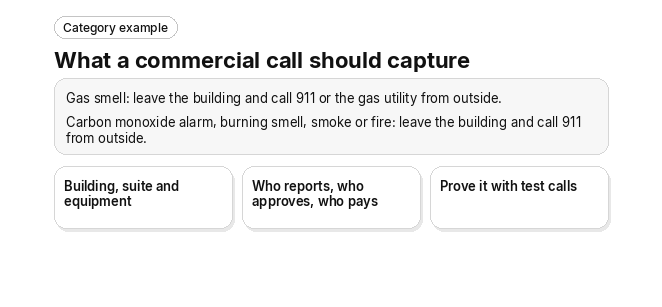
Category example
What a commercial call should capture
Gas smell: leave the building and call 911 or the gas utility from outside.
Carbon monoxide alarm, burning smell, smoke or fire: leave the building and call 911 from outside.
- Building, suite and equipment
- Who reports, who approves, who pays
- Prove it with test calls
An HVAC AI receptionist for commercial work should identify the building, suite and equipment, record who is calling and in what role, sort the urgency under your rules, and hand a complete request to your office, while urgent, ambiguous or safety-related calls go to an on-call technician or a person in your office. Commercial setups also need rules a generic answering script lacks: site access constraints, per-property escalation paths and the response commitments in each service agreement. What a tool actually does on a live call varies by product. Check the vendor’s current documentation and prove it with test calls against your own buildings before you sign.
One rule sits above every commercial call. If a caller smells gas, the first instruction is to leave the building and call 911 or the gas utility from outside. If a carbon monoxide alarm is going off, or the caller reports a burning smell, smoke or fire, the first instruction is to leave the building and call 911 from outside. Give these instructions before any intake, booking, paging or dispatch step.
What should an HVAC AI receptionist capture on a commercial call?
A commercial HVAC call needs more than a name and a callback number. The receptionist has to identify the site, the unit, the equipment and the caller before anyone can decide how urgent the problem is or who should go.
- Building and Equipment Identification: It should match the caller to the building and suite on file, then pin the problem to a named asset such as the main chiller or a specific rooftop unit.
- Caller Role: It should record whether the caller is a tenant, property manager, building engineer, facilities manager or superintendent. Each role carries different authority on the job.
- Service Agreement Check: It should look up whether the site and equipment are covered by an active service agreement and which response commitment applies.
- Symptom and Business Impact: It should capture what is failing, which zone or floor is affected and how the outage affects the tenant’s operation.
- Site Constraint Logging: It should record the access rules a technician must follow at the building, so the plan works before anyone drives out.
This is category guidance, not a description of any product. Confirm each answer in the vendor’s current documentation and in a demo against your own buildings.
Which site constraints should the receptionist log before dispatch?
On commercial sites, access rules decide whether a truck can do the job today. The receptionist should capture them during intake rather than leave the technician to find them at the door.
- Loading Dock Hours: The dock’s open and close times, so parts and equipment arrive while the dock is open.
- Security Check-In Protocols: Badge, sign-in or escort requirements at the front desk or security office.
- Elevator Reservation Windows: Whether the freight elevator must be booked and which time slots are open.
- Tenant-Suite Access: Who can let the technician into the suite, and during which hours.
The service address also needs checking against your coverage area. On commercial work that means validating the site location rather than the caller’s ZIP code. Ask in the demo how the tool checks a site against your service area.
How should an HVAC AI receptionist sort commercial urgency?
Safety comes first. If a caller smells gas, the first instruction is to leave the building and call 911 or the gas utility from outside. If a carbon monoxide alarm is going off, or the caller reports a burning smell, smoke or fire, the first instruction is to leave the building and call 911 from outside. If anyone in the building is in danger from heat or cold, the caller should call 911.
Only after those safety instructions should the receptionist sort the request under your rules into critical, urgent or routine. The tier decides whether the call goes to a person on your escalation list, becomes a same-day request or becomes a scheduled visit.
- Critical: Chiller or full-system failure, heating loss in freezing weather, cooling failure in a tenant’s server room or IT closet, or an active water leak.
- Urgent: A single zone or suite running out of temperature range while the rest of the building holds.
- Routine: A filter change, a thermostat adjustment or a preventive maintenance visit.
How triage levels and escalation should work has its own page: emergency call triage. Night and weekend ownership is covered in after-hours calls.
Where should critical calls go?
- On-Call Escalation: Critical calls should go to the on-call technician or a person in your office under your written escalation list, rather than waiting in a queue for morning.
- Human Exceptions With Context: The person who picks up should see everything the receptionist already captured, so the caller does not repeat themselves.
- When Nobody Picks Up: Your escalation list should say who is tried next and what the caller is told.
Ambiguous, urgent and safety-related calls follow the same rule: the person picking up gets everything already captured. Do not substitute an HVAC appointment for emergency help.
How should a commercial call become a dispatch-ready request?
A commercial call should move through the same order every time, with safety first.
- Safety first: The safety instructions above come before any other question, and a call that needs them goes to a person under your written escalation list.
- Greeting and caller identification: After any safety instruction, the receptionist confirms who is calling, their role, and which building and suite they mean.
- Issue qualification: It captures the symptom, the affected zone and the business impact, then assigns the urgency tier under your rules.
- Agreement and coverage check: It confirms whether the equipment is under an active agreement and which response commitment applies.
- Book or escalate: It books the visit under your rules or escalates the call to a person, and your dispatcher assigns the technician.
After the call, three records should keep everyone aligned:
- Dispatch-Ready Work Order: The call becomes a work order with site, equipment, constraints and urgency already filled in, so nobody in the office retypes it.
- Caller Confirmation Recap: The tenant or property manager gets a text or email summarizing the request, the urgency and the next step.
- Audit Trail: A time-stamped transcript and notification log shows who called, what was promised and when each person was alerted.
Booking mechanics are covered in our guide to booking jobs on the call, and the wider handoff into the job workflow is covered in calls becoming job records.
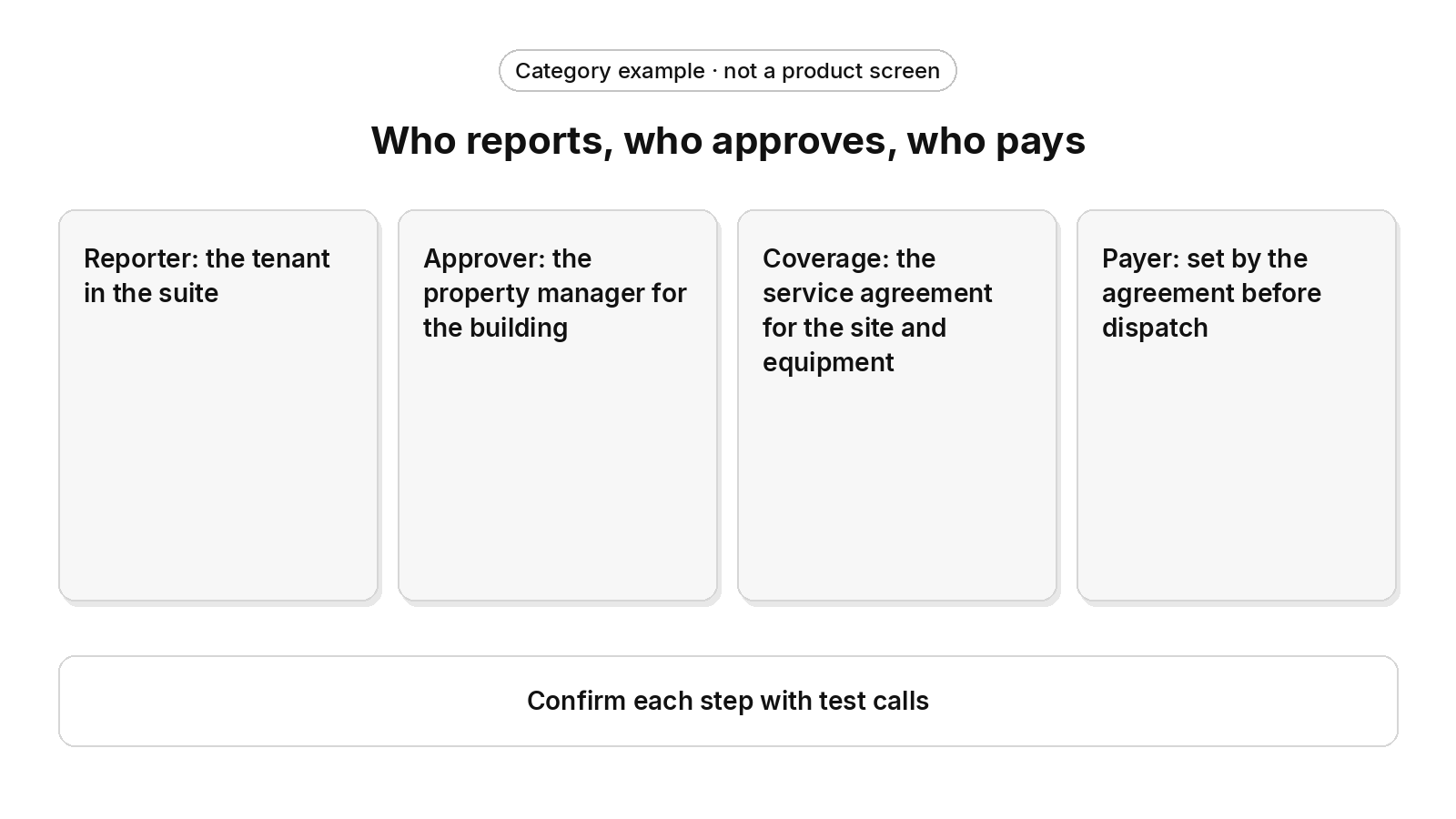
Category example · not a product screen
Who reports, who approves, who pays
- Reporter: the tenant in the suite
- Approver: the property manager for the building
- Coverage: the service agreement for the site and equipment
- Payer: set by the agreement before dispatch
Confirm each step with test calls
Tenant vs. property manager: who reports, who approves, who pays?
On commercial calls, the person reporting the problem is often not the person who can approve the work or pay for it. The tenant usually reports, the property manager authorizes, and the service agreement decides who is billed.
- Reporter: A tenant calls because their suite is too hot. The receptionist should log them as the reporter, not the decision-maker.
- Approver: The receptionist should identify the property manager who authorizes work at that building, confirm approval when the request falls outside existing coverage, and capture any not-to-exceed limit or purchase order number the property manager gives.
- Coverage: The receptionist should check whether the site and the specific equipment are covered under an active service agreement before a technician is assigned.
- Payer: Billing should follow the property manager or the tenant according to the agreement before dispatch, not after the invoice is disputed.
Getting this right on the first call prevents a familiar commercial headache: the job gets done, and then three parties argue over who ordered it. Intake that records the caller’s role and the coverage status gives your office a clean answer before the truck rolls. How a caller is matched to an existing account is covered in caller recognition, and screening new requests is covered in lead qualification.
How should it handle multiple buildings with different rules?
For a property manager with a multi-property portfolio, the receptionist should apply each building’s own rules instead of one script for every site.
- Per-Property Escalation Paths: Each building has its own contact order for urgent calls, so a critical call at one site reaches that site’s decision-maker.
- Response Commitments by Account: Response commitments follow the specific commercial account and agreement, not a company-wide default.
- Site-Level Access Rules: Dock hours, check-in steps and elevator windows are stored per building, so intake asks the right questions for that address.
- Portfolio View for the Property Manager: Requests across the manager’s buildings stay attached to the right site and equipment history.
Example call: a chiller down at Beacon Tower
This is an illustrative category example, not a description of any product.
Early on a weekday morning, a property manager calls. Beacon Tower’s main chiller is down, the third floor is overheating, and the loading dock closes mid-afternoon.
- Safety checked first: The receptionist gives the safety instructions first whenever a caller reports danger. This caller reports none.
- Building identified: The receptionist matches the caller to Beacon Tower and to the property manager’s account.
- Equipment pinpointed: It ties the failure to the main chiller rather than logging a vague “AC problem.”
- Constraint flagged: It records the loading dock close, so parts and the crew can be scheduled to arrive before then.
- Urgency classified: Under your rules, a chiller failure with a floor overheating is treated as critical.
- Coverage checked: It confirms whether the chiller is covered under an active agreement and which response commitment applies.
- Summary created: A dispatch-ready summary reaches your team without retyping, and your dispatcher decides who goes.
The property manager hangs up with a recap in hand. Your dispatcher starts the day with a qualified work order instead of a voicemail. Run this same call against your own buildings and agreements in any demo.
How do commercial AI receptionist setups compare?
Commercial HVAC contractors usually choose between three setups. Each one demands a different amount of work from your office after the call ends.
| Capability | Answering-only layer | Property-management-only receptionist | Receptionist inside HVAC field service software |
|---|---|---|---|
| Site, unit and equipment | Records what the caller says; your office matches it to records | Knows properties and units; HVAC equipment detail lives in another system | Should match the call to sites, units and equipment on file; confirm in a demo |
| Agreement coverage | Requires a staff lookup after the call | Requires your HVAC agreements to be maintained outside it | Should check the active agreement during the call; confirm in a demo |
| Tenant vs. property manager billing | Requires the office to sort it out later | Requires separate setup for your billing rules | Should apply your billing rules before dispatch; confirm in a demo |
| Technician assignment | Requires a dispatcher to assign | Requires handoff to your dispatch system | Should hand the request to your dispatcher, who assigns the technician |
| Record through invoicing | Requires re-entry into your field software | Requires a sync to your field software | Should stay with the same job workflow through the invoice; confirm in a demo |
| Exceptions to a person | Depends on the plan and any live staff | Depends on configured handoff rules | Should pass exceptions to your dispatcher with what was captured |
| Residential and commercial | Requires separate scripts per line of work | Built for property work only | Should cover both lines of work; confirm in a demo |
This is category guidance, not a description of any product. Confirm each cell in the vendor’s current documentation and in a demo against your own buildings.
The wider operating models are compared in an answering service versus an AI receptionist.
What does a commercial HVAC AI receptionist cost compared with in-house staff?
The useful cost comparison is against staffing the phones yourself. This page does not quote a price or a salary figure. Check current vendor pricing pages, ask for a written quote and compare it with what your own office staffing costs.
Office staffing also usually covers business hours only. Commercial failures don’t wait for business hours: a chiller that drops on a Friday evening still needs safety instructions first, then triage, escalation and a work order. Weigh any AI receptionist against your staffing cost and against the after-hours and overflow calls that currently go to voicemail. Overflow coverage is covered in peak-season overflow.
What should you ask before choosing one?
- Safety first: Does it give the safety instructions before any intake, booking, paging or dispatch step?
- Site model: Can it identify the building, suite and specific equipment, or only take a typed message?
- Agreement awareness: Does it check active service agreements and response commitments during the call?
- Caller authority: Does it record who reported, who approves and who pays?
- Per-property rules: Can each building carry its own escalation path and access constraints?
- Exception handling: When it hands off, does your dispatcher get everything that was captured?
- Record continuity: Does the call land as a work order in the system that dispatches and invoices, or does someone retype it?
The voice-agents guide and the contact-center guide cover the wider office workflow around these checks.
How does FieldCamp fit residential and commercial work?
FieldCamp fits contractors running residential and commercial work in one system, with a person still deciding the day. Here is what FieldCamp does today, and what to ask in a demo.
This site is published by FieldCamp.
- On the dispatch board: When your dispatcher drags a job onto a technician, the board checks skills, drive time and schedule conflicts, and the dispatcher confirms the assignment.
- For the customer: The customer gets a text when a job is assigned or moved.
- For the technician: A technician’s assigned jobs and schedule show on their phone.
- One record: Each job stays on one record from the first call to the paid invoice.
- Residential and Commercial Together: Residential service calls and commercial maintenance work run in one system, not two.
- Who decides: A person still decides the day. Assignment stays a decision the dispatcher makes.
- What to ask in the demo: This page does not describe call answering, AI receptionists or voice agents, after-hours answering, overflow answering, building, suite or equipment identification from a call, caller role capture, tenant or property manager account lookup, caller recognition, lead qualification, service agreement or coverage checks, response commitments, symptom and business-impact capture, site access constraints such as loading dock hours, security check-in, elevator reservations or tenant-suite access, service-area checks, urgency sorting, triage, routing, paging, on-call escalation, handoff to a person, live transfer or warm transfer, booking on the call, work orders created from a call, approver confirmation, not-to-exceed or purchase order capture, billing-party rules, per-property escalation paths, portfolio views, recap texts or emails, texts-from-calls, reminders, call transcripts, call summaries, call recordings, call scoring, notification logs, bilingual calls, fee quoting, receptionist pricing or plans, syncs or handoffs to field service or property management software, or property-management-only and answering-only setups as FieldCamp features. Ask about each of those, including where a commercial request lands—as a work order, as a request that becomes the job, on the customer record, or only as a message—and how the tenant who reports, the property manager who approves and the party who pays are kept apart. Ask how the safety instruction comes before any intake, booking, paging or dispatch step, how danger from heat or cold prompts the caller to call 911 before escalation, who takes over when the tool cannot handle a call, what happens when the person does not pick up, whether the receiving person sees the caller’s details, how each building’s escalation path and access rules reach the right person, how to place test calls against your own buildings and scripts, and which connected tool or setup each part needs. Ask for a demonstration with your own buildings and agreements rather than assuming any call-side capability, and for each of those, whether it is available today, needs setup or a connected tool, is in a pilot, or is planned.
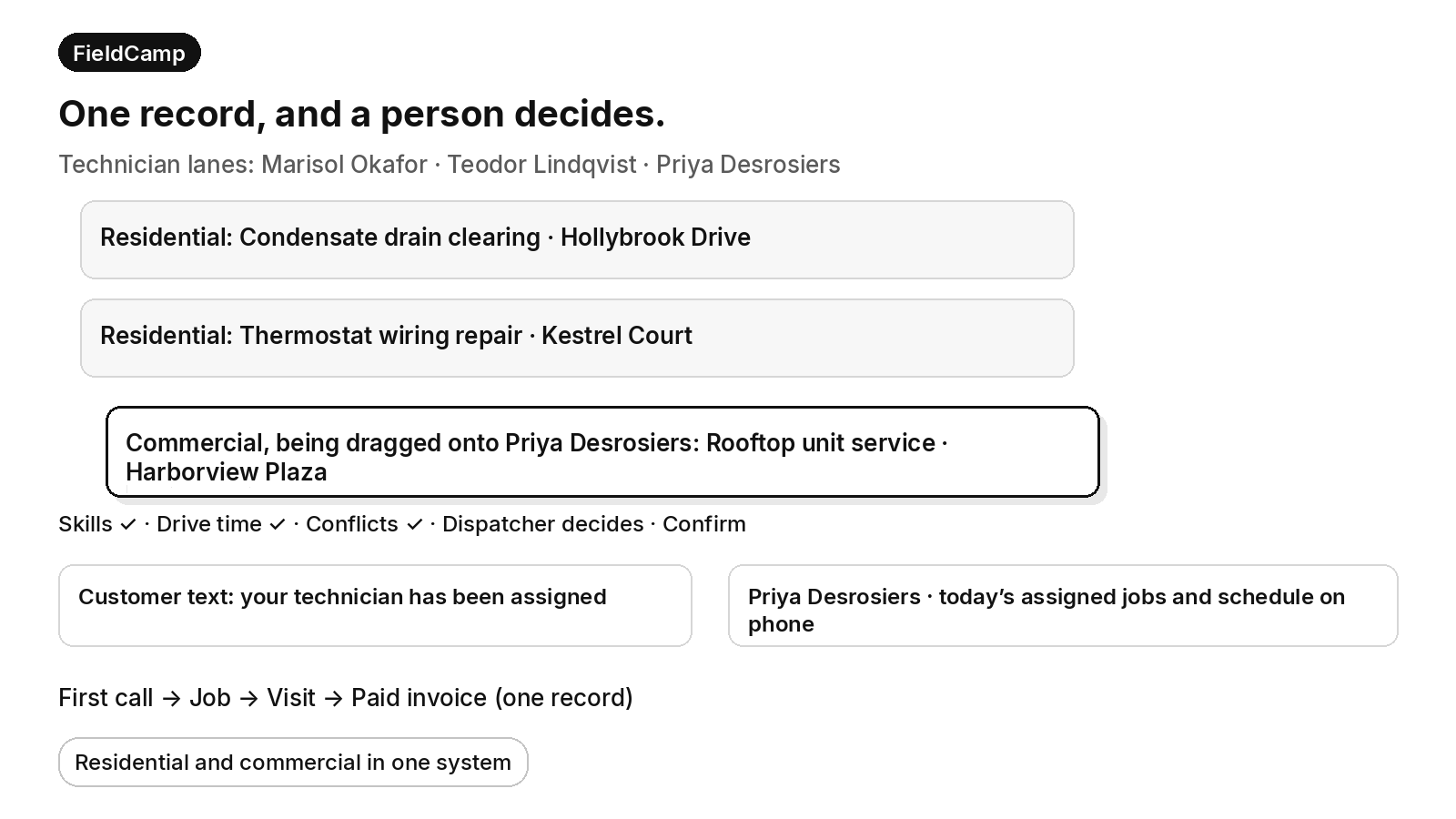
FieldCamp
One record, and a person decides.
Technician lanes: Marisol Okafor · Teodor Lindqvist · Priya Desrosiers
- Residential: Condensate drain clearing · Hollybrook Drive
- Residential: Thermostat wiring repair · Kestrel Court
- Commercial, being dragged onto Priya Desrosiers: Rooftop unit service · Harborview Plaza
Skills ✓ · Drive time ✓ · Conflicts ✓ · Dispatcher decides · Confirm
Customer text: your technician has been assigned
Priya Desrosiers · today’s assigned jobs and schedule on phone
First call → Job → Visit → Paid invoice (one record)
Residential and commercial in one system
Book a 30-minute walkthrough and bring your current workflow to the demo.
Frequently asked questions
How much does an AI call answering service cost?
There is no verified price or rate range on this page. Check current vendor pricing pages and ask for a written quote that shows what is included, what costs extra and what changes in a busy season. Compare that quote with what your own office staffing costs and with the after-hours calls that currently go to voicemail.
Is there an AI answering service for HVAC technicians?
Safety comes first, before any intake, booking or dispatch step. AI receptionists and voice agents are a product category, and some are set up for HVAC contractors. For commercial work, test whether the tool identifies the building, suite and equipment, records the caller’s role and hands urgent calls to a person under your escalation list. Confirm each part in a demo against your own buildings.
Which AI software is best for property management?
Safety comes first, before any intake, booking or dispatch step. It depends on who is buying. A property management company may want a receptionist built around properties, units and tenants. An HVAC contractor serving property managers needs the call to reach the system that holds equipment, agreements and dispatch. Check the vendor’s current documentation and run test calls before you choose.
Is there any AI receptionist?
Safety comes first, before any intake, booking or dispatch step. Yes, AI receptionists are a common product category. What they do on a live call varies widely, from taking a message to filling in a work order. Ask each vendor to show what the tool captures, who it hands calls to and what is available today versus what needs setup.
Can a property-management-only AI receptionist handle my HVAC contractor calls?
Safety comes first, before any intake, booking or dispatch step. Only partly. A property-management-only receptionist knows properties and units, but HVAC equipment detail, agreements and billing rules typically live in another system. That means separate setup and a sync or handoff to your dispatch software. It is also built for property work only, so a contractor with residential and commercial lines may need a different tool.
What if a tenant reports a gas smell or a carbon monoxide alarm?
Safety comes first. If a caller smells gas, the first instruction is to leave the building and call 911 or the gas utility from outside. If a carbon monoxide alarm is going off, or the caller reports a burning smell, smoke or fire, the first instruction is to leave the building and call 911 from outside. If anyone in the building is in danger from heat or cold, the caller should call 911. Only then should a call follow the written escalation list for that building. Test that the receptionist gives these instructions before any intake question.
Final recommendation
Hold every vendor to the capture, triage and billing-authority questions on this page, then prove the answers with test calls against your own buildings and agreements. Prefer a setup where the commercial request lands as a work order your dispatcher can act on, rather than a message someone has to retype.
If a caller smells gas, the first instruction is to leave the building and call 911 or the gas utility from outside. If a carbon monoxide alarm is going off, or the caller reports a burning smell, smoke or fire, the first instruction is to leave the building and call 911 from outside. If anyone in the building is in danger from heat or cold, the caller should call 911. These instructions come before any intake, booking, paging or dispatch step.