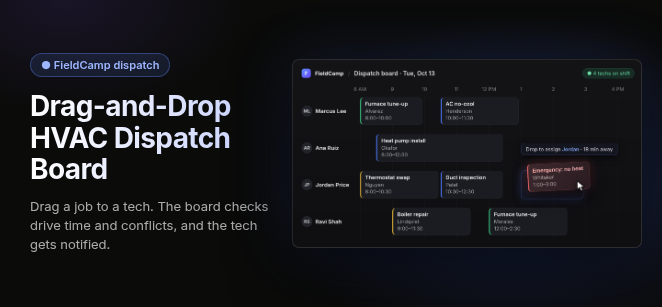
A drag-and-drop dispatch board lets HVAC dispatchers assign, reschedule and rebalance service calls in real time by dragging jobs onto a technician's timeline, with a live map showing where every tech is.
It should replace the whiteboard and the group text, not sit beside them. A good board also tracks job status, matches skills and certifications, and pushes every change to the tech's phone.
What an HVAC dispatch board must do
An HVAC dispatch board earns its place when each drag does real work, not just moves a colored block. These are the functions to hold every board to:
- Visual technician timeline: Each tech gets a lane on a day, week or month view, and dragging a job onto that lane assigns it.
- Real-time job status: Jobs change color as techs update status from the field, so the board shows who is free right now.
- Unscheduled queue: Signed proposals, pending requests and maintenance agreement visits that are due wait in a holding column until someone drags them onto a lane.
- Live GPS and nearest-tech routing: The map and the job list stay in sync, so a dispatcher can send the closest available tech to a no-heat or no-cool call and cut windshield time.
- Skill and certification matching: The board knows which techs hold certifications such as EPA Section 608 and flags a job dropped on someone who lacks what the job requires.
- Conflict and availability warnings: PTO and off-hours are shaded. Soft warnings flag overlaps or overbooked capacity, and hard blocks stop assignments that should never happen.
- Instant mobile sync: Drag the job onto the tech's lane and the change reaches their phone, so no call or text is needed.
- Customer updates: A good board should keep the customer informed of their arrival window when the schedule changes or the tech heads out.
Small board mechanics to check in a demo
The difference between a board dispatchers like and one they work around often comes down to four small mechanics:
- Drag to resize: Pulling the edge of a job block changes its duration without opening a form.
- Time snapping: Jobs land on clean time increments, so the day doesn't fill with odd gaps.
- List-and-map toggle: The same jobs show as a timeline or as pins, and a change in one view shows up in the other.
- Capacity at a glance: Each lane shows how full a tech's day is before the next job is dropped on it.
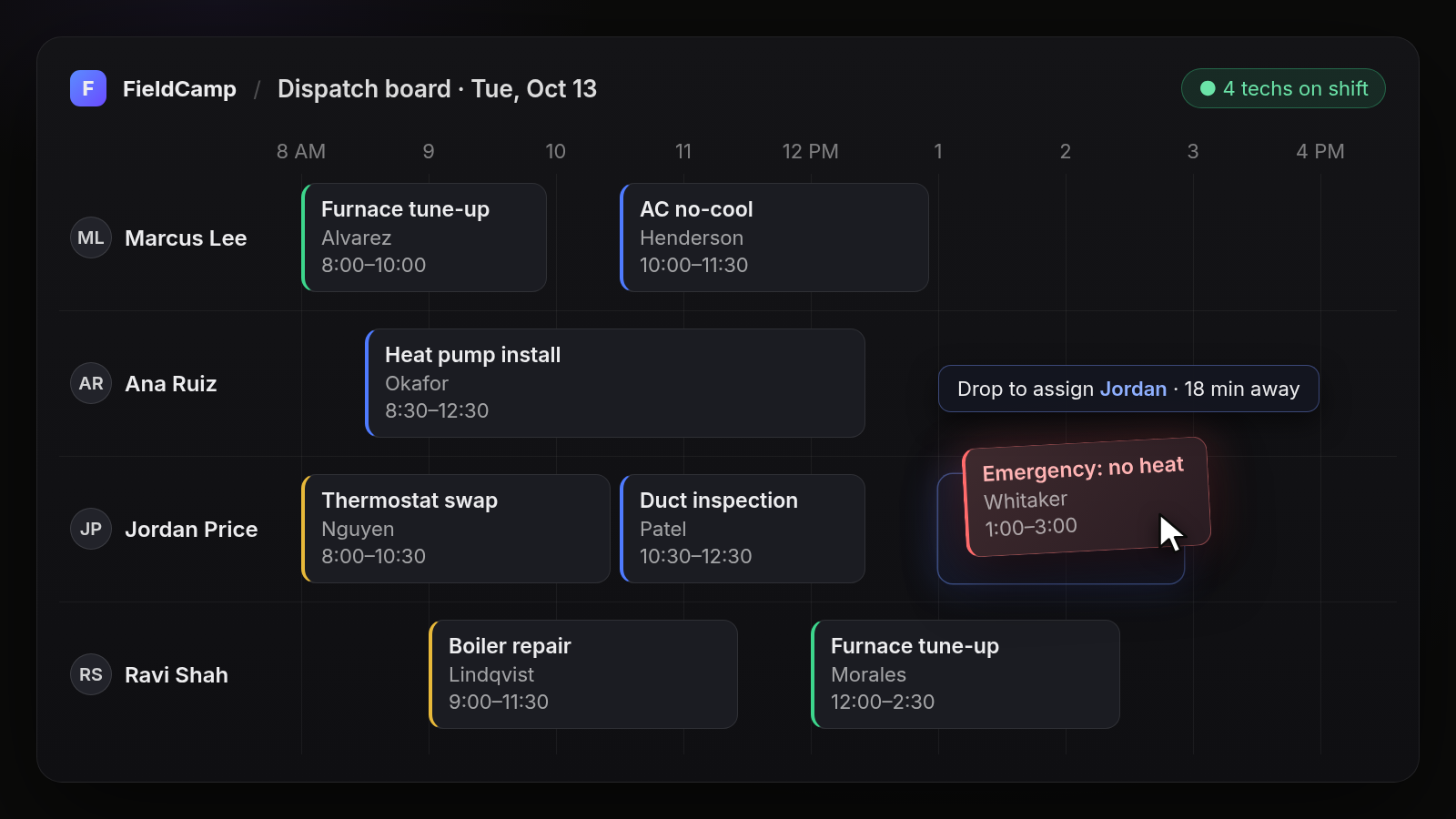
On the board above, the dispatcher drags an Emergency: no heat job (Whitaker, 1:00–3:00) into Jordan Price's open 1:00 PM slot. Before the drop, the board shows that Jordan is 18 minutes away.
How job status moves across an HVAC dispatch board
A job on an HVAC dispatch board typically moves from assigned to en route, then on-site, then complete, with each status updated from the tech's phone and reflected on the board at once. "En route" is the natural moment to update the customer, and "complete" tells the dispatcher the lane is open for the next call.
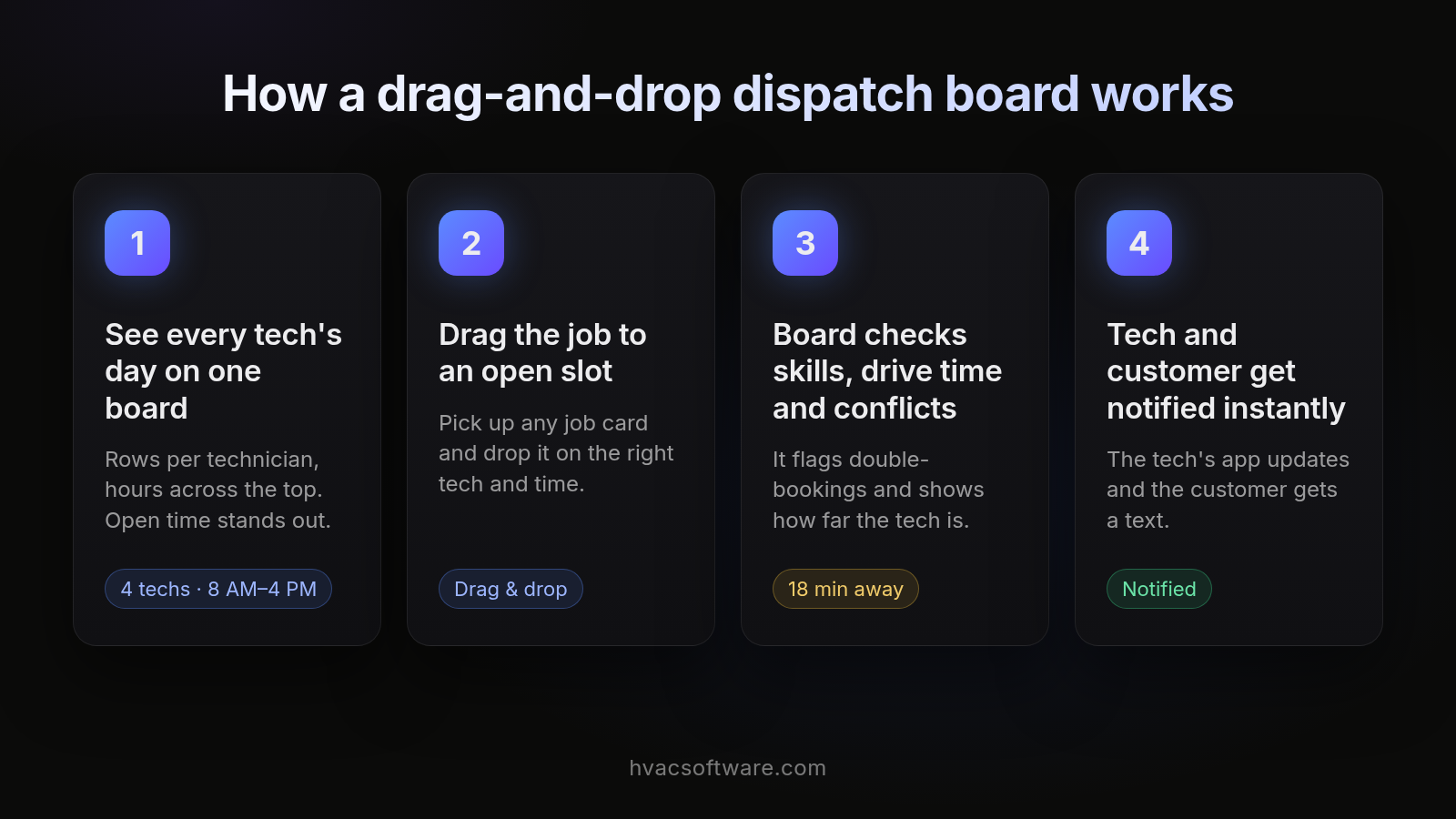
- See every tech's day on one board. Rows per technician, hours across the top. Open time stands out.
- Drag the job to an open slot. Pick up any job card and drop it on the right tech and time.
- Board checks skills, drive time and conflicts. It flags double-bookings and shows how far the tech is.
- Tech and customer get notified instantly. The tech's app updates and the customer gets a text.
When drag-and-drop is enough, and when the board should propose the match
A drag-and-drop board is enough when one dispatcher makes most assignment decisions by hand and can see the whole day at once. Modern HVAC software should start proposing the match once dispatchers must weigh several constraints together, across many techs, on every call:
- skills and certifications
- customer time windows
- tech capacity
- drive time
- emergency priority
In that model the dispatcher still drags and decides; the software just does the weighing first.
| Dispatch situation | Board type | What the dispatcher does |
|---|---|---|
| One dispatcher; jobs mostly interchangeable across techs | Manual drag-and-drop board | Chooses the tech and drags every job |
| Several dispatchers, or certification rules on most jobs | Board with warnings and nearest-tech suggestions | Drags jobs; the board flags conflicts and suggests nearby qualified techs |
| Heavy call volume with skills, time windows, capacity, drive time and emergency priority all in play | Board that proposes matches | Reviews each proposed match and applies, edits or overrides it |
Which drag-and-drop dispatch board fits which HVAC shop
The right board depends on how many techs you dispatch, whether your work is residential, commercial or both, and how tightly your accounting depends on QuickBooks.
| Shop profile | Dispatch decision model | What the board must handle |
|---|---|---|
| Residential, small team, one dispatcher | Dispatcher drags most jobs by hand | Clear timeline, unscheduled queue, mobile sync, customer updates |
| Residential, growing team with several dispatchers | Board proposes matches; dispatchers decide | Certification matching, capacity limits, nearest-tech routing during peak weeks |
| Commercial, or residential and commercial together | Board proposes matches against site and contract rules | Site and unit records, bill-to party, recurring agreement visits beside urgent calls |
| Any size, with QuickBooks as the system of record | Either model | Clean sync of completed jobs and invoices without re-keying |
FieldCamp, as a worked example: FieldCamp's dispatch board sends the right tech by schedule and location, on the same record that runs from the first call to the paid invoice. Disclosure: hvacsoftware.com is published by FieldCamp.
Pricing models differ across vendors, and dispatch features are sometimes gated by plan tier or sold as add-ons, so check each vendor's current pricing page and note the date you checked.
Want to see a board run on your own schedule? Book a FieldCamp demo.
Dispatching commercial HVAC work from the board
A commercial HVAC job should arrive on the dispatch board already carrying four things before anyone drags it onto a tech's lane: the site, the specific unit, that unit's equipment history, and who gets billed (the property manager or the tenant).
When those details travel with the job, the dispatcher can choose a tech who knows the equipment, and the invoice goes to the right party. A shop that does commercial work also needs recurring preventive maintenance visits on the same board as urgent calls, so the dispatcher sees one schedule, not two systems competing for the same techs.
Test any HVAC dispatch board on your hardest day
A dispatch board demo on an empty sample schedule proves very little. Load your real board from a busy day and run these tests:
- Speed: Reschedule several calls and see how many clicks each one takes.
- Overflow: Drop a no-cool call onto a board that is already fully booked and see what the board suggests.
- Sick call: Pull one tech off the day and reassign all of their jobs.
- Certification gap: Assign a job that needs a certification the nearest tech doesn't hold, and check whether the board warns you.
- End-to-end sync: Confirm the change reaches the tech's phone and the customer without anyone picking up the phone.
Frequently asked questions
What is a drag-and-drop dispatch board for HVAC companies?
A drag-and-drop dispatch board shows every technician's day on one timeline next to unassigned calls. Dispatchers drag a job card onto a tech's schedule to assign or reschedule it, and the change reaches the tech's phone. In modern HVAC software it should replace the whiteboard, spreadsheet and group text, not sit beside them.
What features should HVAC dispatch board software have?
Look for a live timeline with drag-and-drop reassignment, technician location on a map, route-aware scheduling, and matching by skills, certifications and service zone. Each job card should carry the customer, site, equipment history and notes, and sync to the tech's mobile app. The board should connect to the same record you invoice from.
What is the best HVAC dispatching software?
The best HVAC dispatching software is the one that fits your team size and work mix. Evaluate any option on your own residential and commercial calls: check that it shows every tech on one live board, suggests the right tech, warns on certification and capacity conflicts, and carries the job through to invoice without retyping. Book a demo to see how FieldCamp handles your own dispatch day.
Is there a free HVAC dispatch board software?
Free tools and calendar apps can show who goes where, but they rarely hold HVAC equipment history, service agreements or invoicing, so you end up retyping between tools. Before you pick a free option, add up the time your office spends re-entering jobs. FieldCamp doesn't offer a free trial; book a demo and we'll walk through your own dispatch day.
How much does HVAC dispatch software cost?
Pricing models vary: vendors may charge per technician or per user, sell plans in tiers, or sell advanced dispatch as an add-on. Compare total cost, including base plan, add-ons, onboarding and migration, and check what is included versus sold separately. Check each vendor's current pricing page, and book a demo for FieldCamp pricing for your team.
Can AI dispatch HVAC jobs automatically?
AI can propose the dispatch. Modern HVAC software should read each tech's schedule, location and qualifications, then suggest who should take a call and in what order. A dispatcher should review and apply the change on the board, staying in control for emergencies, priority customers and judgment calls.
How does a dispatch board handle emergency HVAC calls?
When a no-heat or no-cool call comes in, the dispatcher should see open slots and nearby techs on the board, drag the emergency onto the best-placed tech, and move lower-priority work later. A good board should then keep the affected techs and customers up to date, and ideally propose the reshuffle so the dispatcher only has to confirm it. Test this by dropping a no-cool call onto a fully booked day.
Is drag-and-drop dispatch better than a whiteboard or spreadsheet?
Yes, once you have more than a few techs. A whiteboard can't push changes to a tech's phone, show where trucks are, or keep the job tied to equipment history and the invoice. A digital board keeps one live record, so a reschedule updates everyone at once without calls or retyping.
Final recommendation
A drag-and-drop dispatch board lets HVAC dispatchers assign, reschedule and rebalance service calls in real time by dragging jobs onto a technician's timeline, with a live map showing where every tech is. It should replace the whiteboard and the group text, not sit beside them.
Whichever board you shortlist, test it on your real schedule from a busy day before you commit.