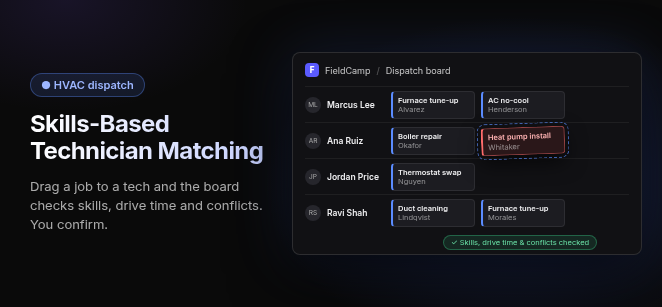
Skills-based technician matching in HVAC dispatch software matches each service call to the technicians whose certifications, equipment training and experience fit the job, then ranks the closest qualified tech by location and schedule, rather than just the next open calendar slot.
Credentials come first: EPA Section 608 certification, manufacturer training and commercial experience decide who is eligible. Location and drive time then decide who goes. The result is fewer return trips, and refrigerant, gas and high-voltage work stays with techs certified to do it.
How does skills-based matching work in HVAC dispatch software?
Skills-based matching runs four steps on every call: tag the techs, tag the job, filter out anyone unqualified, and rank whoever is left.
- Skill Tagging: Each technician profile carries their qualifications (e.g., EPA 608 type, NATE certification, Carrier or Lennox factory training, commercial vs. residential qualification). The profile is kept in the system, not in a dispatcher’s head.
- Job Requirement Tagging: At intake, the call is tagged with the equipment type and the credential it needs (e.g., gas furnace, commercial boiler, VRF system, heat pump). Customers don’t have to know the answer. The equipment on file for the site usually does.
- Automated Filtering: In platforms that enforce skills, every tech who lacks a required credential is removed before anyone looks at the map. Category tools call these hard constraints: an uncertified tech never appears as an option. Ask each vendor whether theirs blocks or only warns.
- Multi-Factor Ranking: The qualified techs who remain are ranked by location, drive time, on-call shift, current workload and parts on the truck. Platforms that rank this way show the best fit at the top.
The order matters. A system that ranks by proximity first and checks skills afterward will keep suggesting the nearest tech, and the dispatcher ends up doing the matching by hand.
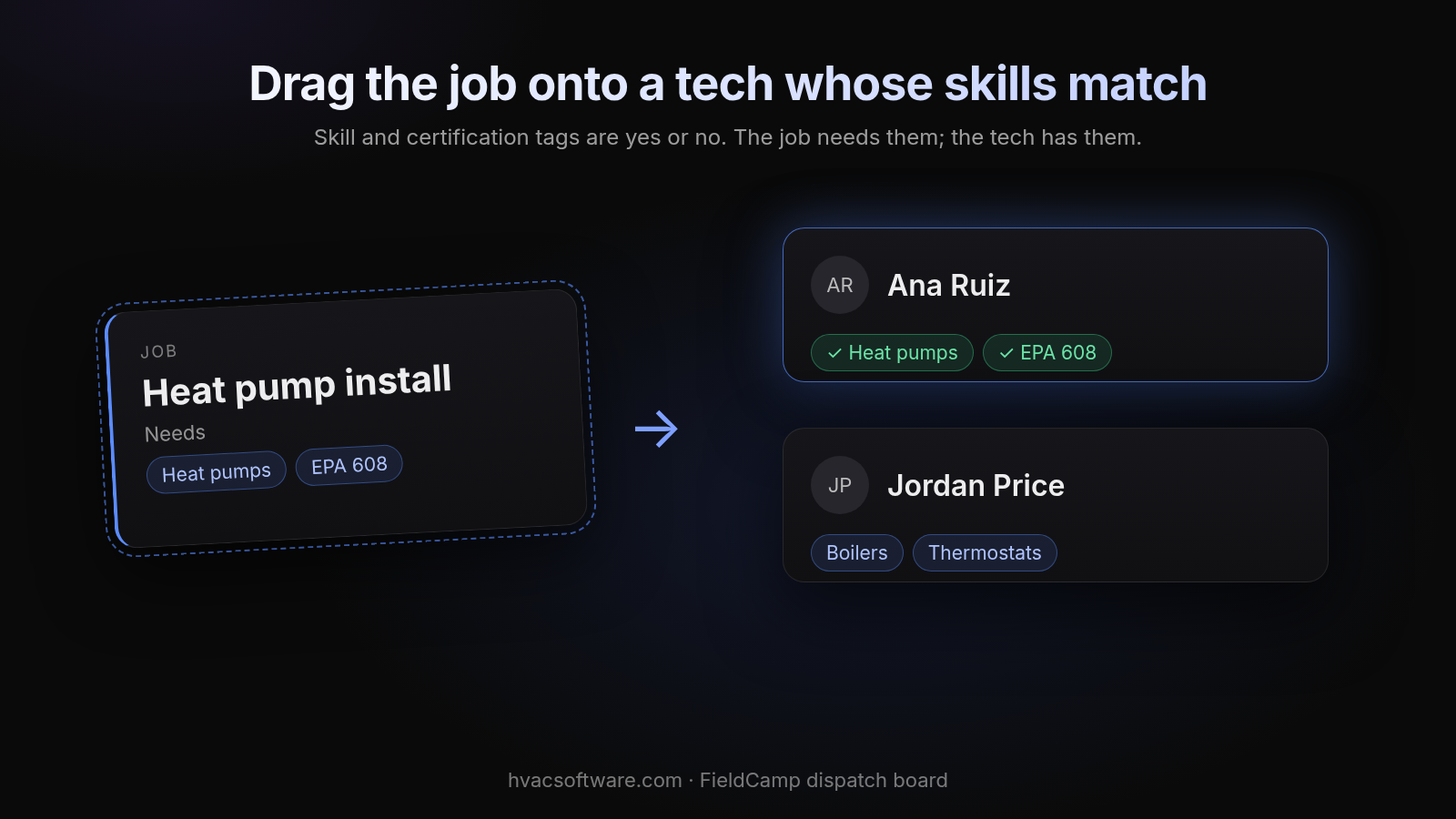
Drag the job onto a tech whose skills match
Skill and certification tags are yes or no. The job needs them; the tech has them.
Diagram details
Job: Heat pump install. Needs: Heat pumps, EPA 608.
Ana Ruiz: ✓ Heat pumps, ✓ EPA 608. Jordan Price: Boilers, Thermostats.
What skills and certifications should HVAC dispatch software match on?
Match on anything that decides whether a tech can legally, safely or competently finish the job on the first visit. Certifications are the core criterion. Equipment and brand experience narrow the field from there.
- Refrigerant certification: EPA Section 608 certification under the Clean Air Act. Each type (Type I, Type II, Type III or Universal) can be its own tag, so the job asks for the exact type it needs.
- Trade licenses: Gas and electrical licenses required by your state or local jurisdiction. These keep gas and high-voltage work with licensed techs.
- Industry certification: NATE certification, usually as a ranking factor or a customer-facing standard rather than a legal gate.
- Manufacturer (OEM) training: Brand-specific training such as Trane, Carrier, Lennox, Mitsubishi or Daikin. It matters most for warranty work and VRF systems.
- Equipment and job class: Experience with commercial chillers, boilers, rooftop units, VRF, heat pumps and gas furnaces. Residential and commercial qualifications are tagged separately.
Why does skills-based technician matching matter?
It decides whether the first truck to arrive can fix the problem. That drives your callback rate, your compliance exposure and how fast the board recovers from a bad afternoon.
- First-Time Fix Rates: Sending a tech with the right equipment experience and parts reduces return visits and callbacks (e.g., a Trane warranty job held for a Trane-trained tech instead of whoever is nearest).
- Compliance & Safety: When credentials are required for refrigerant, gas and high-voltage work, a busy dispatcher can't hand that work to an uncertified tech by accident.
- Reassignment: In tools that support real-time reassignment, a job that runs long or an emergency call is re-offered to the next-closest qualified tech, not just the next-closest truck.
What does a skills-based match look like on a real call?
Here is a fictional example. A property’s office calls in with a fault code on a Daikin VRF system that has stopped heating one floor.
- Intake: The site’s equipment record tags the call as commercial VRF, Daikin, with EPA 608 Type II required.
- Filter: The closest tech is finishing a residential tune-up nearby. They hold Type II but have no VRF or Daikin training, so they drop out of the eligible pool.
- Rank: The next-closest tech holds Type II and Daikin VRF training and is on shift with a lighter afternoon. They rank first, even though their drive is longer.
- Approve: The dispatcher sees the proposed match and the reason the closer tech was skipped, then approves it.
The longer drive is the right call. A shorter drive that ends in a second visit costs more.
What should you check in any HVAC dispatch software’s skill matching?
Ask every vendor to run your hardest job type live in the demo, and check these six things.
Does a missing skill block the assignment or just warn?
- Hard constraint vs. soft warning: A warning the dispatcher can click past is not a constraint. Ask which credentials the platform can enforce as hard blocks.
- Credential hierarchy: Ask whether the platform knows that Universal covers every EPA 608 type, or whether you tag each type separately. Either works if you set it up once.
Can it map job types to skills without manual tagging every time?
- Job-type skill mapping: Requirements should attach to the job type or equipment record once, not be typed in on every call.
- Parts-on-truck check: Ranking should consider truck inventory, so the qualified tech who also has the part ranks above the one who doesn’t.
Who has the final say, and how fast does it recover?
- Dispatcher approval: The software proposes and a person approves. Watch for systems that auto-assign with no review step on commercial work.
- Reassignment speed: Pull a tech off a job mid-demo and see how quickly the board offers the next qualified one.
Which other dispatch platforms come up for skills-based matching?
Several platforms come up when contractors research this. Judge each by what adopting it requires, not by its marketing.
- ServiceTitan: Ask which dispatch matching features are in the core plan versus add-ons; check current pricing pages.
- FIELDBOSS: Built on Microsoft Dynamics 365, so adoption runs through a Dynamics environment and the administration that comes with it.
- Housecall Pro, Jobber and Workiz: Confirm whether skill tags block, warn or only filter the view, and which plan tier unlocks them; check current pricing pages.
How does FieldCamp handle skills-based technician matching?
This site is published by FieldCamp. When your dispatcher drags a job onto a technician on the FieldCamp dispatch board, the board checks skills, drive time and schedule conflicts, and the dispatcher confirms the assignment. The customer gets a text when a job is assigned or moved. A person still decides the day: the software does the checking, the dispatcher approves, and people handle the exceptions.
FieldCamp is built for shops that run residential and commercial work in one system. The same board serves the residential tech and the chiller tech, and each job stays on one record from the first call to the paid invoice, so nobody re-keys details when the day changes.
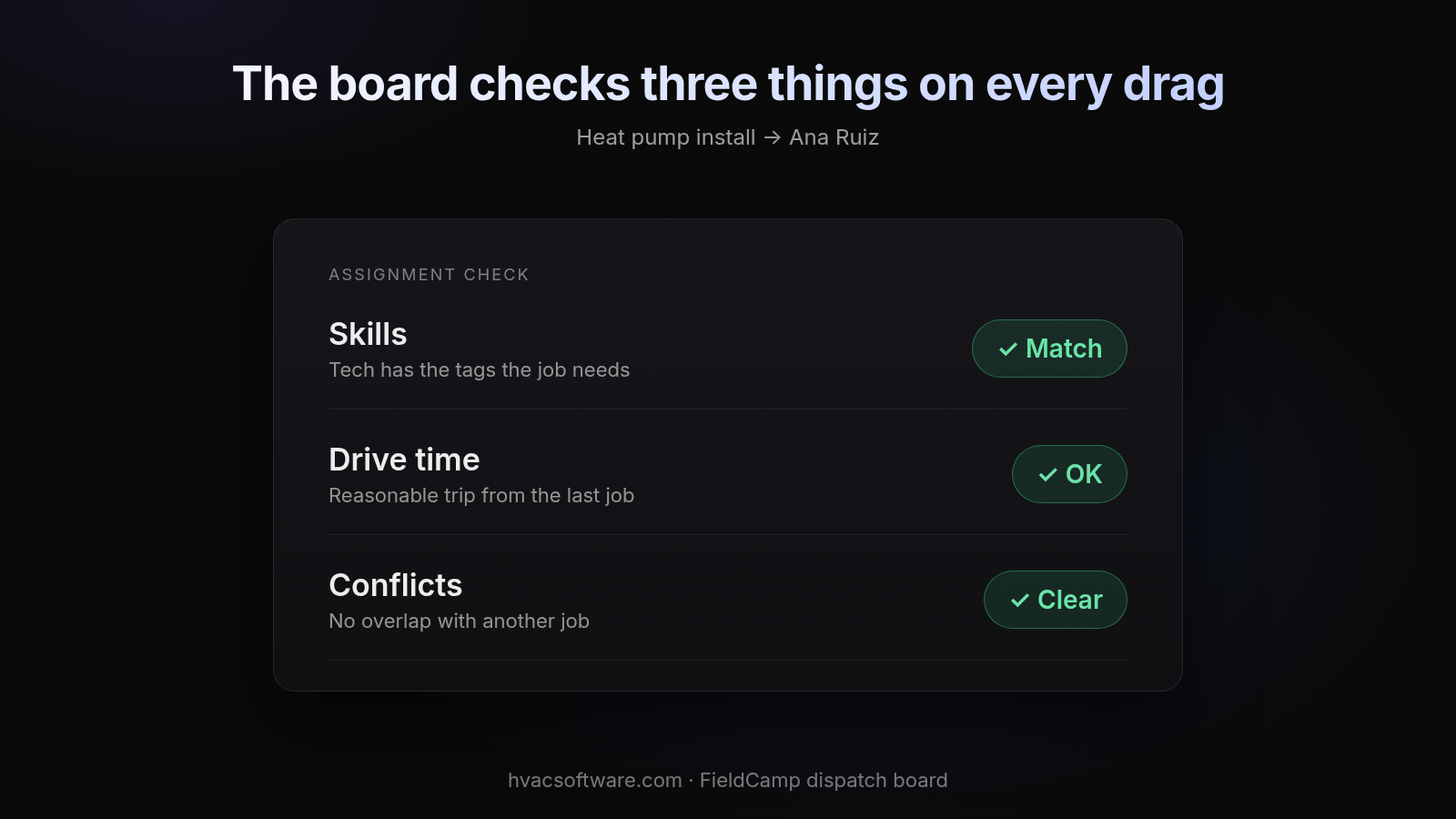
The board checks three things on every drag
Diagram details
Heat pump install → Ana Ruiz
- Skills: tech has the tags the job needs. ✓ Match
- Drive time: reasonable trip from the last job. ✓ OK
- Conflicts: no overlap with another job. ✓ Clear
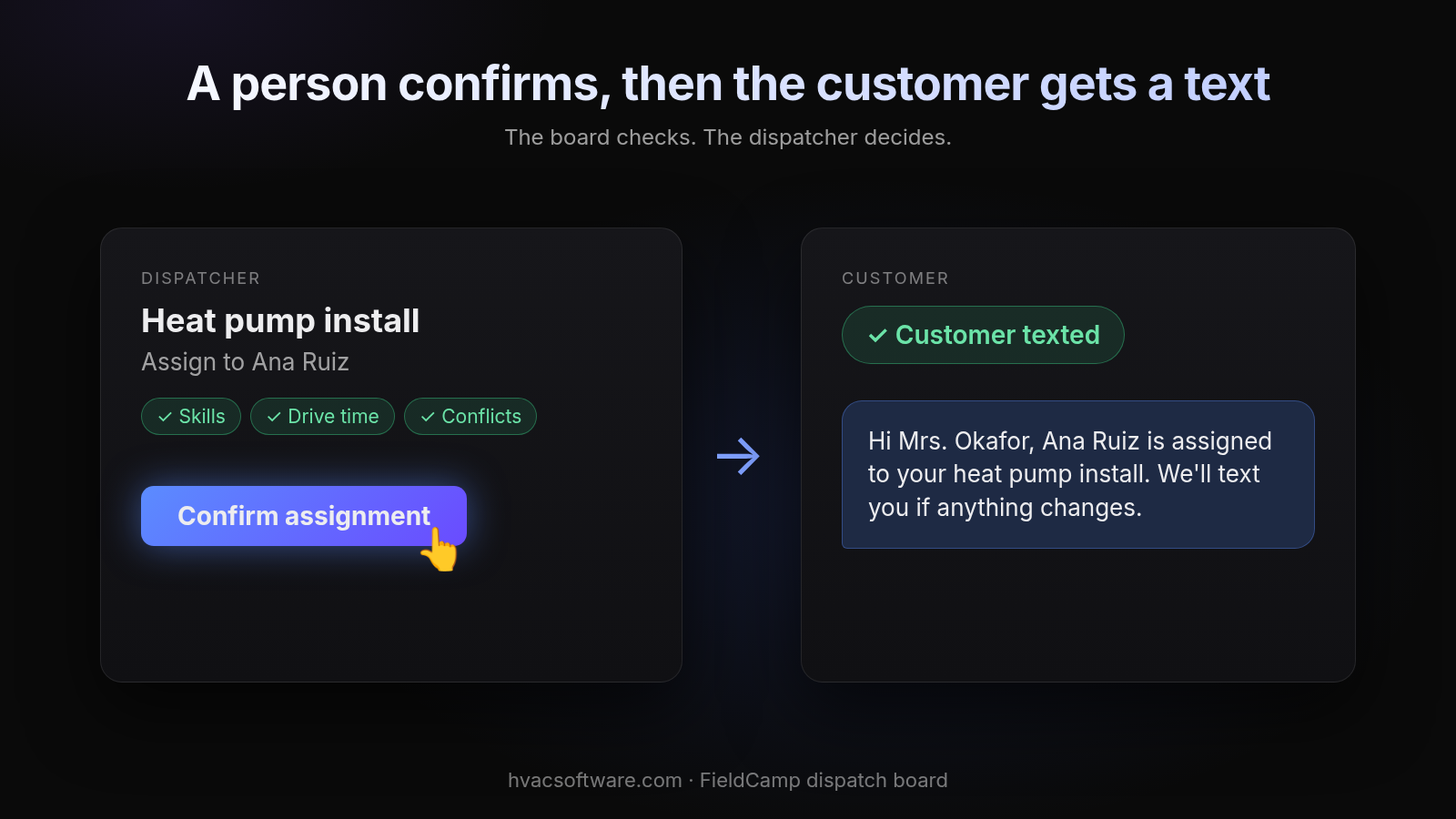
A person confirms, then the customer gets a text
The board checks. The dispatcher decides.
Diagram details
Dispatcher: Heat pump install, assign to Ana Ruiz. ✓ Skills ✓ Drive time ✓ Conflicts. [Confirm assignment]
Customer: ✓ Customer texted. "Hi Mrs. Okafor, Ana Ruiz is assigned to your heat pump install. We'll text you if anything changes."
If you want to see your own job types matched against your crew’s skills, book a 30-minute walkthrough with FieldCamp.
Frequently asked questions
What is skills-based dispatching in HVAC?
It is a dispatch method that only assigns a job to technicians whose recorded skills, licenses and certifications meet the job’s requirements, then chooses among them by location, drive time and availability.
Which certifications should HVAC dispatch software track?
Track EPA Section 608 certification by type (I, II, III or Universal), state or local gas and electrical licenses, NATE certification, manufacturer training, and commercial vs. residential qualification, ideally with renewal dates.
Should a missing skill block an assignment or only warn the dispatcher?
For legal and safety credentials such as EPA 608 type or a gas license, it should block. Softer factors such as NATE or brand preference work better as ranking factors the dispatcher can override.
Does skills-based dispatch software replace an HVAC dispatcher?
No. The software filters and ranks, and proposes a match. The dispatcher reviews it, can override it for a customer-preferred tech or a parts issue, and handles the exceptions.
What happens when a technician’s certification expires?
If the software doesn’t track expiry dates, the tech can keep appearing as eligible for gated jobs. Store an expiration date on each credential so the system can alert before renewal and stop gated assignments once it lapses.
Why do dispatchers still match technicians by hand even with software?
Usually because the software ranks by proximity first and checks skills afterward, so it keeps suggesting the nearest tech. Filtering out unqualified techs before ranking by drive time avoids this.
Final recommendation
Tag your technicians’ credentials and your job types once, make legal and safety credentials hard blocks, and let drive time rank only the qualified pool. Whichever platform you shortlist, run your hardest job type through it live before you commit.