Emergency call prioritization
Emergency Call Prioritization in HVAC Dispatch Software: how it should work when the phones fill up.
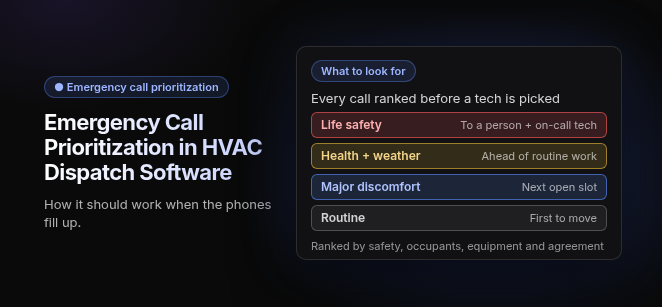
What to look for. Every call ranked before a tech is picked: Life safety (to a person + on-call tech) · Health + weather (ahead of routine work) · Major discomfort (next open slot) · Routine (first to move). Ranked by safety, occupants, equipment and agreement.
Emergency call prioritization in HVAC dispatch software is the rule-based process of classifying every incoming call by safety risk, occupancy impact and asset criticality, then sending the nearest technician with the right skills, without breaking the rest of the day’s schedule. It replaces first-come, first-served queueing. Once a call is flagged, the software looks for the closest qualified tech, shifts lower-priority jobs to make room, and texts the customer when the job is assigned.
What are the emergency priority levels?
Dispatch software that prioritizes emergencies sorts calls into three or four priority tiers. Each tier is defined by concrete failure conditions, not by how upset the caller sounds, and has its own response target. The four-tier model below covers both setups.
These tiers are an example for setting up dispatch software. They are not safety advice.
| Tier | Response target | Triggers (e.g.) | Dispatch action |
|---|---|---|---|
| P1 Life Safety | Safety instruction first, then dispatch immediately | Gas smell, carbon monoxide alarm, electrical burning smell, active water leak | For gas, carbon monoxide or burning smells, tell the caller to leave the building and call 911 or the gas utility first, then escalate to a person and the on-call tech |
| P2 Health / Extreme Weather | Same day, within the target you set | No heat in freezing weather, no cooling in extreme heat, vulnerable occupants, critical commercial cooling (medical facilities, commercial refrigeration) | Insert into today’s board ahead of routine work. If someone is in danger now, tell the caller to call 911 |
| P3 Major Discomfort | Next available slot | Partial failure in moderate weather (e.g., heat pump running but not keeping up) | Book the next open slot |
| P4 Routine | Normal queue | Maintenance visits, tune-ups, quotes | Schedule normally |
The same tiers as self-contained rules:
- P1 Life Safety (immediate): A call that mentions gas, carbon monoxide, or burning or sparking electrical components gets the safety instruction first: the caller leaves the building, then calls 911 or the gas utility. Dispatch comes after that. The call goes to a person instead of a script, and the caller hears only your approved safety instructions. Active water damage goes to a person and the on-call tech at once.
- P2 Health / Extreme Weather (same day): Loss of heat in freezing weather, loss of cooling in extreme heat, a vulnerable occupant (infant, elderly or medically dependent), or a critical commercial cooling failure (e.g., a restaurant walk-in cooler) jumps ahead of routine work the same day. If someone in the space is in danger right now, the caller should call 911 first.
- P3 Major Discomfort (next available slot): Partial failures in moderate weather get the next open slot without bumping booked customers (e.g., one stage of a two-stage furnace out on a mild night).
- P4 Routine (normal queue): Maintenance, tune-ups and replacement quotes are scheduled normally. They are also the first jobs eligible to move when an emergency lands.
Three-tier setups: Shops running three tiers merge P1 and P2 into a single “Emergency” tier, and keep Urgent and Routine below it.
Configurable thresholds: The temperature triggers are values you set in the software for your climate and contracts. Whatever values you choose should apply on every screen, script and report.
How does the software decide priority?
The software scores priority from safety risk, occupancy and vulnerable-occupant impact, asset criticality, and the site’s service agreement or SLA, not from whoever happens to answer the phone. Those inputs only work if the software holds the real records behind each call.
- Safety risk: Intake answers about gas, carbon monoxide, sparks or burning smells override every other input and set the call to the top tier (e.g., a gas furnace call with a CO alarm sounding).
- Occupancy and vulnerable occupants: Who is affected changes the score. A no-heat call raises its priority when an infant, elderly or medically dependent person is in the home, or when a commercial space is open to the public.
- Asset criticality: The equipment record tells the software what the failed unit serves (e.g., an RTU cooling a commercial kitchen outranks a unit serving an unused storage area at the same site).
- Service agreement or SLA: A contracted response window attached to the site raises the score and starts an SLA clock (e.g., a commercial refrigeration agreement with a contracted response window).
Why the records matter: Scoring needs the chain site → unit → equipment → agreement stored on one record. When a property manager calls about “the unit on the east roof,” the software can then identify the asset, its criticality and its contract terms without a dispatcher looking them up.
What questions should intake ask?
Intake should ask five questions that turn a phone conversation into a priority score. The answers are what move a call between tiers, so every call should get all five whether a person or AI answers.
- What is the system doing? No heat, no cooling, noise, leak, or not turning on.
- Is anyone vulnerable in the space? Infants, elderly or medically dependent occupants.
- What is the indoor temperature right now? This checks the call against your configured thresholds.
- Do you smell gas, see sparks or smell burning? Any yes means the caller leaves the building and calls 911 or the gas utility first, then the call routes to P1.
- How long has it been down? This separates a sudden failure from a slow decline.
AI intake with a human handoff: In tools that use AI to answer calls, AI picks up overflow and after-hours calls and tags priority from the answers. Gas, carbon monoxide and burning-smell keywords skip the AI. The caller is told to leave the building and call 911 or the gas utility, and the call goes straight to a person and the on-call tech. AI can book routine jobs, and a person handles the exceptions. Our guide to HVAC contact center software covers how calls reach the right next step.
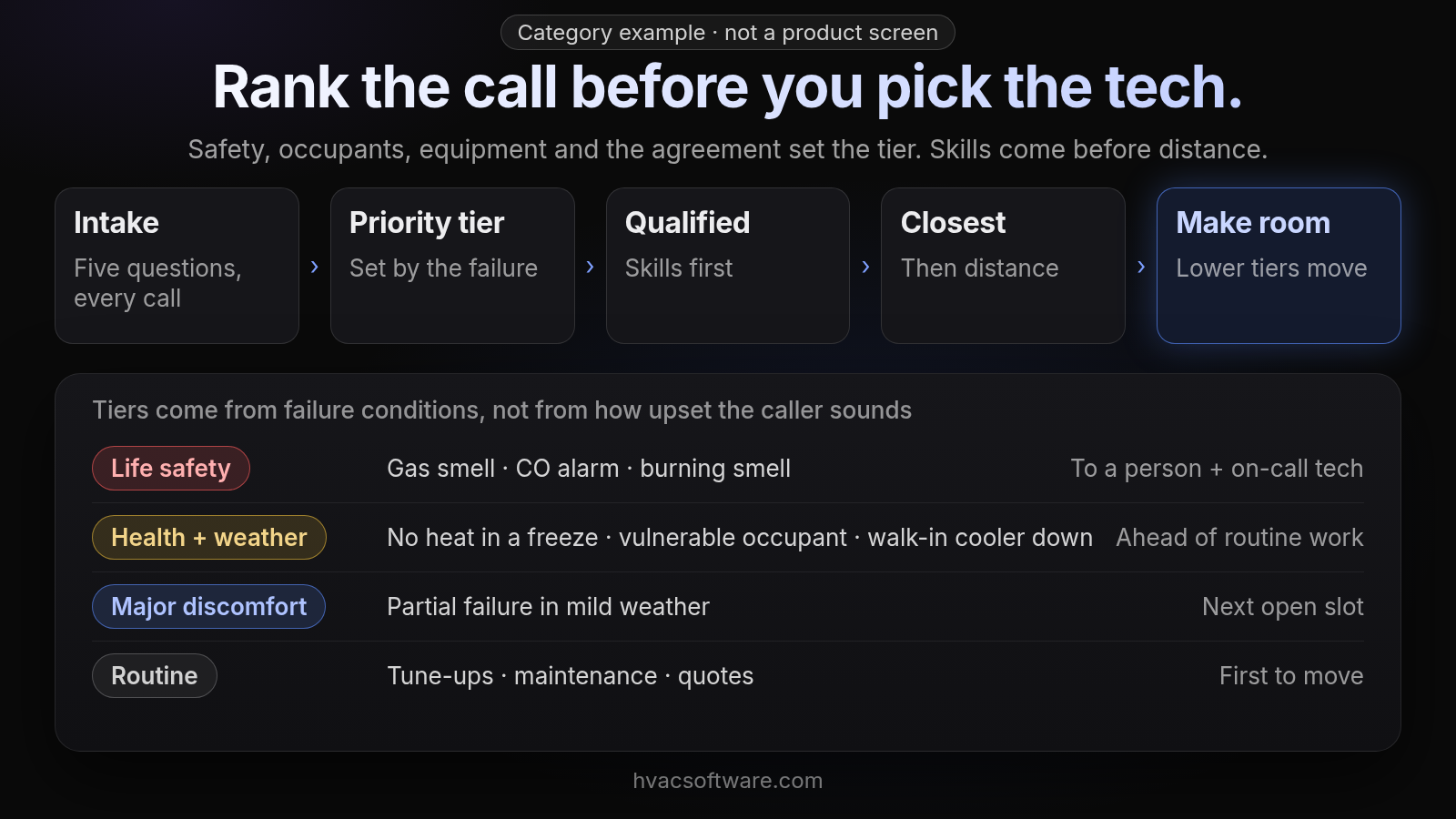
Category example · not a product screen
Rank the call before you pick the tech.
Safety, occupants, equipment and the agreement set the tier. Skills come before distance.
- Intake: five questions, every call
- Priority tier: set by the failure
- Qualified: skills first
- Closest: then distance
- Make room: lower tiers move
Tiers come from failure conditions, not from how upset the caller sounds:
- Life safety: gas smell · CO alarm · burning smell. To a person + on-call tech.
- Health + weather: no heat in a freeze · vulnerable occupant · walk-in cooler down. Ahead of routine work.
- Major discomfort: partial failure in mild weather. Next open slot.
- Routine: tune-ups · maintenance · quotes. First to move.
How does the software dispatch an emergency call?
Once a call is tagged, dispatch software runs five steps in order. Each step has its own HVAC example.
- Urgency triage: Rules classify each call as urgent or queue-able at intake from the answers and the equipment record (e.g., “no cooling + commercial refrigeration agreement” is tagged P2).
- Skill and certification matching: Only techs holding the required skills are offered the job, such as EPA 608 for refrigerant work, NATE certification, gas certification or commercial experience (e.g., a gas furnace repair vs. a commercial chiller or RTU call). Our guide to skills-based technician matching covers what to check.
- Proximity: Among qualified techs, the software looks for the closest available one; in platforms that include vehicle tracking, that location is live. Proximity is always weighed together with skills, so the nearest truck never wins on distance alone.
- Dynamic schedule reshuffling: Lower-priority jobs move or get reassigned to free the chosen tech (e.g., a P4 tune-up slides to later in the afternoon). The next section covers how to do this safely.
- Customer updates: When the tech is on the way, the customer gets a text with the tech’s name. In platforms that include vehicle tracking, that text can carry a live ETA. Our guide to customer text notifications covers which texts matter.
How do you insert an emergency without breaking the schedule?
Insert the emergency into the live schedule and move lower-priority jobs to make room, with a dispatcher approving the exceptions. Our guide to the dispatch board covers what a single board should show.
- Emergency dispatch with a live reshuffle: The call is inserted into the live schedule and lower-priority jobs shift, with a dispatcher approving exceptions.
- Classify every call as urgent or queue-able at intake: Calls are classified at intake, so the board knows before anyone touches it which jobs can move and which can’t.
- Right tech by schedule, location and skills: The tech pulled for the emergency must hold the needed certifications (EPA 608, NATE level, gas) and be close enough to arrive inside the tier’s window.
- Window checks on bumped jobs: Every moved job is checked against its promised arrival window. Any job that would fall outside it is flagged for dispatcher approval instead of moved silently.
How do after-hours calls and escalation work?
After hours, the software routes emergencies through an on-call rotation and escalates when nobody responds. These are the settings to configure:
- P1 dispatch decision: A tech is assigned within the short target you set for calls tagged P1.
- On-call acknowledgment window: The on-call tech has a set window to accept. If they don’t, the call escalates to the next nearest qualified tech.
- SLA-at-risk alerts: Commercial calls with a contracted response window alert the dispatcher before the deadline passes, not after the breach.
- After-hours pricing: The emergency or after-hours rate comes from the central price book and is applied to the work order, so techs aren’t quoting it on the porch.
How do you protect emergency capacity before a heat wave or cold snap?
Reserve emergency capacity before demand spikes. On forecast surge days, hold open slots for each tech, set which tiers may use them, and decide who can authorize bumping an agreement customer. Without these rules, the first wave of tune-ups and estimates fills the board and every P2 call becomes a bump.
- Reserved slots per tech: Leave open slots on each tech’s day. On forecast surge days that reserve should grow. Our guide to technician capacity planning covers how a reserve is counted.
- Surge trigger: A forecast threshold declares the surge day in advance, so the reserve is set before the phones fill up.
- Tier access: Only P1 and P2 calls may use reserved slots. P3 and P4 calls wait for regular openings.
- Bump authority: Moving a service-agreement customer requires a named role’s approval (e.g., the ops manager), because their window is a contract term, not a courtesy.
What should you look for in emergency dispatch software?
Judge emergency prioritization on whether rules, records and dispatch live in one system, not on how many features appear on a feature list.
- One record from first call to paid invoice: Intake answers, the priority tag, the dispatched tech and the emergency rate should all sit on the same job, so nothing is retyped under pressure.
- Every call answered: Overflow and after-hours calls get triaged by the same rules as daytime calls, with a person taking the safety exceptions.
- Dispatch by schedule, location and skills: All three filters run together on every emergency, not distance alone.
- Priority rules in the base plan: Some platforms sell advanced dispatch as a separate add-on (ServiceTitan’s dispatch page lists Dispatch Pro as an add-on product, for example). Check current pricing pages, and confirm whether triage rules, reshuffling and escalation are included or cost extra.
- Residential and commercial in one system: Both kinds of emergency should run on one board without separate software.
Two emergencies on one board: A residential no-heat call with an elderly occupant scores P2 from intake answers and goes to the nearest gas-certified tech. A restaurant’s walk-in cooler failure scores P2 from its equipment record and agreement, starts an SLA clock, and goes only to a commercial refrigeration tech with EPA 608. Both calls use the same board and the same rules, but each takes a different route.
How does FieldCamp fit an HVAC shop that handles emergency calls?
FieldCamp fits contractors running residential and commercial work in one system, with a person still deciding the day. Here is what FieldCamp does today, and what to ask in a demo.
This site is published by FieldCamp.
- On the dispatch board: When your dispatcher drags a job onto a technician, the board checks skills, drive time and schedule conflicts, and the dispatcher confirms the assignment.
- For the customer: The customer gets a text when a job is assigned or moved.
- For the technician: A technician’s assigned jobs and schedule show on their phone.
- One record: Each job stays on one record from the first call to the paid invoice.
- Residential and Commercial Together: Residential service calls and commercial maintenance work run in one system, not two.
- Who decides: A person still decides the day. Assignment stays a decision the dispatcher makes.
- What it doesn’t do: FieldCamp doesn’t do route optimization or vehicle tracking. Ask in the demo how priority tiers, intake triage, after-hours calls and escalation would fit your shop.
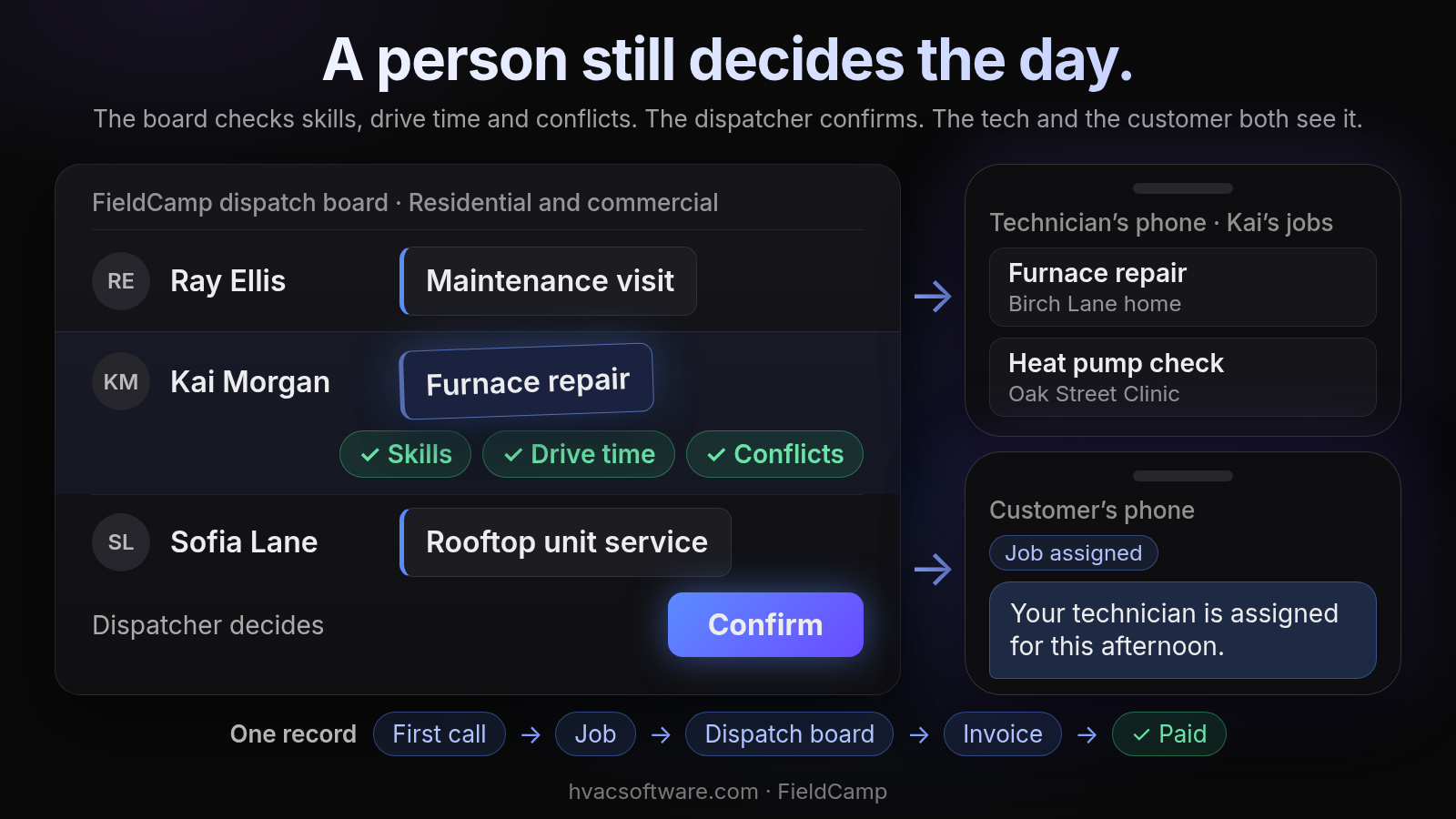
A person still decides the day.
The board checks skills, drive time and conflicts. The dispatcher confirms. The tech and the customer both see it.
FieldCamp dispatch board · Residential and commercial: Ray Ellis: Maintenance visit. Kai Morgan: Furnace repair. Sofia Lane: Rooftop unit service.
- Skills
- Drive time
- Conflicts
Dispatcher decides: Confirm.
Technician’s phone · Kai’s jobs: Furnace repair (Birch Lane home). Heat pump check (Oak Street Clinic).
Customer’s phone. Job assigned: "Your technician is assigned for this afternoon."
One record: First call → Job → Dispatch board → Invoice → Paid.
Getting ready for a heat wave or cold snap? Book a 30-minute walkthrough and bring your priority tiers and on-call rules.
Frequently asked questions
What is considered an emergency HVAC call?
An emergency HVAC call is one where safety, health or property is at risk right now. That covers a gas smell, a carbon monoxide alarm, burning or sparking electrical components and an active water leak, plus loss of heat in freezing weather or loss of cooling in extreme heat, especially with an infant, elderly or medically dependent person in the space. A critical commercial cooling failure, such as a restaurant walk-in cooler, also counts. For a gas smell, a carbon monoxide alarm or a burning smell, the caller should leave the building and call 911 or the gas utility first, then call the contractor. Uneven temperatures, strange noises and tune-ups can wait for a normal slot.
What is the first priority when responding to an HVAC emergency?
The safety of the people in the building comes first. On a gas smell, a CO alarm or a burning smell, the caller leaves the building and then calls 911 or the gas utility. The call then goes straight to a person and the on-call tech. Dispatching the right technician comes after that, not before.
Does a small HVAC business need emergency call prioritization in its dispatch software?
Yes, because the problem doesn’t shrink with headcount. With one dispatcher and a few techs, every emergency still bumps someone, and the owner often ends up rebuilding the day by phone. Written tiers, the five intake questions and a short list of jobs that are allowed to move cover most of it. The software should then keep those rules on the job record instead of in one person’s head.
Why is first-come, first-served call handling a problem for HVAC emergencies?
First-come, first-served handling is a problem because it ignores how serious each failure is, so a routine tune-up call can sit ahead of a gas smell or a failed commercial walk-in cooler. Rule-based prioritization replaces it by tiering calls on concrete failure conditions, such as no heat in freezing weather or no cooling in extreme heat. Priority does not depend on how upset the caller sounds or on who answers the phone.
Why shouldn’t the nearest technician always get the emergency call?
The nearest truck may lack the credentials the job requires. Dispatch software weighs proximity together with schedule and skills, so only qualified techs are offered the call. For example, refrigerant work calls for EPA 608, and a gas furnace repair calls for gas certification. Distance alone never decides the assignment.
How would a restaurant’s failed walk-in cooler be handled in dispatch software?
The equipment record and service agreement score it P2 as a critical commercial cooling failure, and the SLA clock starts. The call goes only to a commercial refrigeration tech holding EPA 608. If a contracted response window applies, the dispatcher is alerted before the deadline passes instead of after the breach.
Final recommendation
Before you sign, write down your priority tiers and the failure conditions behind each, make sure intake asks the same five questions on every call, and fill in skills, sites, equipment and agreements so a call can be scored without a lookup. Then run one real surge day through each shortlisted system and watch where the priority rules break.