Category example
Where the call record should land
Gas smell: leave the building and call 911 or the gas utility from outside.
Carbon monoxide alarm, burning smell, smoke or fire: leave the building and call 911 from outside.
- Summary, transcript, recording
- On the job, not a side drawer
- Prove it with a test call
Modern HVAC field service management software should keep the call summary, full transcript and recording with the work, not leave them in a separate call log.
Where those artifacts land still varies by product. Check the vendor’s current documentation and prove the landing object with a test call before you sign.
One rule sits above the comparison. If a caller smells gas, the first instruction is to leave the building and call 911 or the gas utility from outside. If a carbon monoxide alarm is going off, or the caller reports a burning smell, smoke or fire, the first instruction is to leave the building and call 911 from outside. Give these instructions before any intake, booking, paging or dispatch step.
What should “attached to the job” actually mean?
Most HVAC software can keep a call somewhere. Fewer put what was said where your dispatcher and technician will read it. Hold any platform to these five tests:
- It lands on the work, not in an inbox. The summary, transcript and recording sit directly on the job, or on the request that becomes the job, and on the customer record. A separate call log, interaction drawer or receptionist dashboard that someone has to cross-reference does not count.
- All three artifacts are kept. The short summary is what dispatch reads. The full transcript and the recording settle what the caller actually said.
- It is tied to the site, unit and equipment. On a commercial account, “the customer called” is not enough. The call should be matched to the property and the equipment on file.
- The urgency call is visible. If the call was tagged as an emergency under your rules, that tag travels with the record.
- It stays with the work through invoicing. The call artifacts remain with the same customer and job workflow through the paid invoice, residential and commercial alike.
This is category guidance, not a description of any product. Confirm each answer in the vendor’s current documentation and in a demo against your own setup.
Where do AI call summaries and transcripts actually land?
Vendor marketing often says “attached to the job.” Documentation and demos sometimes show a different object. Ask every vendor the same landing questions:
| Landing question | What to confirm |
|---|---|
| Summary | Is a short post-call summary produced, and where does it appear? |
| Full transcript | Is the full transcript kept, or is the tool summary-only? |
| Recording | Is the recording retained with the same record as the summary? |
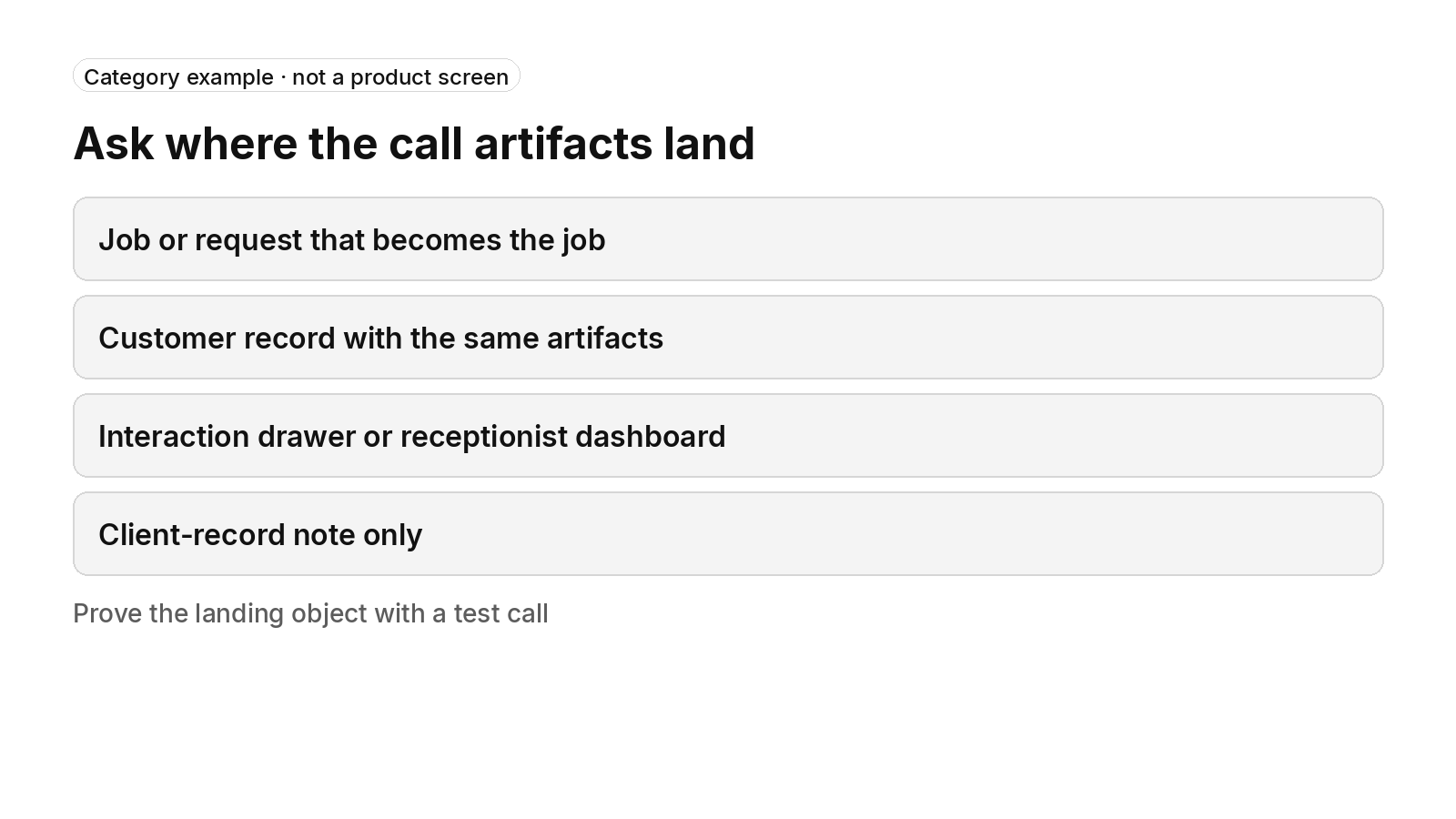
| Landing object | Does it land on the job, on the request that becomes the job, on the customer record, in an interaction drawer, in a receptionist dashboard, or only as a client-record note? |
| Availability | Is the feature generally available, early access, plan-tiered, an add-on, or still in a pilot? |
An interaction drawer, a receptionist dashboard and a client-record note are each a real place to find the call. None of them is the job itself. Check current vendor documentation for the exact landing object, and re-check it during the demo with a test call.
Our guide to calls becoming job records covers the wider handoff from the call into the job workflow.
Native field service tools versus add-on call tools
Some field service platforms offer call transcription or AI answering inside the product. Others leave transcripts to add-on receptionists or call-intelligence tools that sync back into the field service record. Either route can work; the landing object is still the test.
If the tool is built into the field service platform, ask which plan or module unlocks summaries, transcripts and recordings, whether Early Access or a pilot applies, and whether the booked job receives them or only a side drawer or dashboard does.
If you are evaluating an add-on receptionist or call-intelligence tool, ask which object the sync writes to: client note, job, booking, or a separate dashboard. Confirm which artifacts travel with that sync—summary only, full transcript, recording, or a booked visit. An add-on means a second vendor and a second bill, plus an integration you have to keep working.
Do not treat a named competitor comparison as settled. Check current vendor pricing pages and the vendor’s current documentation for the products you are evaluating, then prove the landing object with a test call.
Do you need AI to answer calls, or to transcribe calls your office already takes?
The answer changes which product category you are shopping in.
If you want AI to answer live calls
You are buying an AI receptionist: after-hours and overflow coverage, and booking. The transcript is a by-product of a call the tool handled. Check that the summary, transcript and recording come with the booking and are not left in a separate answering log. Booking mechanics are covered in our guide to booking jobs on the call. Peak-season and overflow coverage questions sit in peak-season overflow. After-hours ownership is covered in after-hours calls.
If your office answers and you want the record
You need call transcription and summaries on human-handled calls, so the office does not retype what the customer said. The test is the same: does the summary reach the job or customer record without anyone copying it over? If you also want calls scored for coaching, ask whether call scoring is available and where the score sits relative to the transcript.
If you want technician conversations on site transcribed
This is a separate need from office calls. Ask whether the on-site transcript lands on the same job record as the original call. If it does not, the conversation history is split across two places.
Our comparison of an answering service and an AI receptionist covers the operating models; this page asks where the record ends up. Related follow-up work after a missed connection is covered in missed HVAC calls.
Category example · not a product screen
Ask where the call artifacts land
Job or request that becomes the job
Customer record with the same artifacts
Interaction drawer or receptionist dashboard
Client-record note only
Prove the landing object with a test call
What should an HVAC call summary carry onto the job?
A generic summary that says “customer wants service” does not help a dispatcher. For HVAC, the summary should carry:
- The urgency tag, set by your emergency rules and not the vendor’s defaults. A no-heat or no-cool call should read differently from a tune-up request.
- The site, unit and equipment, so the technician knows what is on the roof or in the basement before they leave.
- The on-call handoff, meaning who was alerted and whether they confirmed, when the call came in after hours.
How triage levels and escalation should work has its own page: emergency call triage. This page only asks whether the result is written onto the record. Related intake checks for caller recognition, lead qualification and diagnostic fee quotes belong in the same demo conversation when those behaviors matter to your shop.
How should safety, urgency tags and retention work?
Safety comes first. If a caller smells gas, the first instruction is to leave the building and call 911 or the gas utility from outside. If a carbon monoxide alarm is going off, or the caller reports a burning smell, smoke or fire, the first instruction is to leave the building and call 911 from outside. If anyone in the home is in danger from heat or cold, the caller should call 911.
Only after those safety instructions should the service follow your written escalation list for a system that won’t heat or cool. Specify which office person or on-call technician receives the call, how paging works and what happens if nobody picks up. Do not substitute an HVAC appointment for emergency help. If an urgency tag is written onto the job, confirm that the tag was set under your rules after the safety instruction, not instead of it.
Ask about retention, consent and notice rules for recordings and transcripts. Rules vary by state; some require every party’s consent. Do not treat a vendor claim that recording is “legal when notified” as settled. Confirm the notice script, retention period and who can access the artifacts.
Warm transfer or live transfer to a person, bilingual calls and texts from calls are category options to test, not assumptions. Confirm each in the demo, including what the receiving person sees and what happens when nobody picks up.
The contact-center guide and the voice-agents guide cover the wider office workflow around these checks.
How does FieldCamp fit residential and commercial work?
FieldCamp fits contractors running residential and commercial work in one system, with a person still deciding the day. Here is what FieldCamp does today, and what to ask in a demo.
This site is published by FieldCamp.
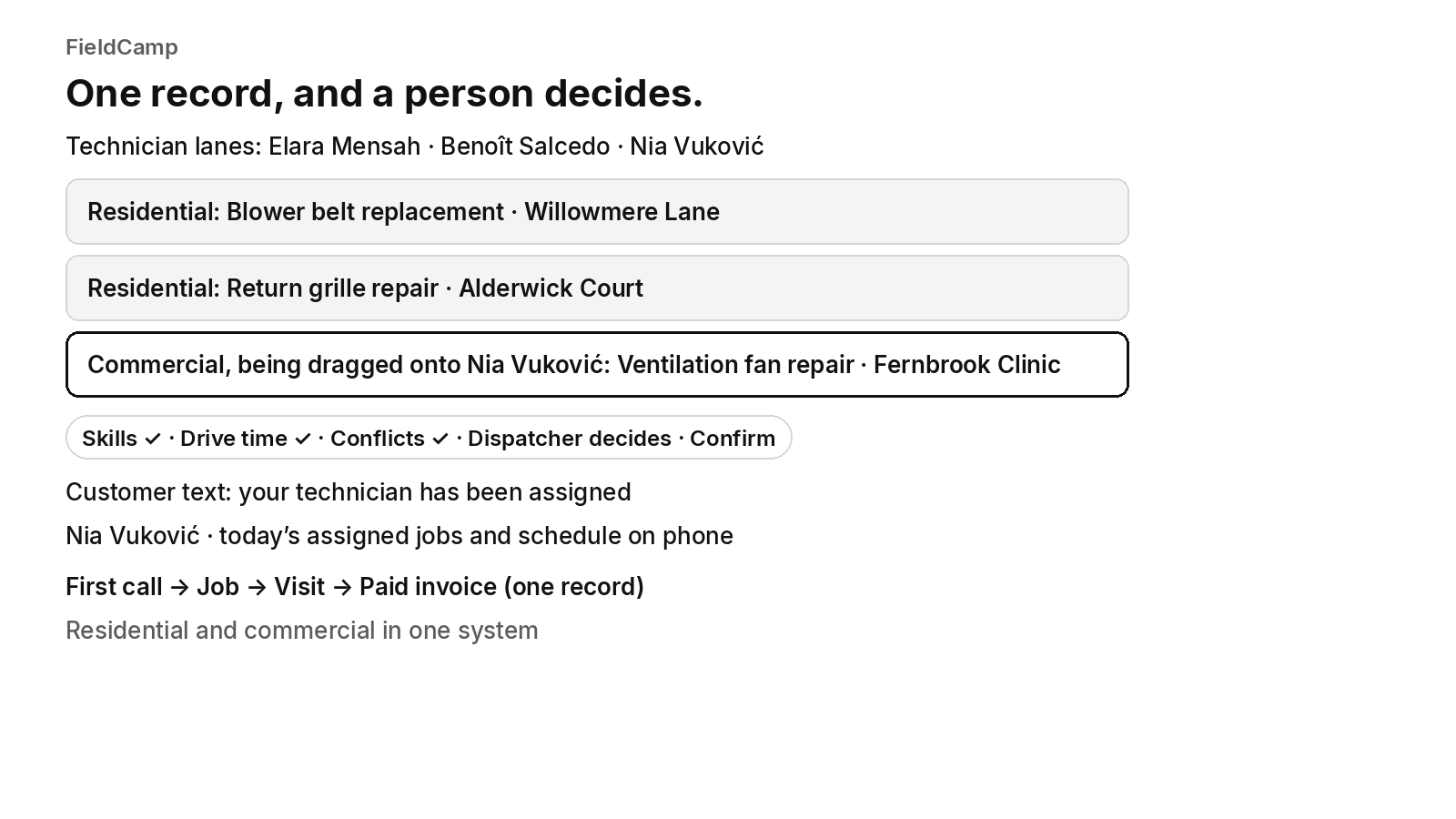
- On the dispatch board: When your dispatcher drags a job onto a technician, the board checks skills, drive time and schedule conflicts, and the dispatcher confirms the assignment.
- For the customer: The customer gets a text when a job is assigned or moved.
- For the technician: A technician’s assigned jobs and schedule show on their phone.
- One record: Each job stays on one record from the first call to the paid invoice.
- Residential and Commercial Together: Residential service calls and commercial maintenance work run in one system, not two.
- Who decides: A person still decides the day. Assignment stays a decision the dispatcher makes.
- What to ask in the demo: This page does not describe call answering, AI receptionists or voice agents, call transcripts, call summaries, call recordings, call scoring, live transfer or warm transfer, bilingual calls, caller recognition, lead qualification, diagnostic-fee quoting, booking on the call, after-hours answering, triage, routing, paging, fee noting, reminders, texts-from-calls, urgency tags, property or equipment matching from a call, commercial multi-site call intake, retention or consent or notice rules for recordings and transcripts, answering versus transcribing-only tools, add-on receptionist syncs, interaction drawers, receptionist dashboards, or client-record notes as FieldCamp features. Ask about each of those, including where the summary, transcript and recording land—on the job, on the request that becomes the job, on the customer record, in a drawer or dashboard, or only as a note—and whether answering and transcribing are separate products. Ask how the safety instruction comes before any intake, booking, paging or dispatch step, how danger from heat or cold prompts the caller to call 911 before escalation, who takes over when the tool cannot handle a call, what happens when the person does not pick up, whether the receiving person sees the caller’s details, how commercial and multi-site requests reach a person, how to place test calls against your own scripts, and which connected tool or setup each part needs. Ask for a demonstration of the landing object rather than assuming any call-side capability, and for each of those, whether it is available today, needs setup or a connected tool, is in a pilot, or is planned.
FieldCamp
One record, and a person decides.
Technician lanes: Elara Mensah · Benoît Salcedo · Nia Vuković
Residential: Blower belt replacement · Willowmere Lane
Residential: Return grille repair · Alderwick Court
Commercial, being dragged onto Nia Vuković: Ventilation fan repair · Fernbrook Clinic
Skills ✓ · Drive time ✓ · Conflicts ✓ · Dispatcher decides · Confirm
Customer text: your technician has been assigned
Nia Vuković · today’s assigned jobs and schedule on phone
First call → Job → Visit → Paid invoice (one record)
Residential and commercial in one system
Book a 30-minute walkthrough and bring your current workflow to the demo.
Frequently asked questions
How can I test where an AI call transcript lands before I sign?
Safety comes first, before any intake, booking or dispatch step. Run a test call during the vendor demo and see where the summary, transcript and recording end up. Ask in writing whether the sync or native feature writes to a client note, a job, a booked visit, an interaction drawer or a receptionist dashboard. Confirm availability on your plan, including early access or add-on status, before you treat the landing object as settled.
What does “attached to the job” mean for call transcripts?
Safety comes first, before any intake, booking or dispatch step. Attached to the job means the summary, transcript and recording sit on the job or on the request that becomes the job, and on the customer record, not only in a separate log. Ask whether site, unit and equipment matching and your urgency tag travel with that same record.
Do I need AI to answer calls, or only to transcribe office calls?
Safety comes first, before any intake, booking or dispatch step. Answering and transcribing are different buys. If you want the tool to take live calls, test after-hours coverage, booking and where the artifacts land with the booking. If your office answers, test whether the summary reaches the job without retyping. Ask whether each path is available today or needs another tool.
Can an add-on receptionist put transcripts on the job in my field service software?
Safety comes first, before any intake, booking or dispatch step. Sometimes the sync writes a client-record note, a booked job or only a dashboard entry. Ask the add-on vendor which object it writes to, which artifacts it carries and which field service platforms it supports. Prove the landing object with a test call rather than assuming the job receives the transcript.
What should an HVAC call summary include on the job?
Safety comes first, before any intake, booking or dispatch step. A useful summary carries your urgency tag, the site and equipment on file and the after-hours handoff result. A line that only says the customer wants service does not help dispatch. Confirm those fields in the demo against your own scripts.
What if a caller reports a gas smell or a carbon monoxide alarm?
Safety comes first. If a caller smells gas, the first instruction is to leave the building and call 911 or the gas utility from outside. If a carbon monoxide alarm is going off, or the caller reports a burning smell, smoke or fire, the first instruction is to leave the building and call 911 from outside. If anyone in the home is in danger from heat or cold, the caller should call 911. Only then should a call follow the written escalation list. Test that the urgency tag and any transcript follow those safety instructions rather than replacing them.
Final recommendation
Hold every vendor to the five landing tests, then prove the landing object with a test call against your own scripts. Prefer a documented job or request landing over a drawer, dashboard or client note that someone has to cross-reference.
If a caller smells gas, the first instruction is to leave the building and call 911 or the gas utility from outside. If a carbon monoxide alarm is going off, or the caller reports a burning smell, smoke or fire, the first instruction is to leave the building and call 911 from outside. If anyone in the home is in danger from heat or cold, the caller should call 911. These instructions come before any intake, booking, paging or dispatch step.