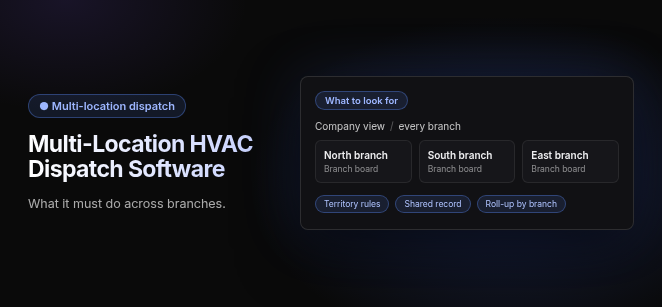
Multi-Location HVAC Dispatch Software: what it must do across branches.
What to look for. Company view, every branch: North branch, South branch, East branch (branch boards). Territory rules · Shared record · Roll-up by branch.
Multi-location HVAC dispatch software manages scheduling, routing and technician assignment across multiple branches, regions or service territories from one system, with company-wide and branch-level views. Branch dispatchers work their own zones, while leadership sees every truck, crew and open job across the company. Three things separate it from ordinary dispatch: territory management, one customer and equipment record shared across branches, and roll-up reporting by branch.
How is multi-location dispatch different from single-location dispatch?
Single-location dispatch assumes one board, one dispatcher and one pool of technicians. Multi-location dispatch has to decide which branch a job belongs to before it decides which tech gets it.
That ownership decision changes three things:
- Territory Management: Every job lands in a defined territory first. Technicians and crews then stay inside their own region unless someone deliberately sends them across a boundary.
- Unified Customer and Equipment Records: A customer serviced by two branches has one history, not two partial ones. A tech at either branch therefore sees every unit, past visit and open estimate.
- Cross-Location Reporting: Owners compare branches on the same numbers, rather than stitching together exports from separate systems.
The standard to hold software to is one record from first call to paid invoice, shared across every branch, combined with dispatch that sends the right tech by schedule, location and skills. Without both, every added branch adds manual reconciliation.
What features does multi-location HVAC dispatch software need?
Eight capabilities define multi-location dispatch. They fall into three groups: how jobs are routed, which records the branches share, and how the money and reporting roll up.
Which dispatch controls matter across branches?
- Centralized vs. Branch-Level Dispatch Boards: Branch dispatchers see their own zone’s board, while operations leadership sees all branches on one screen. The software should support both views on the same live data, so a central team and branch teams never work from conflicting schedules. Our guide to the dispatch board covers what a single board should show.
- Territory & Zone Rules: Territories are drawn by ZIP code or zone, and in tools built this way, incoming jobs map to the right branch by rule. These rules stop dispatchers from assigning jobs across territories by accident, which cuts cross-territory drive time and keeps branch P&Ls clean.
- Skill & Certification Matching (EPA Section 608, NATE): Assignment checks each technician’s skills and certifications against the job. For example, a commercial chiller goes to a tech qualified for that equipment, while a residential heat pump goes to a residential tech. Refrigerant work stays with techs holding EPA Section 608 certification. Our guide to skills-based technician matching covers what to check.
- Real-Time GPS & Live ETAs: In platforms that include vehicle tracking, GPS shows where every truck is across all branches, so dispatchers can find the closest qualified tech when a job is urgent. Live ETA texts to customers can also cut down “where is my tech?” calls to each branch office.
What records should branches share?
- Unified Customer & Equipment History: Suppose a customer first called Branch A, and their newer location sits in Branch B’s territory. A Branch B technician should still open the full equipment and service history on arrival. Customer, site and unit records belong to the company, not to whichever branch took the first call.
- Cross-Branch Inventory: In tools that track stock by location, truck stock and warehouse parts are visible across locations. A dispatcher can then see that a part sits in another branch’s warehouse before scheduling a second trip. Inventory-aware dispatch avoids sending a tech who cannot finish the job on the first visit.
How should reporting and accounting roll up?
- Roll-Up Reporting by Branch: Revenue, job counts, technician utilization and callbacks report by branch and company-wide from the same data. Owners can compare branches directly, without merging spreadsheets.
- Multi-Entity Accounting Sync (QuickBooks, Sage, NetSuite): In tools that support it, invoices and payments post to the right branch or legal entity in the accounting system. This matters most when branches are set up as separate companies, because a single combined ledger then creates month-end cleanup.
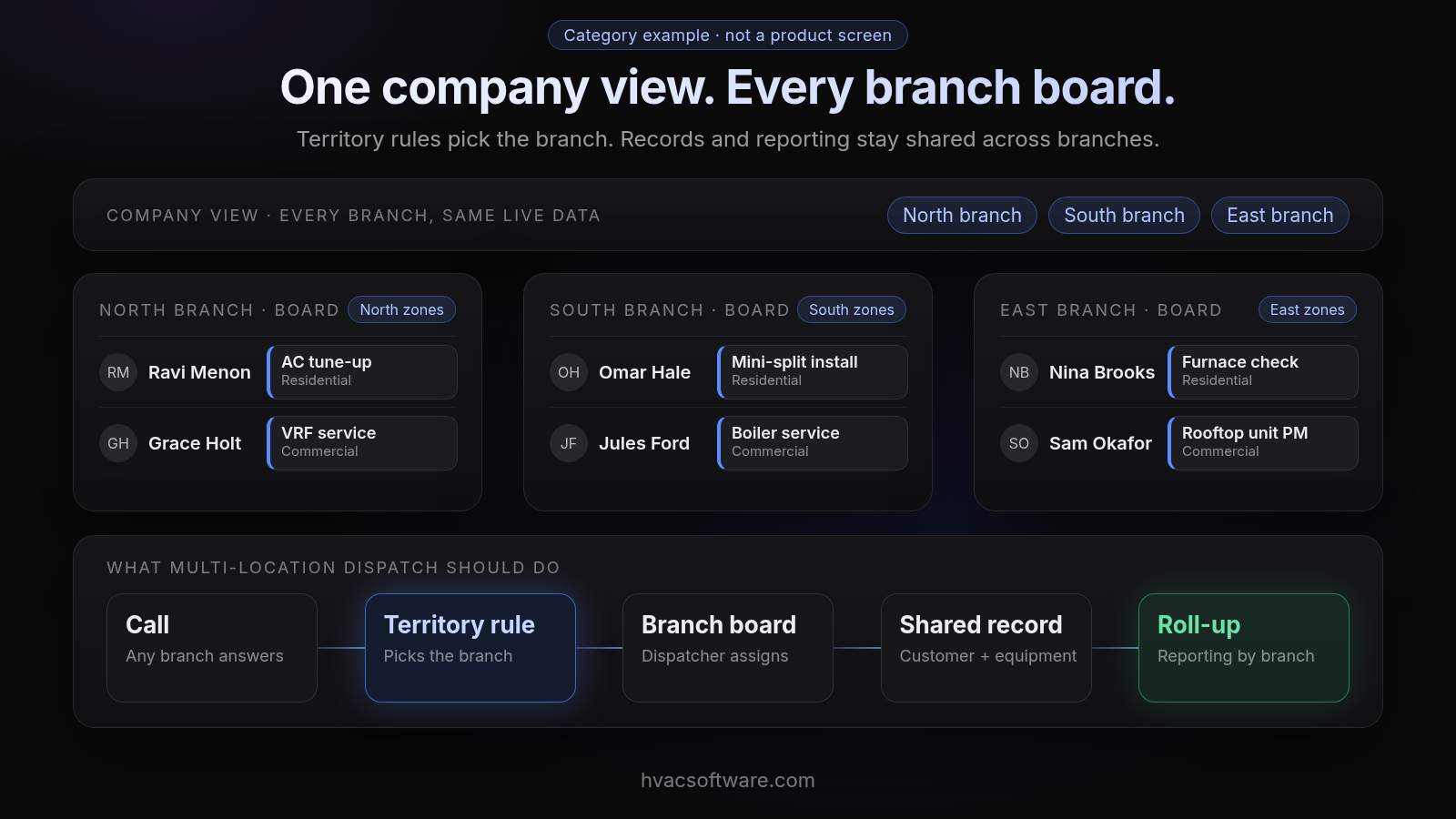
Category example · not a product screen
One company view. Every branch board.
Territory rules pick the branch. Records and reporting stay shared across branches.
Company view, every branch, same live data: North branch, South branch, East branch.
North branch board (North zones): Ravi Menon: AC tune-up (Residential). Grace Holt: VRF service (Commercial).
South branch board (South zones): Omar Hale: Mini-split install (Residential). Jules Ford: Boiler service (Commercial).
East branch board (East zones): Nina Brooks: Furnace check (Residential). Sam Okafor: Rooftop unit PM (Commercial).
- Call: any branch answers
- Territory rule: picks the branch
- Branch board: dispatcher assigns
- Shared record: customer + equipment
- Roll-up: reporting by branch
What does multi-location dispatch cost as headcount grows across branches?
Per-technician pricing scales quickly as headcount grows across branches. Adding a branch adds a seat for every technician there, plus any office users that the plan bills separately.
Flat-rate and no-per-user models also exist. Service Fusion, for example, says every plan includes unlimited users. When comparing quotes, price the system at your headcount two years out, not today’s. Also ask whether multi-location capability is in the base plan or sold as an add-on, and check current pricing pages on each vendor’s own site.
How does FieldCamp handle multi-location HVAC dispatch?
FieldCamp fits contractors running residential and commercial work in one system, with a person still deciding the day. Here is what FieldCamp does today, and what to ask about branches in a demo.
This site is published by FieldCamp.
- On the dispatch board: When your dispatcher drags a job onto a technician, the board checks skills, drive time and schedule conflicts, and the dispatcher confirms the assignment.
- For the customer: The customer gets a text when a job is assigned or moved.
- For the technician: A technician’s assigned jobs and schedule show on their phone.
- One record: Each job stays on one record from the first call to the paid invoice.
- Residential and Commercial Together: A branch running residential service calls and commercial rooftop work uses one system, not two.
- Who decides: A person still decides the day. Assignment stays a decision the dispatcher makes.
- What it doesn’t do: FieldCamp doesn’t do route optimization or vehicle tracking. Ask in the demo how territories, branch-level boards, roll-up reporting and accounting would fit your branches.
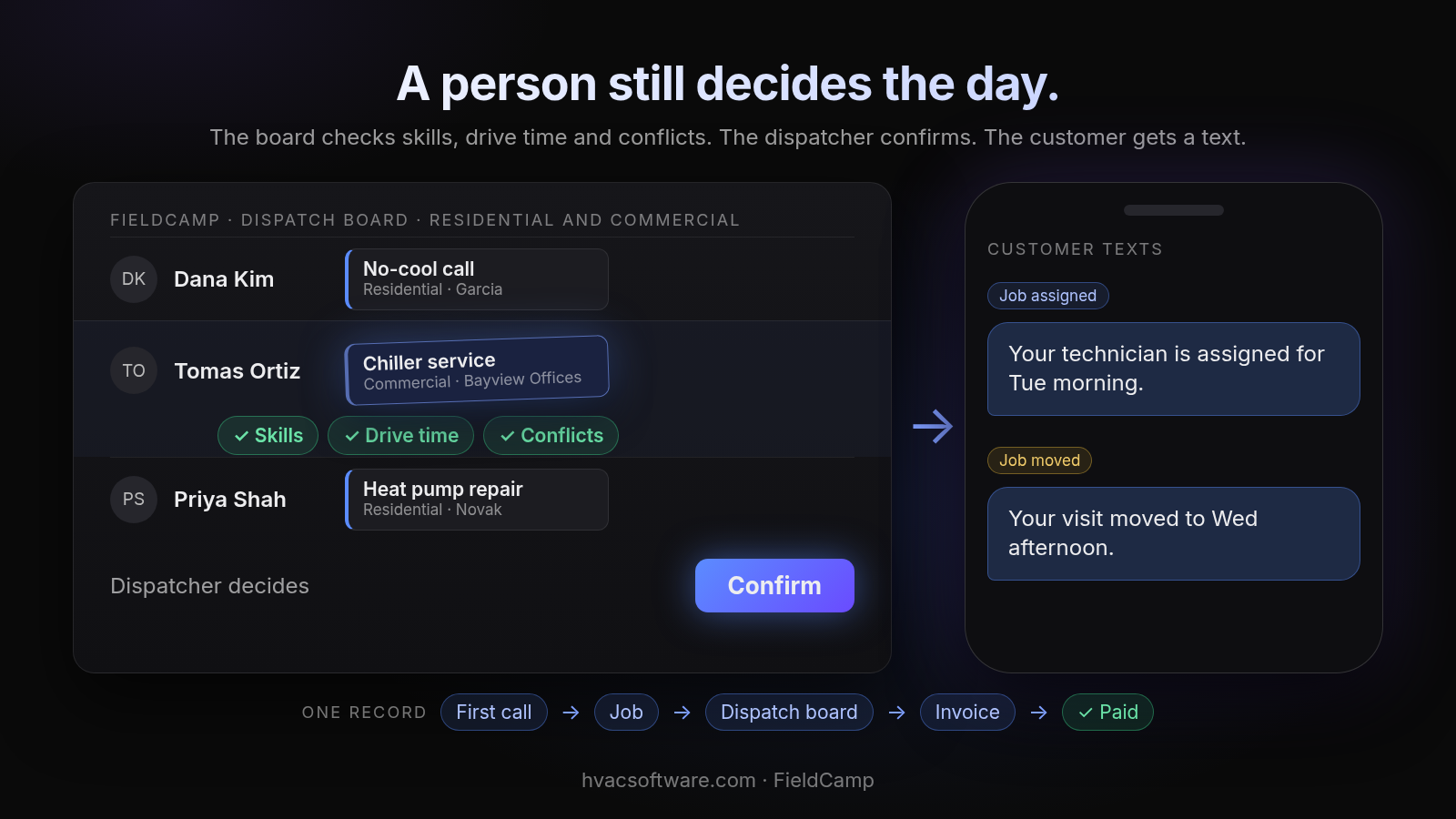
A person still decides the day.
The board checks skills, drive time and conflicts. The dispatcher confirms. The customer gets a text.
FieldCamp dispatch board, residential and commercial: Dana Kim: No-cool call (Residential · Garcia). Tomas Ortiz: Chiller service (Commercial · Bayview Offices). Priya Shah: Heat pump repair (Residential · Novak).
- Skills
- Drive time
- Conflicts
Dispatcher decides: Confirm.
Customer texts. Job assigned: "Your technician is assigned for Tue morning." Job moved: "Your visit moved to Wed afternoon."
One record: First call → Job → Dispatch board → Invoice → Paid.
Running more than one branch? Book a 30-minute walkthrough and bring your branch map.
Which other platforms come up for multi-location HVAC dispatch?
Several other platforms come up repeatedly. Each entry below describes what adopting it involves, based on each vendor’s own pages. Prices change often, so check current pricing pages before you sign.
- ServiceTitan
- What it says: Its enterprise page describes centralized platform management for running multiple locations across every branch.
- Pricing model: Its pricing page describes per-technician pricing by request, so cost rises with every tech added at every branch. Check current pricing pages and ask how long configuration takes.
- Housecall Pro
- Multi-location support: Its multi-location page describes aggregate reporting across all of your locations, and its pricing page points multi-location businesses to custom pricing.
- What to confirm: Which plan multi-location support needs, and what it costs at your number of branches.
- Jobber
- Pricing model: Plans are tiered by the number of users included.
- What to confirm: How territories, branch-level boards and roll-up reporting are handled at your branch count.
- BuildOps and ServiceTrade
- Focus: Both are commercial-focused platforms. BuildOps describes itself as commercial contractor management software, and ServiceTrade says it is built for commercial service teams, not residential contractors.
- What to confirm: How residential service work would run alongside commercial work if your branches do both.
- OptimoRoute
- Role: Route optimization and planning software.
- What adopting it requires: Ask how it would connect to the system that holds your job records, pricing and invoices.
How should you roll out dispatch software across branches?
Roll out one branch at a time. Moving every branch on the same day turns one migration problem into several problems happening at once.
- Map Territories First: Draw ZIP-code zones and assign each one to a branch before any data moves. Territory rules depend on this map.
- Merge Customer and Equipment Records: Deduplicate customers who appear in more than one branch’s old system, so the shared record starts clean.
- Load the Central Price Book: Set company-wide pricing and any approved branch variations once, before techs start quoting.
- Pilot One Branch: Run a single branch live while the others stay on the old system. Fix gaps in skill tags and territories at this stage.
- Add Branches in Sequence: Bring each remaining branch onto the same board, then switch on roll-up reporting once two or more branches are live.
Ask every vendor how long one branch takes to switch, and how long the whole company takes, before you sign.
Frequently asked questions
What is the best HVAC dispatch software for multiple locations?
There is no single best option. For a multi-branch contractor, the right one supports both branch-level and company-wide boards, maps jobs to territories, keeps one customer and equipment record across branches and reports by branch. Shortlist two or three and run one real cross-branch job through each in a demo.
What software do most HVAC companies use?
Most HVAC companies run a field service management platform for scheduling, dispatch and invoicing rather than separate tools. Comparisons most often name ServiceTitan, Housecall Pro and Jobber, with BuildOps and ServiceTrade named for commercial work. Fit depends on branch count, headcount and whether your branches run residential work, commercial work or both.
How much does multi-location dispatch software cost?
Cost depends mostly on the pricing model. Per-technician pricing adds a seat for every tech at every new branch, some plans bill office users separately, and multi-location support is sometimes sold as an add-on. Flat-rate and no-per-user models also exist. Check current pricing pages, and price the system at the headcount you expect two years out, not today’s.
Is there free dispatch software for multiple locations?
Some general scheduling tools offer free plans with limits on users or features. Free tools rarely cover territory rules, a shared customer and equipment record across branches, or roll-up reporting by branch. Check current pricing pages and count the re-keying your branches would still do.
Can dispatch software handle overflow when one branch is overloaded, such as during a heat wave?
It should, through an approved override that lets a technician from one branch be assigned inside another branch’s zone. One way to set it up is that the receiving branch books and dispatches the job, and labor cost is tracked back to the lending branch. Confirm that any vendor you evaluate supports this override and cost tracking.
What are the risks of switching every branch to new dispatch software on the same day?
Switching every branch on one day piles several migration problems on top of each other at the same time. A safer route is to run a pilot at one branch while the others keep the old system, fix skill-tag and territory gaps there, and then bring the remaining branches on one after another.
Before you shortlist
Answer these before you take a single demo:
- Number of Branches: How many locations today, and how many in two years?
- Number of Technicians: Total headcount across branches, which drives per-technician pricing.
- Residential and Commercial Mix: Whether every branch runs both, or some branches specialize.
- Accounting System: QuickBooks, Sage, NetSuite or another system, and whether that is one file or several.
- Company Structure: Whether branches are separate legal entities or one company with several offices.