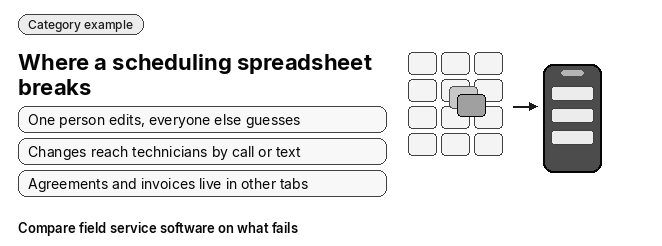
Scheduling on a spreadsheet becomes a bottleneck for a growing HVAC company because a static grid cannot keep dispatch, technicians, maintenance agreements and billing in sync as truck count and job volume rise.
At some point one dispatcher can no longer hold the whole board in their head, and every change has to be relayed by hand. The fix is dedicated field service software with a live dispatch board, a technician phone app and records that connect scheduling to billing.
The problems below fall into three groups: dispatch, agreements and billing, and customer and owner visibility. After them come the signs that a shop has outgrown its sheet, what software has to do instead, and how to move.
Dispatch problems: where the spreadsheet breaks first
No real-time office-to-field sync
The problem: An Excel or Google Sheets schedule only changes when someone edits it. Every reshuffle reaches technicians by phone call or text, and they arrive without the customer’s equipment history in hand. What it costs a growing shop: The dispatcher spends the day relaying changes instead of booking work, and every truck you add multiplies the calls and texts.
No routing or geographic awareness
The problem: Spreadsheet rows sort by time, not location. Nothing on the grid shows that three technicians are working the same part of town while an urgent job sits unassigned across it. What it costs a growing shop: More windshield time, more fuel spend and fewer completed jobs per technician per day, and the gap widens with each new truck.
No skill or certification matching
The problem: A cell holds a technician’s name, not what that technician is qualified to do. A job that needs EPA refrigerant certification or commercial equipment experience can land on whoever happens to be free. What it costs a growing shop: Wrong-technician dispatches drag down the first-time fix rate and create callbacks. The risk climbs as you hire technicians with uneven experience.
Agreement, booking and billing problems
Maintenance agreements fall through the cracks
The problem: Spring and fall tune-ups live in a separate tab or in someone’s memory. Nothing prompts the office when a visit or renewal comes due. What it costs a growing shop: Tune-ups get missed, renewals lapse and members drift away. That drains the most predictable revenue an HVAC company has.
Version conflicts and double-bookings
The problem: When several people edit the same scheduling sheet, one person overwrites another’s cell, or a saved copy drifts away from the live one. The same time slot gets booked twice. What it costs a growing shop: Double-bookings turn into apology calls, reschedules and idle technicians. Once more hands touch the schedule, they happen far more often.
Re-keying into invoicing and accounting delays cash flow
The problem: A finished job on the spreadsheet still has to be retyped into invoicing, payroll and the accounting system, often from paperwork that comes back from the field days later. What it costs a growing shop: Billing lags behind the work and typos creep into invoices. Cash flow tightens just as payroll grows with every new hire.
Customer and owner visibility problems
No customer notifications from the schedule
The problem: A spreadsheet cannot send an appointment text or reminder. Someone in the office sends them by hand, or nobody does. What it costs a growing shop: No-shows and wasted trips rise with job volume, and the office ends up fielding “where is my technician?” calls instead of booking new work. Which texts a schedule should send has its own page: customer text notifications.
No job-profitability or utilization reporting
The problem: A grid of names and times cannot show technician utilization, job profitability or when peak demand will hit. You find out whether a job made money weeks after it closed. What it costs a growing shop: Pricing, hiring and truck purchases get decided on gut feel, at exactly the stage when those decisions get expensive.
What are the signs your HVAC company has outgrown paper or spreadsheet scheduling?
If several of these are true, the spreadsheet or paper board is now costing you more than it saves:
- Dispatchers spend more time texting and calling technicians than booking jobs.
- The schedule shows a double-booking most weeks.
- Spring or fall tune-up windows close before anyone notices which agreements were never visited.
- Invoices sit waiting on paperwork from the field.
- One person understands the formulas or the paper board, and scheduling stalls when they are out.
- Customers call to ask where their technician is, because nothing tells them.
- Nobody can say which technicians or job types made money last month.
Paper has the same limits as a spreadsheet, with one more: the schedule exists in one place, so only the person standing at it knows the day.
What scheduling software has to do instead
Each spreadsheet failure has a matching requirement. Use this table as a checklist when you evaluate any system.
| Problem | On a spreadsheet | In HVAC field service software |
|---|---|---|
| Office-to-field sync | Changes go out by call or text | The technician’s phone shows the assigned jobs and schedule, and changes reach it from the dispatch board |
| Routing | Jobs sorted by time only | Dispatch sees location and drive time alongside the schedule |
| Skill matching | Any free name fills the slot | Dispatch checks the job against technician skills and certifications before assigning |
| Maintenance agreements | Tracked in a side tab | Agreements generate their own visits and renewals on schedule |
| Double-bookings | Last edit wins | One live board that checks for conflicts before a job is assigned |
| Billing | Retyped into invoicing and accounting | One record runs from the first call to the paid invoice |
| Customer notifications | Sent by hand, if at all | The customer gets a text when a job is assigned or moved |
| Reporting | Pieced together after the fact | Utilization and job profitability come from the same records |
This is category guidance, not a description of any one product. Confirm each answer in the vendor’s current documentation and in a demo.
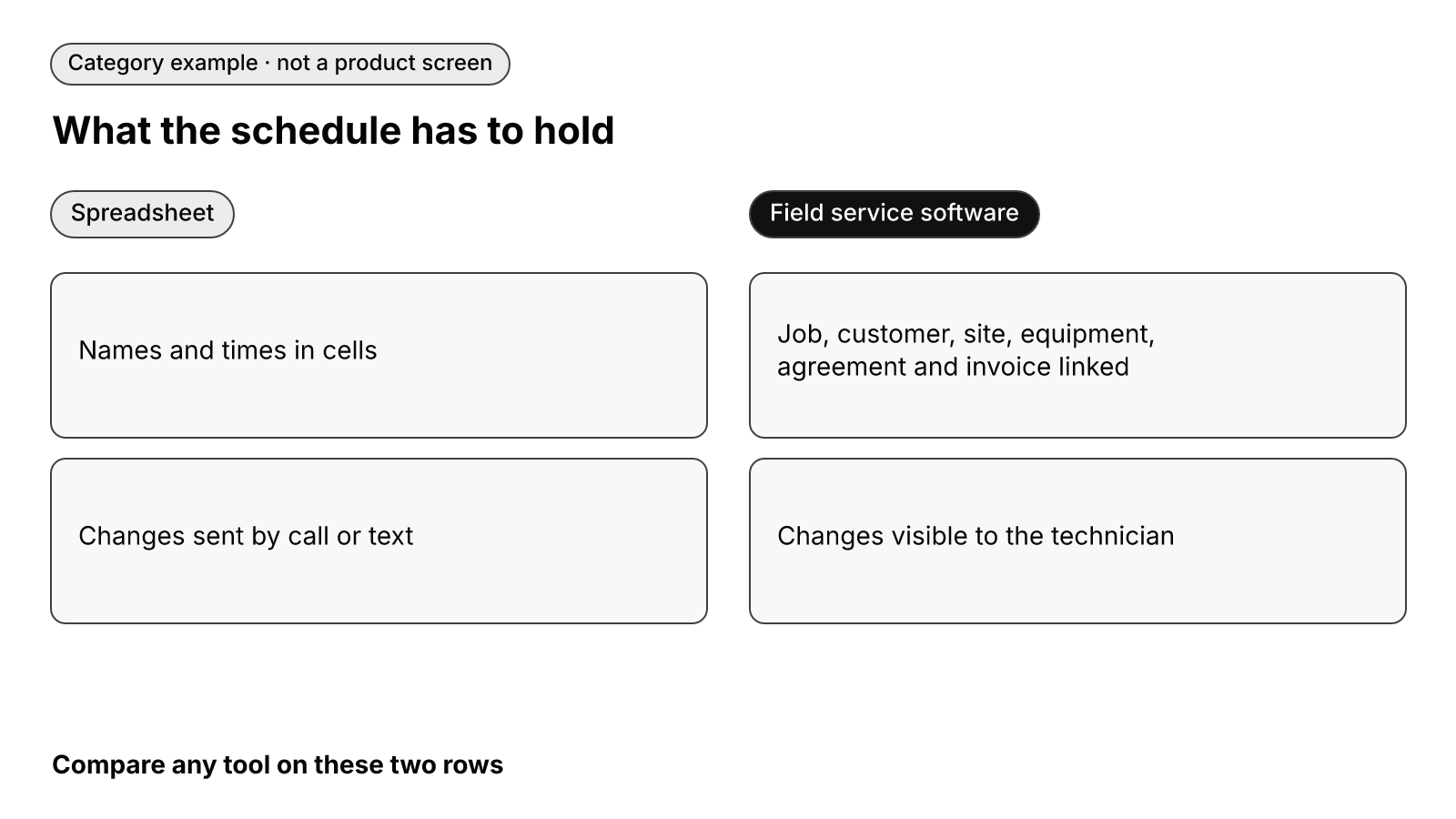
Two more requirements sit outside the grid. First, the office should set prices from a central price book so technicians quote inside guardrails instead of improvising on site. Second, a person should still decide the day: software can check skills, drive time and conflicts, but the dispatcher confirms the assignment. For the board itself, see the dispatch board.
Why flat spreadsheet rows break when you add commercial accounts
A residential job fits in a row: one address, one system, one person paying the bill. Commercial work does not fit, and growing HVAC companies often add commercial accounts at the same point the spreadsheet starts straining.
What does the commercial field model look like?
A commercial account is a hierarchy, not a line:
- Site: One property manager can hold several locations, each with its own contacts and access details.
- Unit: Each site has multiple units, and each unit needs its own service history.
- Equipment: Each unit carries make, model, refrigerant and past repairs.
- Service agreement: Terms attach to specific sites or units, not to the customer as a whole.
- Bill-to party: Depending on the work, the invoice goes to the property manager or to the tenant.
What goes wrong when it is forced into rows?
Teams copy the same site across many rows, cram unit details into a notes cell and track who pays in a color code. Three failures follow:
- The wrong unit gets serviced because the row does not say which one.
- Agreement work gets billed to the wrong party, property manager instead of tenant or the other way around.
- Equipment history is lost between visits because it lived in a cell someone overwrote.
Software for this stage should hold that full field model, from site down to bill-to party, and run residential and commercial work in one system. How a commercial account is stored is a question to ask in every demo.
What changes by stage: a small crew vs. multi-crew or multi-site
A small crew. Dispatch fails first: field sync, routing and double-bookings. Prioritize a live board, a technician phone app and agreements that generate their own visits. Reporting can come a step later.
Multi-crew or multi-site. Coordination and consistency become the problem. Several dispatchers share the same technicians, branches need their own numbers, and commercial records multiply. Prioritize the commercial field model, profitability reporting and a central price book, so every crew quotes the same way. Capacity is its own planning problem: see technician capacity planning.
What should accounting sync look like when you leave the spreadsheet?
The goal is that the invoice created from the job reaches your accounting system without anyone retyping it. When you evaluate software, ask three questions:
- Which records sync: customers, invoices, payments, or all three?
- Does the sync run in one direction or both?
- What happens when an invoice is edited after it has already synced?
The answers tell you whether the office will still be reconciling by hand after the switch.
How to keep a scheduling spreadsheet working a little longer
If a switch is not possible yet, you can harden the sheet you have:
- Protect ranges. Lock formula columns and past dates so only the dispatcher can edit live slots.
- Color-code status. Use conditional formatting for one color each for booked, en route, on site, complete and needs invoice.
- Standardize naming. Use one format for customer names, addresses and technician names so filters and lookups do not miss rows.
These steps cut down on overwrites. They do not add routing, skill matching, field sync or customer texts, so treat them as a bridge.
How to move off the spreadsheet
- Export the customer and equipment list. Clean up duplicates before import, especially commercial sites entered more than once.
- Set up maintenance agreements with each one’s next due visit, so spring and fall tune-ups are scheduled from the start.
- Run in parallel briefly. Book in both systems until the dispatcher trusts the new board.
- Cut over dispatch first. Once technicians work from the phone app, move invoicing and accounting sync next.
Ask each vendor how long a move like this takes for a shop your size and what help they provide. Tune-up and renewal timing is covered in recurring maintenance scheduling.
Where does FieldCamp fit?
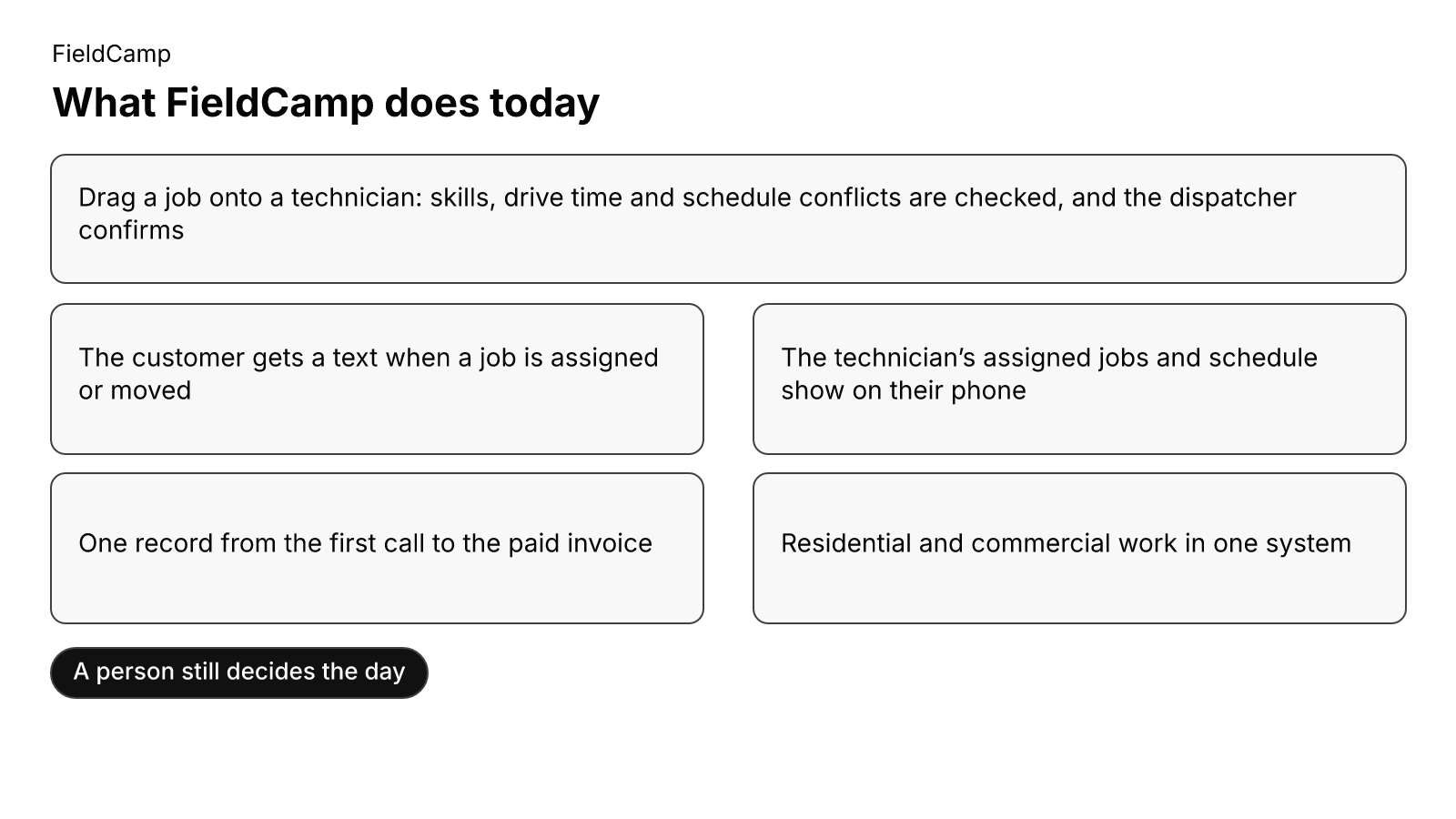
FieldCamp fits contractors running residential and commercial work in one system, with a person still deciding the day. Here is what FieldCamp does today, and what to ask in a demo.
This site is published by FieldCamp.
- On the dispatch board: When your dispatcher drags a job onto a technician, the board checks skills, drive time and schedule conflicts, and the dispatcher confirms the assignment.
- For the customer: The customer gets a text when a job is assigned or moved.
- For the technician: A technician’s assigned jobs and schedule show on their phone.
- One record: Each job stays on one record from the first call to the paid invoice.
- Residential and Commercial Together: Residential service calls and commercial maintenance work run in one system, not two.
- Who decides: A person still decides the day. Assignment stays a decision the dispatcher makes.
- What to ask in the demo: This page does not describe, as FieldCamp features, the items below. Ask about each of those, and for each of those, whether it is available today, needs setup or a connected tool, is in a pilot, or is planned.
- Board and phone sync: a live board that pushes changes to technicians’ phones the moment they happen; double-booking prevention beyond that conflict check; how a dispatcher’s change reaches a technician; what happens when two people change the same job
- History and drive-zone views: equipment or customer history shown on the technician’s phone; location or drive-zone views of the day; routing; certification matching beyond the skills check on a drag
- Maintenance and reminders: maintenance agreements that generate visits or renewals; tune-up or renewal tracking; appointment reminders; “on my way” texts
- Invoicing and accounting sync: invoicing; payroll; QuickBooks or other accounting sync; retyping or re-entry avoidance; which accounting records sync and in which direction
- Reporting and price book: job profitability or technician utilization reporting; demand forecasting; a central price book
- Commercial records and migration: commercial site, unit, equipment, service agreement or bill-to records; property manager versus tenant billing; multiple dispatchers or branches on one board; spreadsheet import or migration; parallel running; cutover timing; cleanup of duplicate records; protections on who can edit the schedule; how a commercial account is stored from site to bill-to party; how your current spreadsheet moves in
Book a demo and bring your current schedule to the demo.
Frequently asked questions
What is the best software for HVAC scheduling?
The best HVAC scheduling software is the one that closes the failures a spreadsheet cannot: a live dispatch board, a technician phone app, skill and conflict checks, agreement-generated visits, accounting sync, customer texts, and utilization and profitability reporting. If you also run commercial accounts, it has to hold the commercial field model described above. Confirm each in a demo with your own schedule.
What is the best HVAC scheduling software for small businesses?
For a small crew, dispatch comes first: a live board, a technician phone app and agreements that generate their own visits. Reporting and a central price book can come a step later. Pick on what fails in your schedule today, check current vendor pricing pages instead of trusting a number you read here, and ask what is included at your crew size.
What software do most HVAC companies use?
There is no verified figure on this page. Shops range from paper boards and spreadsheets to dedicated field service software, and the move usually comes when dispatch, agreements and billing stop fitting in one grid. What matters is whether the tool you choose connects scheduling to the invoice.
Can you use Excel as a scheduling tool?
Yes, for a small crew, and many shops start there. It stops working when several people edit the schedule, technicians need changes on their phones, agreements need visits generated and billing has to be retyped. Protected ranges and color-coded status help for a while, but they do not add routing, skill matching or field sync.
When would you use database software instead of spreadsheet?
When the same information has to be shared, linked and kept consistent by several people. A commercial account is the clear example: sites, units, equipment, agreements and bill-to parties are linked records, and flat rows cannot keep them straight. Field service software is that kind of database, built around jobs, customers, sites and equipment.
Final recommendation
If your dispatcher is relaying changes by hand, double-bookings show up most weeks or tune-ups are slipping, the sheet has done its job and it is time to compare field service software. Hold every vendor to the table above, ask the accounting and commercial-account questions in a demo, and prefer a setup where one record runs from the first call to the paid invoice and a person still decides the day.